How to choose the best model for your agent, plus 2 new ones to try

New this week: a practical guide to choosing the right model for your agent's work. Try the newest models available: Gemini 3.6 Flash, and Inkling. Plus, switch models directly from thread headers, smarter thread tabs, shared billing, and complete search in Hyperagent via Cmd + K.
Which model earns its keep?
We tested 14 models on real knowledge work to give you a practical guide for choosing a model in Hyperagent.
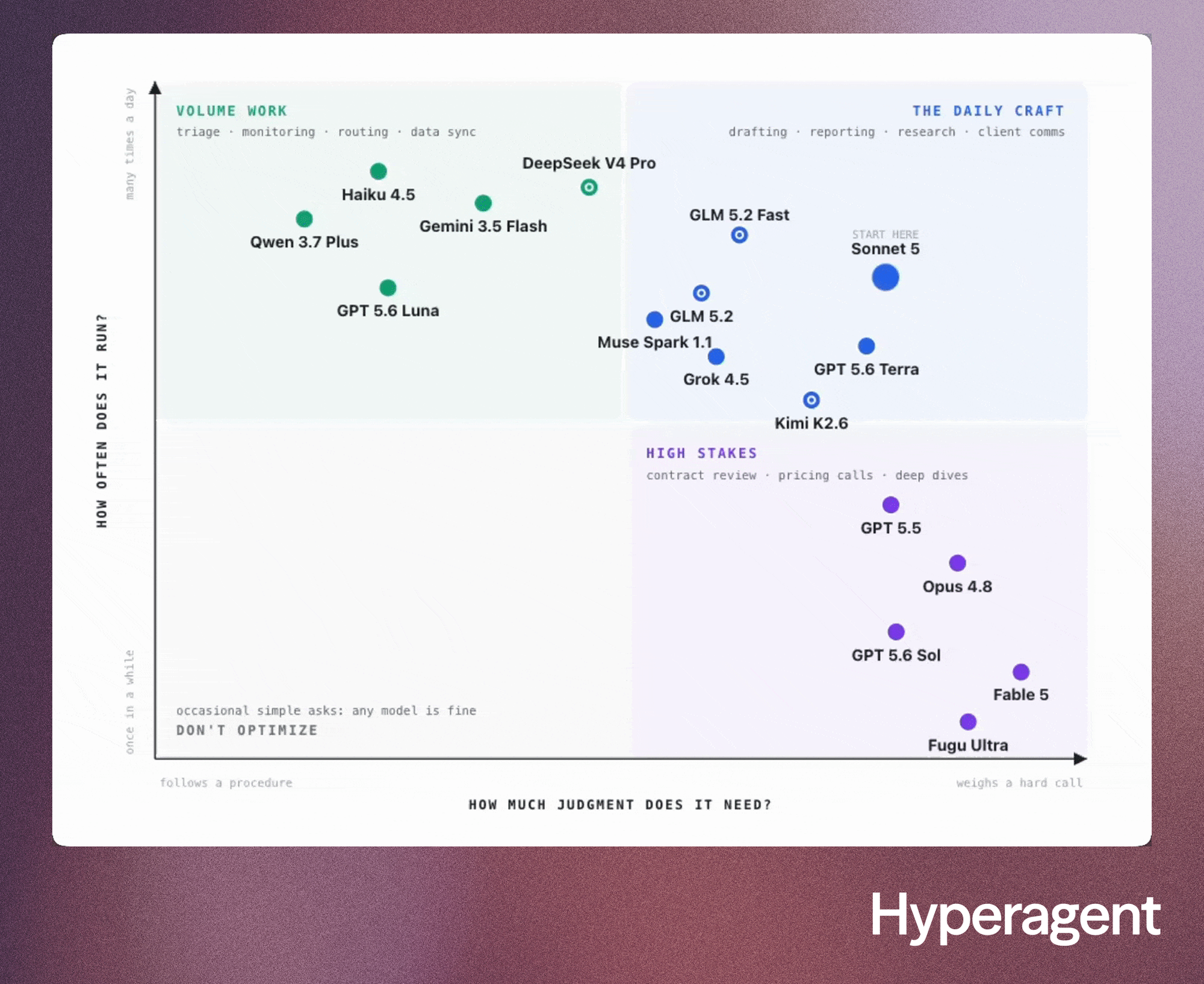
Read our full guide to learn which models are right for your agent, and the two biggest questions to price its work.
Product Updates
Two new models, ready for real work
Gemini 3.6 Flash and Inkling (a new open-weights model from Thinking Machines) are now available in Hyperagent.
Gemini 3.6 Flash
Choose Gemini 3.6 Flash for fast, high-volume work such as monitoring, triage, research loops, coding, and long browser tasks. It brings stronger coding, multi-step tool execution, and a 1M-token context window.
Inkling by Thinking Machines
Choose Inkling for knowledge work that draws from a mix of text, images, audio, and video. It is careful when unsure and gives you direct control over reasoning depth.
See the status of all your threads at a glance
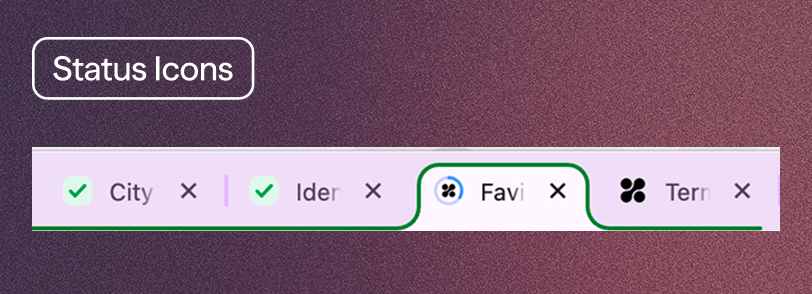
Every open thread now reports back through its favicon, letting you scan your browser tabs instead of opening every tab to check on a thread:
- A progress ring that fills while your agent works
- A green checkmark that appears on a finished turn
- A question mark when an agent needs your input
- A red exclamation when an action needs your approval
Shared Billing puts your organization on a single bill
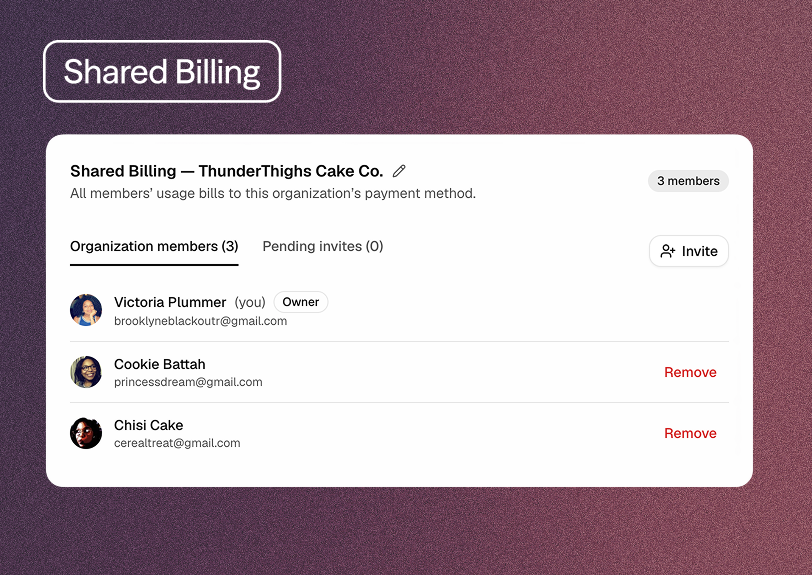
If your entire team is using Hyperagent, you can now consolidate spend into a single shared team bill. Instead of dealing with separate CC charges for each different user, a single organization owner can choose a single plan and payment method, reducing administrative overhead and clarifying billing.
To get started with shared billing, visit Settings → Billing and set up an organization, invite teammates by email, and start managing members, usage, and spend all in one place.
Find everything you need with Cmd + K
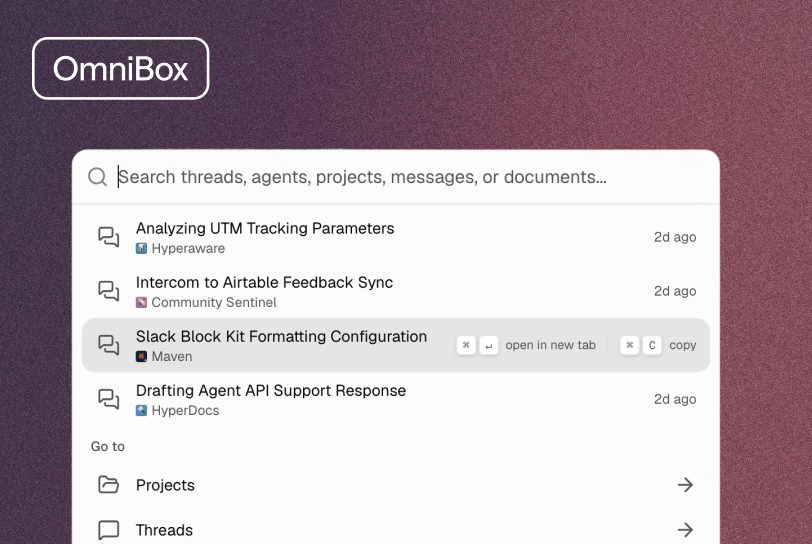
Search in Hyperagent got a big upgrade. Use Cmd + K to find a thread by name or by a phrase you remember from your chat. You can also start a new thread with any agent, open a project, search a document by title or body text, or jump to your Skills, Library, Learnings, Command Center, and navigate to the rest of Hyperagent.
New in the Marketplace
We're updating the Hyperagent Marketplace every week with new agents and skills. Here are a few we added recently:
Small Biz Website Builder by Corey Ganim
Find well-reviewed local businesses whose websites are missing or outdated. Corey Ganim’s agent packages research, current-site screenshots, and distinct concept sites in a click-through pitch dashboard, with guardrails that keep every pitch credible. Try Small Biz Website Builder
Wiki-builder by Elvis Saravia
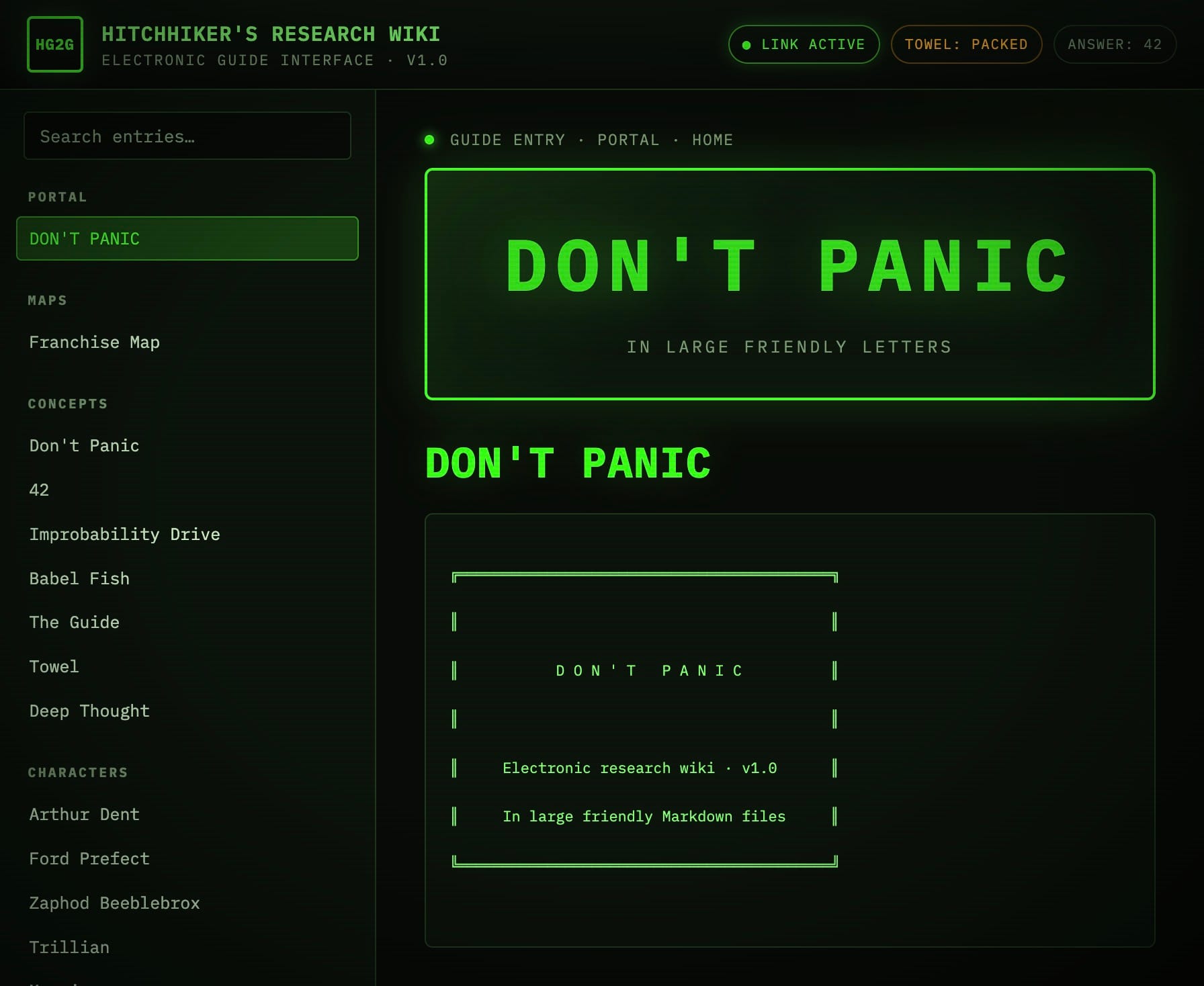
Turn an ongoing research topic into a durable wiki with sources, compiled pages, prompts, and update logs. Elvis Saravia’s skill creates and maintains wikis for papers, products, people, organizations, projects, or entire research areas. Try Wiki-builder