How agents load skills
How pinned, attached, and discoverable skills enter a thread.
A RevOps agent may have two methods it uses every Monday and dozens more it only needs for a specific request. Loading all of them into every thread would waste context. Hiding all of them would make the agent improvise work your team has already standardized.
Skill Discovery changes two settings together. When it is on, the agent can search its broader allowed skill library and loads a skill's full documentation only after choosing it. When it is off, search is restricted to skills attached to the agent and their full documentation is preloaded.
The operating model
Pin the methods that define the agent's regular job. Keep specialized methods discoverable. Turn discovery off when the agent should work from a small, fixed kit.
Three loading paths
Pinning, preloading, and discovery answer different questions. A skill can be both attached and pinned; these are not three mutually exclusive skill types.
Pinned summary
Every turn includes the skill's name and description in the agent prompt. In discovery mode, pinning does not preload the full skill body. Pin methods the agent should almost always consider.
Preloaded documentation
When Skill Discovery is off, the full documentation for attached skills is placed in the prompt. Use this for a small, fixed operating kit.
Discovered on demand
With discovery on, the agent searches the skill library allowed by its scope. Search returns a summary; the agent then loads full details for the skill it needs.
Choose how the agent starts
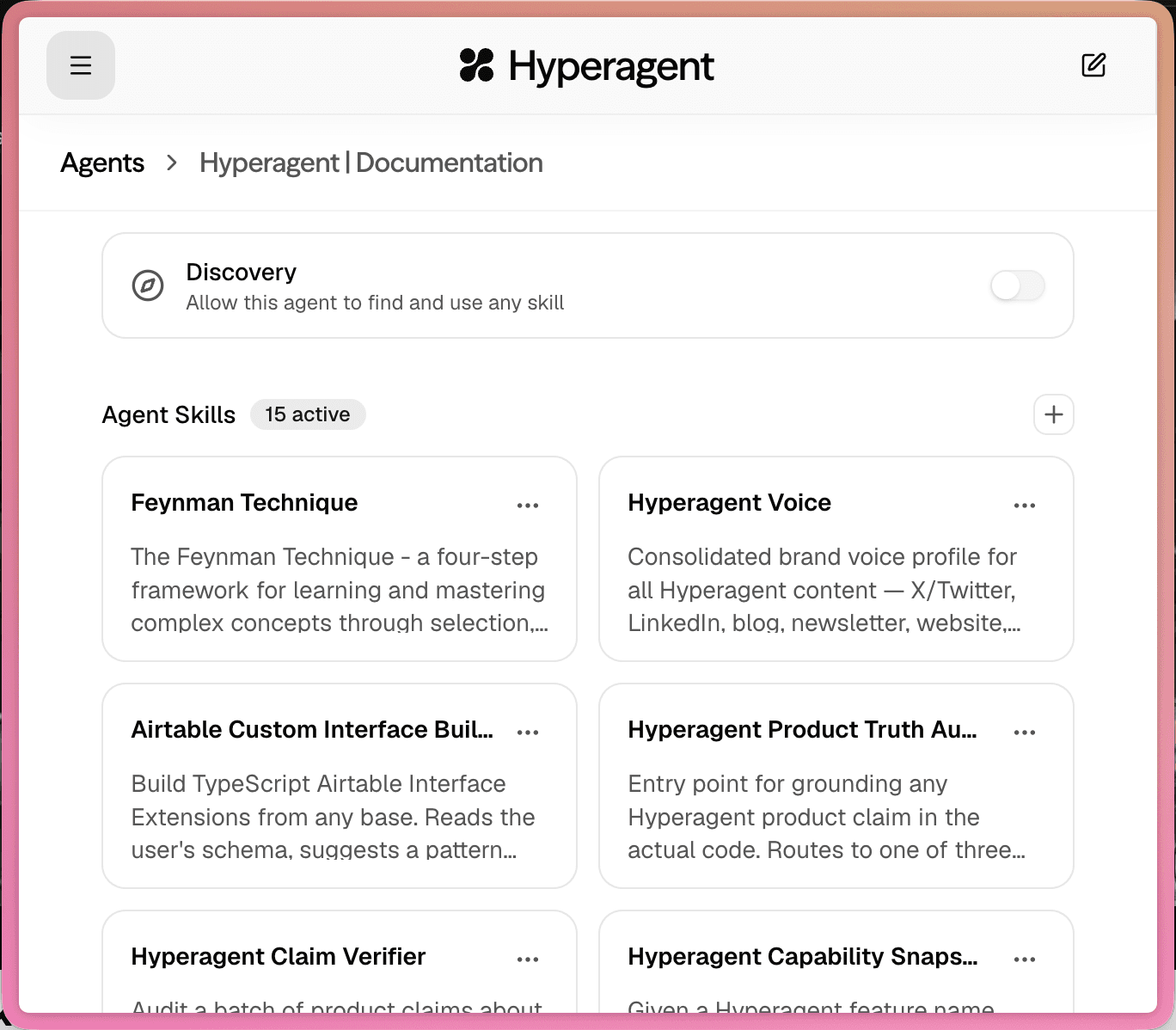
Start with the job the agent owns. A specialist with a narrow operating procedure benefits from a fixed kit. A generalist working across research, writing, and analysis benefits from search.
Pins sit on top of either setup. They keep each pinned skill's name and description in the prompt. In discovery mode, the agent still loads the full skill only when it chooses to use it.
Search when the work calls for it
The agent starts with pinned summaries, then searches for other skills when the task points to a method. Search returns summaries; the agent loads full details for the result it chooses. This is the common setup for agents that need access to a broader library.
Start with a fixed kit
The agent preloads the full documentation for its attached skills and does not search broadly. Use this for a small, controlled set of methods that should be present on every run.
Why loading strategy matters
Discovery keeps the opening context lean. A fixed kit trades that efficiency for predictability: the attached methods are present before the agent reads the first request.
Make the right skill easy to find
Search matches the skill's name, description, tags, and when-to-use guidance. A specific skill should read like a clear operating method, not a catch-all folder.
Name the job
Weekly Pipeline Summary gives the agent a stronger match than Reporting.
Describe the outcome
Say what the skill produces and who it is for: a leadership pipeline update, a customer-risk brief, or a sourced market scan.
Write an honest when-to-use signal
Name the situations that should trigger the method. Avoid broad guidance that makes the skill appear relevant to every request.
Keep the documentation focused
Once it chooses a skill, the agent loads the documentation and references, plus metadata for any executable scripts. Script contents are fetched only when the agent needs to run or inspect them. Keep every part aligned with the job named above.
Findable skill
Name: Weekly Pipeline Summary
When to use: Use when preparing a recurring sales pipeline update for revenue leadership.
Ask for a skill directly
There are two different paths when you already know the method you want.
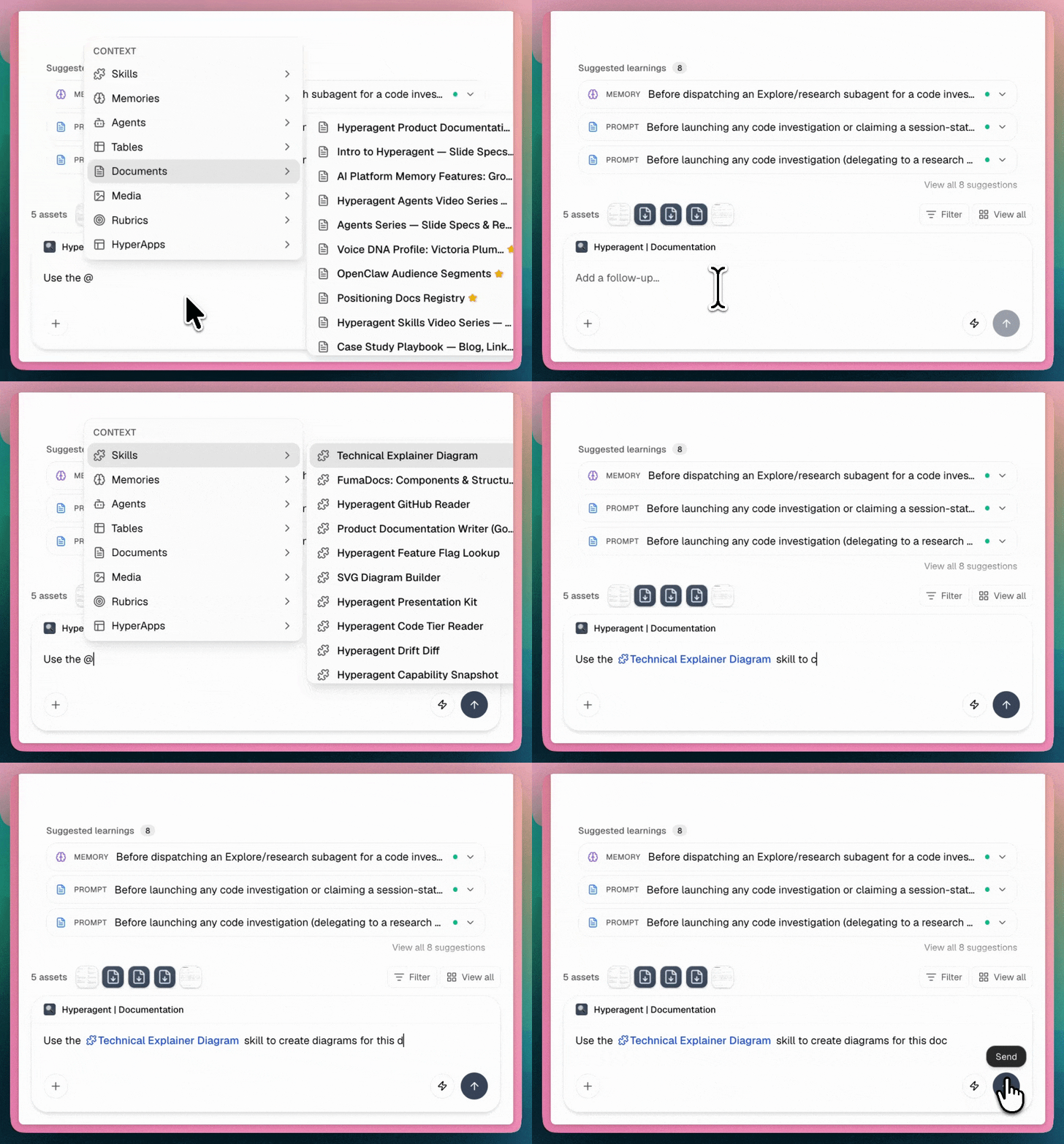
An actual @ mention is explicit context: Hyperagent loads the mentioned skill's description and full documentation into the turn, as long as that skill is visible to the current agent and workspace.
Writing a skill's name in ordinary text is different. It gives the agent a strong search cue, but the agent still has to discover and load the skill through its allowed scope.
Set the search boundary
Search scope decides how far the agent may look when a skill is not already visible.
Broader library
A personal agent can search the user's available library. A team-owned agent searches global skills plus skills owned by or shared with that team, not each member's private skill library.
Attached only
The agent can only find skills linked in its settings. Use this for shared or Slack-facing agents that should stay within a curated operating kit.
Shared agents still follow knowledge access
Search scope and knowledge access work together. A curated shared agent should not pull from a private skill library unless those methods are included in its allowed context.
Skills do not grant capabilities
Loading a method does not connect an account or enable a built-in action. The agent still needs the capability and access required to execute the method.
Skill
Teaches the method: what to inspect, which steps to follow, and what the finished output should look like.
Tool
Enables a built-in action such as web search, code execution, image generation, or document creation.
Integration
Connects an external service such as Slack, GitHub, Gmail, or Salesforce.
For the full access model, see Tools and integrations.
Common setup patterns
Core methods plus specialist search
Pin Weekly Pipeline Summary and Deal Risk Triage. Keep discovery on for research and one-off analysis methods.
A small controlled kit
Attach the approved voice method and turn discovery off, or restrict search to attached skills. Use curated knowledge access when the agent is shared.
Few pins, broad discovery
Pin only the methods you use constantly. Let the agent search your available library as research, writing, and analysis needs change.
Updates and imports
Editing a skill updates that method in place for agents that use it. Imports add or reuse skills according to import rules and do not silently replace a different existing method.
For scripts, credentials, collisions, and shared installs, see Edit and import skills.
FAQs
Pin the methods that define the role. Keep specialized methods searchable. Use a fixed attached kit when predictability matters more than breadth.