Skills
A reusable method you teach once so agents do specific work the way your team does it.
A skill is a reusable method. It teaches agents how your team does a specific kind of work: the research process, the report format, the brand voice, the API pattern, or the checklist that makes the output trustworthy.
That is different from a fact the agent should remember, and different from a tool the agent can click. A memory might say "weekly summaries go to #exec-updates." A tool might be web search. A skill says how to build the summary: which fields matter, what counts as risk, and what good looks like when leadership reads it.
You create a skill once. The agents that need that method can use it. When you improve the skill, every agent using it gets better.
More than instructions
A good thread often reveals a better way to work. The agent found the right research pattern, produced the report in the format your team prefers, followed your writing voice, or figured out how to use an API that matters to your workflow.
A weekly pipeline thread might teach which CRM fields matter, how your exec team wants risks called out, and what format the final update should follow.
Without a skill, that method lives in chat history. Next week someone re-explains it, or the agent improvises a slightly different version. A skill turns the method into something you can attach, pin, discover, and share.
What skills can teach
Skills capture different kinds of reusable methods. Most real skills mix more than one.
Workflows
A repeatable sequence, like preparing a weekly pipeline summary, reviewing support tickets, or turning research into a client brief.
Voice and style
Writing standards, brand voice, editorial rules, tone preferences, and examples of what good output sounds like.
Research methods
How to gather sources, compare companies, evaluate claims, cite findings, or build a market scan.
Structure
Formats for reports, emails, briefs, tables, webpages, decks, or other outputs your team creates often.
Tool and API methods
How to work with a specific system, endpoint, query pattern, or third-party service the right way.
Scripted operations
Code-backed steps for calculations, data cleanup, API calls, file transforms, or other mechanics that should run the same way every time.
Your agents arrive already trained on the basics
Global skills ship with Hyperagent and teach every agent the built-in tools' craft: media generation, composed video, file conversion, data-connection setup, and context building. Your own skills add what no platform can ship: your team's process, voice, formats, and domain expertise.
From thread to skill
Skills usually come from work you have already shaped once. The agent pulled the data, found the risky deals, drafted the exec update, and you refined the output until it matched how your team talks about revenue.
That process is worth saving.
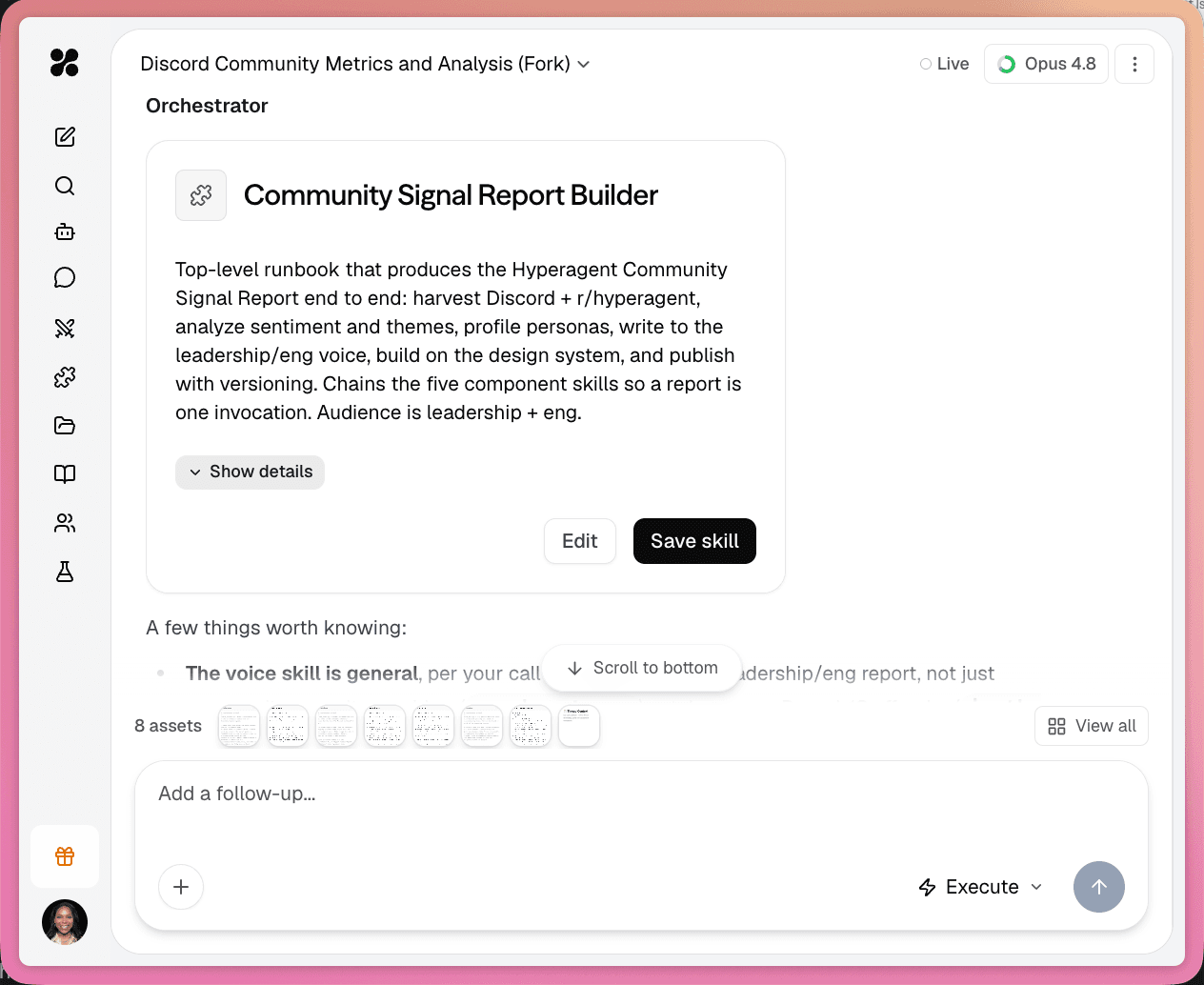
In the thread, you can ask Hyperagent to suggest a skill based on the output you just created. It drafts a method you review, edit, and save. The skill should hold the repeatable part, not this week's deal list. Current numbers stay in the thread, table, or connected system.
A Weekly Pipeline Summary skill might capture: which CRM fields to check, how to compare this week to last week, what counts as a risk, and how leadership wants the update structured. Once it is saved, you make it available to the agents that should call that method when the request is relevant.
Anatomy of a skill
Before a skill can help an agent, it needs a clear label, a clear purpose, and enough instruction for the agent to follow the method.
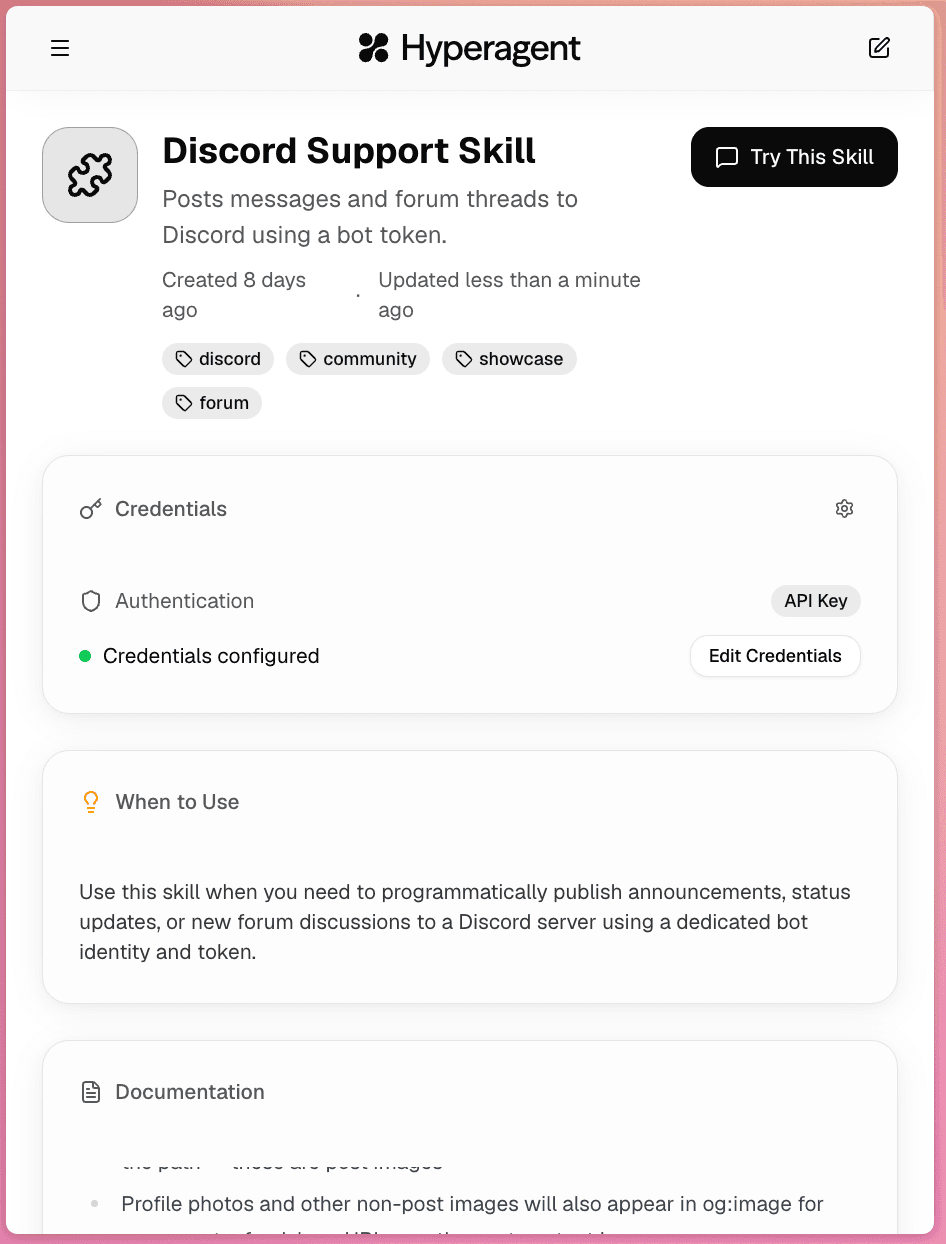
A Weekly Pipeline Summary skill should say when to use it, which source to query, what the summary must include, and what format the team expects. Vague names like "Reporting" make discovery harder than "Weekly Pipeline Summary."
Name and description
What you and the agent use to recognize the skill. Specific names are easier to find and safer to pin.
When to use
Situations where the method should apply. This is the main signal for discovery when the skill is not pinned.
Documentation
Steps, examples, constraints, inputs, and what good output looks like. This is the core of the skill.
Scripts and credentials
Code for repeatable mechanics, plus credential fields for services those scripts need. Values stay out of the conversation. See Skills with APIs and credentials.
How an agent uses skills
Once a skill exists, the agent needs a way to bring it into the thread. That is controlled by Skill Discovery, pin state, and how far the agent is allowed to search.
How skills enter a thread
Pinned always, discovered when needed, or preloaded as a fixed kit.
Pinned skills are visible from the start. The agent sees the skill's name and description at the beginning of the thread, so it can recognize when that method applies. A RevOps agent might keep Weekly Pipeline Summary pinned because that workflow is central to its job.
With Skill Discovery on, other skills can be found when needed. The agent starts lean: pinned summaries first, then search when the task points at a method. Full documentation loads only when matched. Context stays available for the conversation.
With Skill Discovery off, attached skills are preloaded. The agent starts with full documentation for its attached skills and does not search broadly. That works well for a small, fixed kit. It uses more context from the first turn.
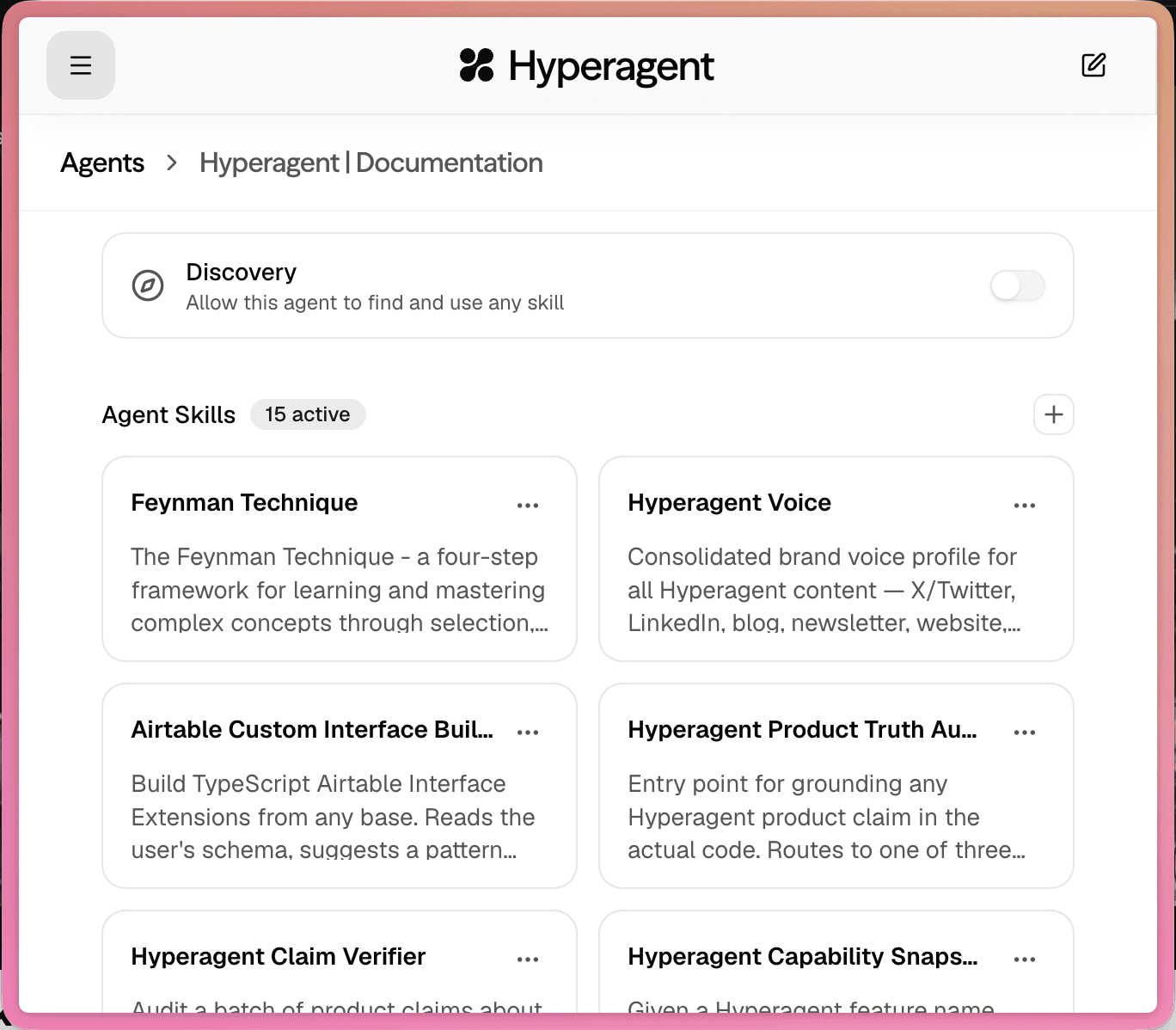
How agents find the right skill
With discovery on, clear fields matter. A skill named "Weekly Pipeline Summary" with when-to-use text like "Use when preparing recurring sales pipeline summaries for leadership" is easier to match than a generic "Reporting" skill.
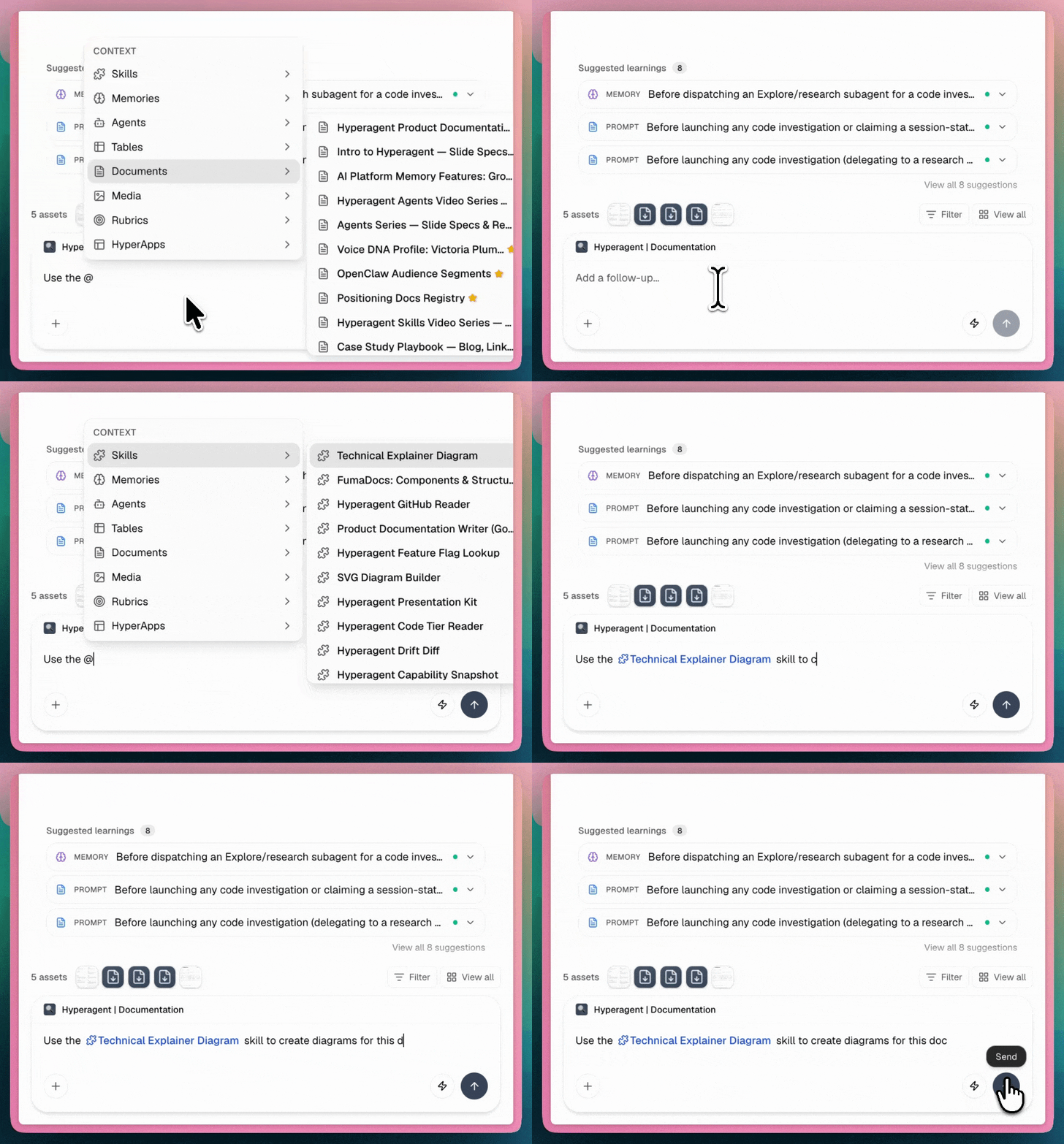
If you type the skill's name in your message ("use the Weekly Pipeline Summary skill"), the agent can search for it, load the full documentation, and follow it. You do not need to attach or pin it first, as long as the agent's scope allows the search.
Search scope
Search scope controls how far the agent can look when a skill is not already visible.
All skills
The agent can discover skills across your knowledge base, even when they are not attached. Use when a well-built method should be available without wiring it to every agent by hand.
Attached only
The agent only finds skills you linked in agent settings. Use for shared or Slack-facing agents that should not pick up methods from unrelated workflows.
In agent settings, the Skill Discovery toggle usually drives these choices together: on means discover with broader search; off means preload the attached set. Full detail on how skills load and how the discovery boundary works lives in Knowledge and learning.
How skills help every agent improve
Skills are portable across agents. That is what makes them compound.
You might build Weekly Pipeline Summary while working with a RevOps agent. Once it works, the same method can help a Chief of Staff agent prep leadership updates or a Sales Manager agent review team performance.
When the method is ready for other people, share it through a workspace. Teammates can use the skill without rebuilding the process. Skill sharing also includes a credential choice: no credentials, the owner's credentials, or each person bringing their own key.
When you improve the skill (tighter checklist, better examples, a fixed API method), every agent using it benefits. That is different from stuffing the same instructions into one agent's system prompt. A system prompt belongs to one agent. A skill travels to the roles that need the method.
Skills vs agents
An agent is the configured teammate: identity, instructions, tools, integrations, and the outcome it owns. A skill is a reusable method that teammate can call when the request requires it.
The Weekly Pipeline Summary is not the agent. It is the method. Several agents can use it for different jobs without each one becoming a copy of the same mega-prompt.
Who owns the outcome
Role, tools, knowledge, model, controls, and invocations. Examples: RevOps Lead, Leadership Brief, Renewal Watch.
How a specific job gets done
Steps, examples, scripts, credentials, and when-to-use guidance. Examples: Weekly Pipeline Summary, Brand Voice Guide, API Query Method.
How skills differ from other context
Skills work alongside memories, tools, and integrations. They solve a different problem.
Skill
How to handle a specific output or workflow. "Write a client brief in our format."
Memory
Facts or preferences that should travel forward. "Weekly summaries go to #exec-updates."
Tool
A built-in platform action. Web search, image generation, code execution.
Integration
Access to a connected external account. Slack, GitHub, Gmail, Sheets. See Tools and integrations.
Tools and integrations give capabilities and access. Memories give standing facts. Skills teach the method.
FAQs
A skill is a reusable method that teaches agents how to handle specific workflows and outputs. Capture it once, attach it where it matters, and improve it in one place so every agent that uses it gets better.