Call APIs from a skill
Make a skill that calls an external API work reliably, with scripts and safely held credentials.
Integrations and MCP servers are the best starting point for giving an agent access to another service. They package the connection and available actions so the agent can get to work.
When a service does not offer an integration or MCP server, an API-backed skill can connect to its API directly. Point the agent at the API documentation and describe what you want to accomplish. The agent can write the scripts, document how to use them, define the credential fields they need, and keep the method current as the API changes.
What an API-backed skill carries
Documentation
The instructions for when and how to use the API: which endpoint to call, which fields to send, and what a successful result looks like.
Scripts
The executable steps that should behave the same way every time, from sending the request to cleaning data or transforming a file. The agent can write and update them as the API changes.
Credential fields
The secret inputs the script requests at runtime, such as an API key or bearer token. Field names live with the skill. Secret values stay out of its documentation, scripts, references, and threads.
Documentation
Documentation is the operating guide the agent reads before it runs anything. It should explain when the skill applies, which script to use, what inputs the script expects, and what a successful result looks like.
Include:
- The job the skill handles and the requests that should trigger it
- The endpoint, authentication method, and required credential field names
- The script or command to run, including required inputs and defaults
- The expected output, common failure cases, and any supporting references
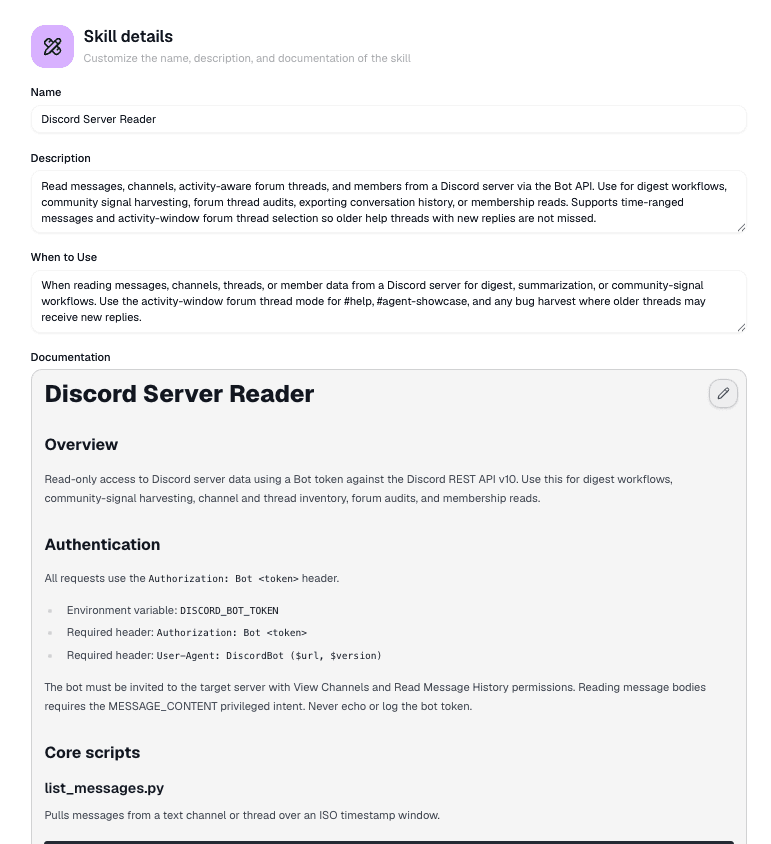
When the agent changes an endpoint, field name, script input, or expected response, it should update the documentation in the same pass. That keeps the written method and the executable code in sync.
Scripts
Scripts handle the mechanics that should run the same way every time, such as sending the request, following pagination, cleaning returned data, or transforming a file. The agent writes and updates them from the API documentation.
Scripts execute on the agent's remote VM, which provides the runtime and filesystem for the run. They do not run on your local computer. When the agent fetches a skill's scripts, the files are copied into that working environment; credential values are never written into them, and the source sits on disk without entering the model's context until the agent actually reads a file.
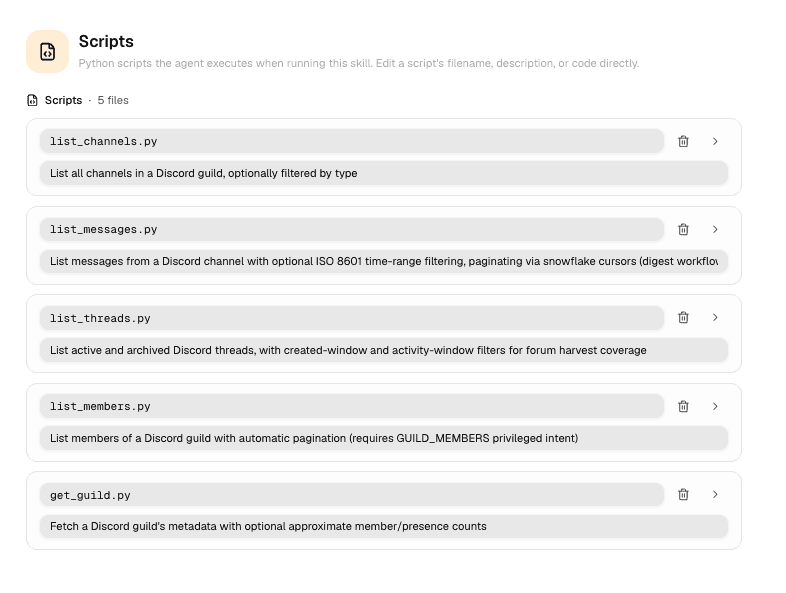
Keep scripts small and predictable:
- Use clear arguments or input files with documented formats and defaults
- Return structured output the agent can inspect
- Produce actionable errors when authentication, inputs, or the API response fail
- Read secrets from credential fields instead of embedding values in source
If a script fails after an edit, the agent should check that its documented inputs, credential field names, and source still agree.
Credentials
Credential fields define the secret values a script needs at runtime, such as an API key, bearer token, or client secret. The field name and setup instructions live with the skill. The stored value stays out of its documentation, scripts, references, and threads.
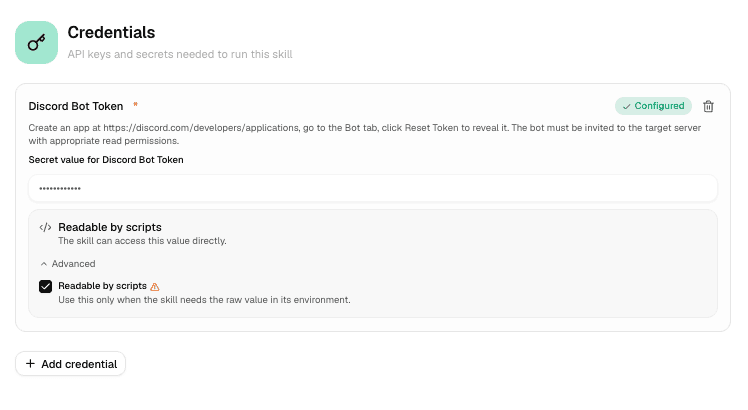
Limit what a skill can do with its key
When you save a sensitive value like an API key, Hyperagent asks how it should be handed to the skill. There are two choices, and for most skills the default is the one to keep.
Locked to one host (default)
Hyperagent sends the key only to the host you name, such as
api.stripe.com. The key never enters the agent's remote VM, so scripts and
other processes in the run cannot read, copy, or forward it elsewhere.
Readable by scripts
Hyperagent makes the key available to the credentialed script while it runs, and to nothing else: it is not added to the model's prompt or the agent's general environment. But because the script can read it, poorly written code could print, save, or forward it. Use this mode only when the API requires code to handle the value directly, such as signing a request, and say so in the skill's setup instructions.
Not sure which yours needs?
Keep Locked to one host. If the skill stops connecting after you switch, switch it back to Readable by scripts and it works again. Nothing is lost either way.
Sharing skills with credentials
When you share a credentialed skill to a workspace, choose how its credentials travel:
Use my credentials
Every team member can run the skill with the sharer's stored credentials. Usage is billed to the sharer's account, so use this only when every current and future member should receive that authority.
Each member adds their own
Every teammate must save values for the required credential fields before running the authenticated skill.
The authenticated script runs only when the required values are available. See Workspaces for how shared access and credentials work together.