Integrations
The apps and services Hyperagent agents can connect to, and how to connect them.
Your agents can read and act in the tools your team already runs on. Connect an app once, and it is available wherever that agent runs: in a thread, on a schedule, in Slack, or over email. This page is the full catalog. Search it, group it, and open the one you want.
How integrations work
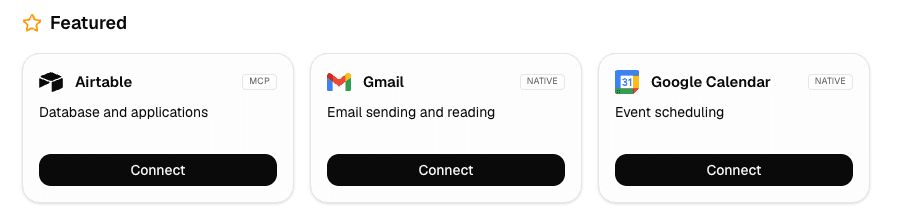
Most integrations are one click. Find the card on Settings → Integrations, click Connect, approve access, and it is ready. Connecting an account to an agent automatically enables the corresponding tools so the agent can begin using it immediately. There are three ways to get an agent working with an app:
Pre-configured
The integrations in the catalog below are ready to connect. Find the card, click Connect, approve access, and enable it on your agent. Browse the catalog.
Custom MCP
Point Hyperagent at a remote MCP server your company or a vendor runs, and your agents get its tools the same way. Set up a custom server.
Skills
Teach the agent a repeatable method for a tool, including how to call its API with the right credentials. Learn about skills and work with APIs and credentials.
Whichever you reach for, getting it working takes two steps:
Connect the account
Open Settings → Integrations, find the card, and click Connect. Approve access with the vendor. This links the account to Hyperagent.
Attach it to an agent
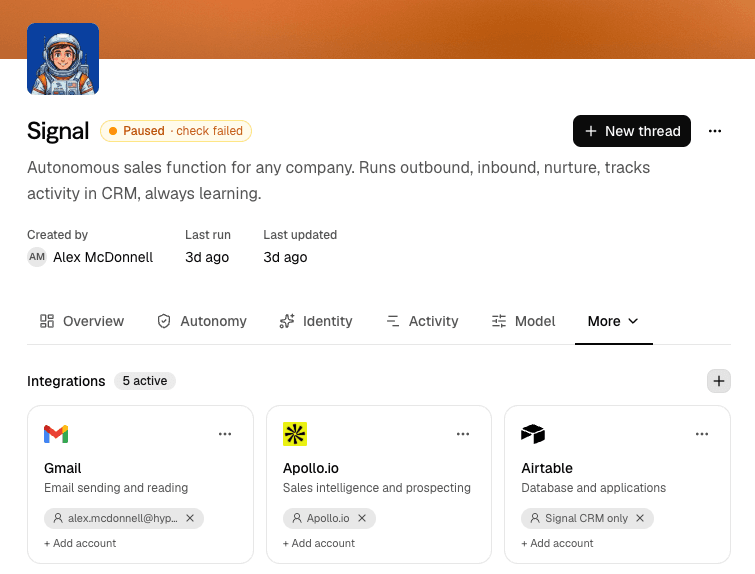
Enable the connected app on the thread or named agent that should use it. Open the agent's settings and add the integration account; the agent's tools are enabled automatically.
What a connection puts in a run
Enabling an integration gives the agent authorized actions, not a copy of your account. The run receives descriptions of the actions it may call; your data stays in the service until the agent calls one. Each call is checked against the integration, its resource scope, and the run's permissions before the request goes out, and only the requested result comes back: a small result lands directly in the thread, while a large one can be saved as a file in the workspace and read selectively.
The stored connection itself, the OAuth token or credential Hyperagent holds, never enters the agent's working environment. Scripts and processes in the run cannot read, copy, or forward it; Hyperagent attaches it to the outbound request on the agent's behalf. A custom MCP server follows the same pattern: the agent gets tool definitions, Hyperagent sends authorized calls to the remote server, and the response returns to the run.
Integrations
Currently supported integrations are listed below. If you don't see a tool you need, you can connect a custom MCP server, create an API Skill, or request the integration.
Browse supported integrations below. For connection setup and permissions, see Integrations.
| Communication and files15 |
| CRM and sales5 |
| Data and databases8 |
| Development11 |
| Marketing and social14 |
| Meetings and notes8 |
| Productivity15 |
| Web and automation7 |
| Commerce and content8 |
| Generative media5 |
Setup guides
Most integrations work out of the box. The ones below ask for a little more: a vendor-side setting to flip, credentials to gather, or an access level to choose. These guides walk through them.
Custom MCP
Add a secure remote MCP endpoint, configure its authentication, and attach it to an agent. Open the Custom MCP guide.
Slack
Set up bot identity, channel scope, and how agents respond in Slack. Open the Slack guide.
Google Drive
Connect Google Drive, widen legacy permissions, and search shared drives. Open the Google Drive guide.
 HubSpot
Connect a HubSpot account, approve its permissions, and test it with live CRM data. Open the HubSpot guide.
 Databricks
Find the workspace host, SQL warehouse ID, and credentials for the connection form. Open the Databricks guide.
Manage connections
Once an app is connected and attached, you manage the connection from Settings → Integrations and the agent's settings.
Reconnect or add accounts
Connect the app again to add another account, or reconnect one whose access lapsed. Agents keep accounts separate.
In-place re-authentication
When a custom MCP server token expires, click Sign in again to refresh authentication in place without losing your configured agent bindings.
Scope what an agent can touch
Use the controls the integration provides to limit the channels, resources, or accounts an agent can reach, and review what it called in the run's tool trail.
Gate unattended writes
For agents on a schedule or in Live Mode, decide whether an unattended run may write to the app or only read. Set this on the invocation.
Identity provider grant transparency (Microsoft)
When managing connected Microsoft accounts, Hyperagent audits your account's actual identity provider permissions (idpGrantedScopes) alongside the access tier chosen in Hyperagent.
Because Microsoft OAuth tokens retain all historically approved scopes across reconnects, an account reconnected at Read-only may still hold write permissions on Microsoft's servers. The manage dialog clearly indicates when your underlying Microsoft account holds broader consent than the Read-only tier enforced inside Hyperagent, and provides direct instructions on how to lower consents in Microsoft's portal.
Request an integration
The integration catalog grows with what teams ask for, so if the tool you need is not here, ask for it right from the integrations page.
Open Settings → Integrations and click Request an integration.
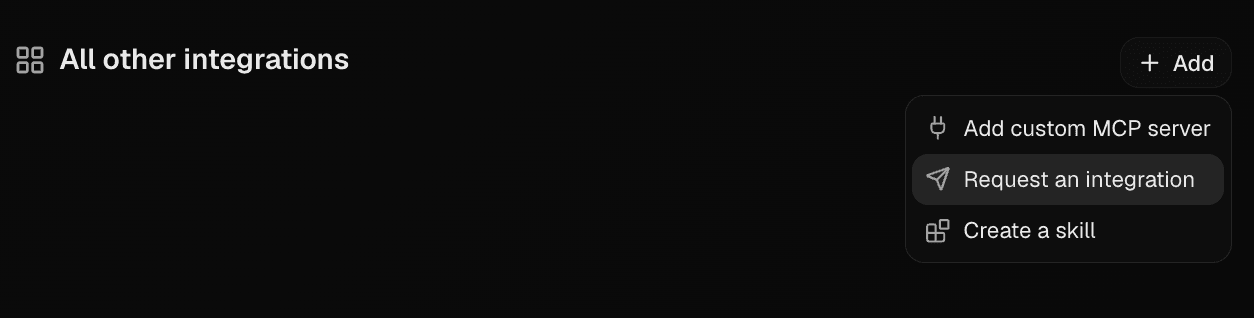
If you searched the catalog and found nothing, the same card appears as Request "your search" so you can request it in one tap.
When you submit, the request goes to the team. If the tool you're looking for isn't listed, you can connect the tool yourself with a custom MCP server, or create a skill that works with it.