Custom MCP
Connect an internal or vendor MCP server so an agent can use its tools.
Custom MCP's allow you extend Hyperagent's integration capabilities. Any tool or service that offers a remote MCP server can be connected to Hyperagent. Once connected, any agent you attach to the server can call its tools as the work develops.
The server stays responsible for its tools and authentication. Hyperagent connects to its endpoint, reads the available tool definitions, and lets an attached agent call them as the work develops.
Before you start
Have two things ready from the server's operator or vendor:
- The server's remote HTTPS URL (for example
https://mcp.typeui.sh/mcp). - How the server handles OAuth. Most servers can create the OAuth connection for Hyperagent automatically. Vendors call this Dynamic Client Registration (DCR). If the server does not support it, check whether the service lets you create an OAuth app. You will need its Client ID and, for a confidential app, its Client Secret. If you cannot create an app yourself, ask the vendor or your workspace administrator for one.
Connect a server
Open the Add MCP server dialog
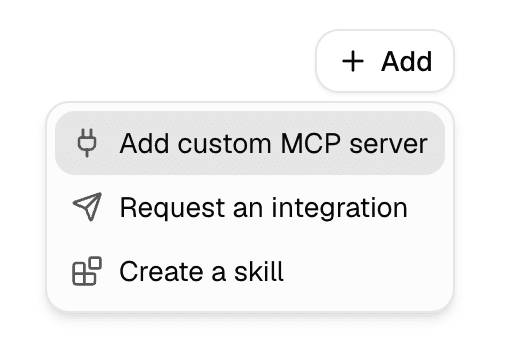
Go to Settings > Integrations. Under the add-integration menu, choose Add custom MCP server.
Name the server and enter its URL
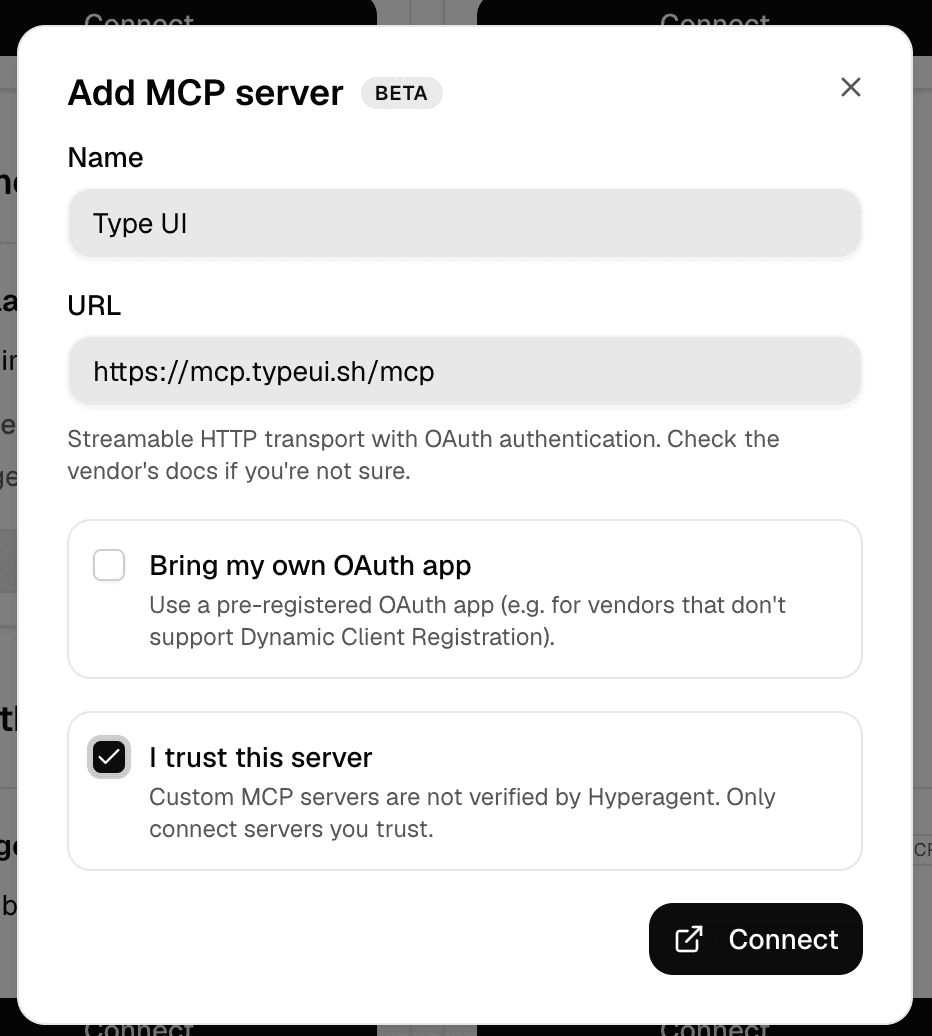
Enter a display Name and the server's URL. The connection uses streamable HTTP transport with OAuth authentication.
Connect with OAuth
Start with the standard connection. If the server supports Dynamic Client Registration, it creates the OAuth connection for Hyperagent during setup. You do not need to create an OAuth app or enter a Client ID.
Confirm you trust the server
Check I trust this server. Custom MCP servers are not verified by Hyperagent, and an attached server receives the tool calls and inputs the agent sends it. Only connect servers you trust, then select Connect.
Authorize in the server's OAuth flow
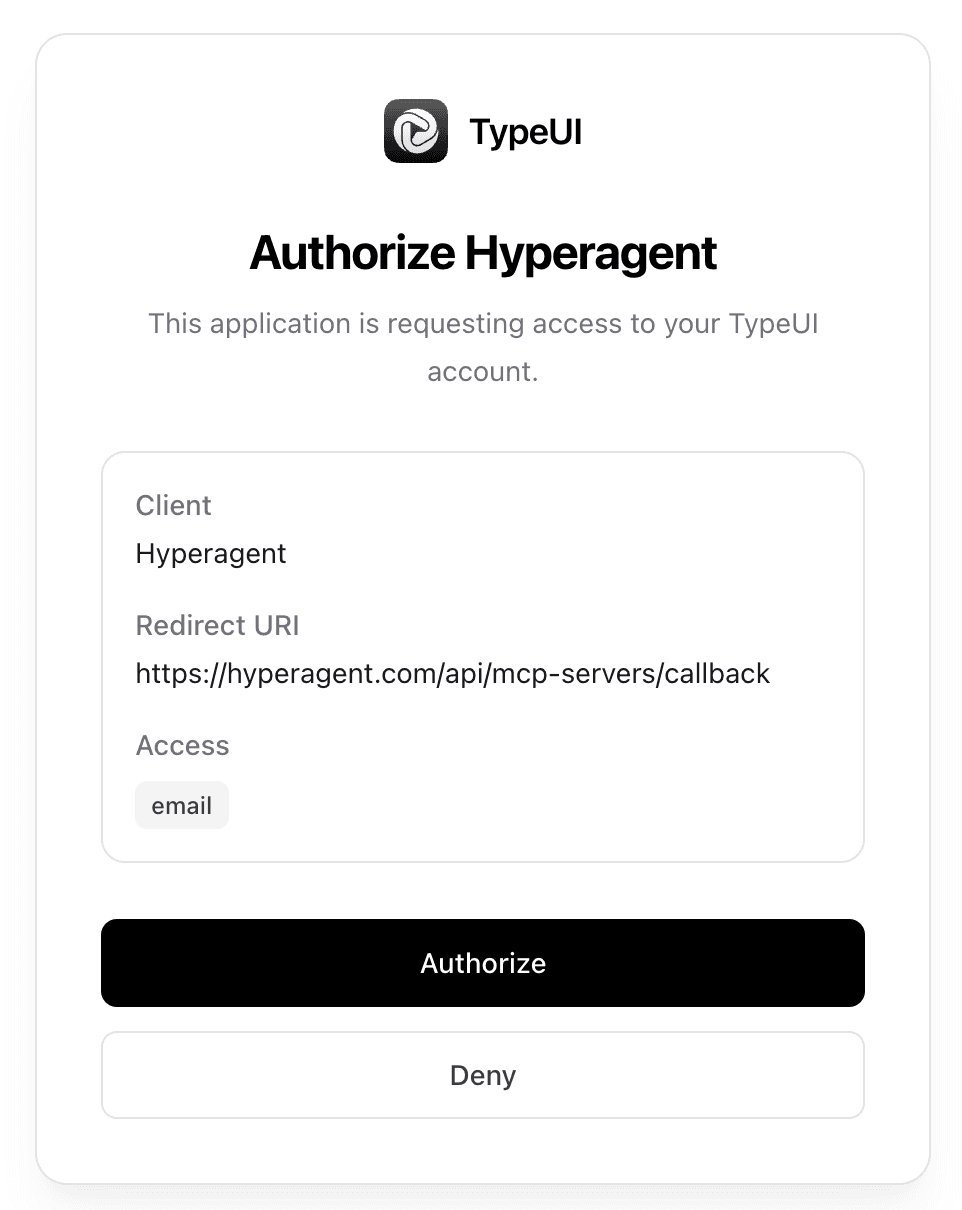
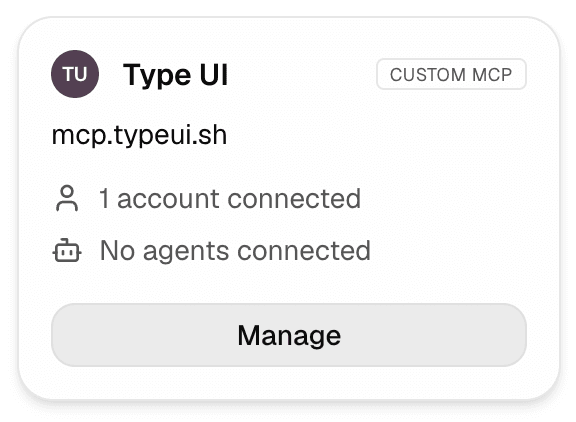
You're redirected to the server to authorize access, then returned to Hyperagent. Once it completes, the server shows as connected under Settings > Integrations.
Attach the server to an agent
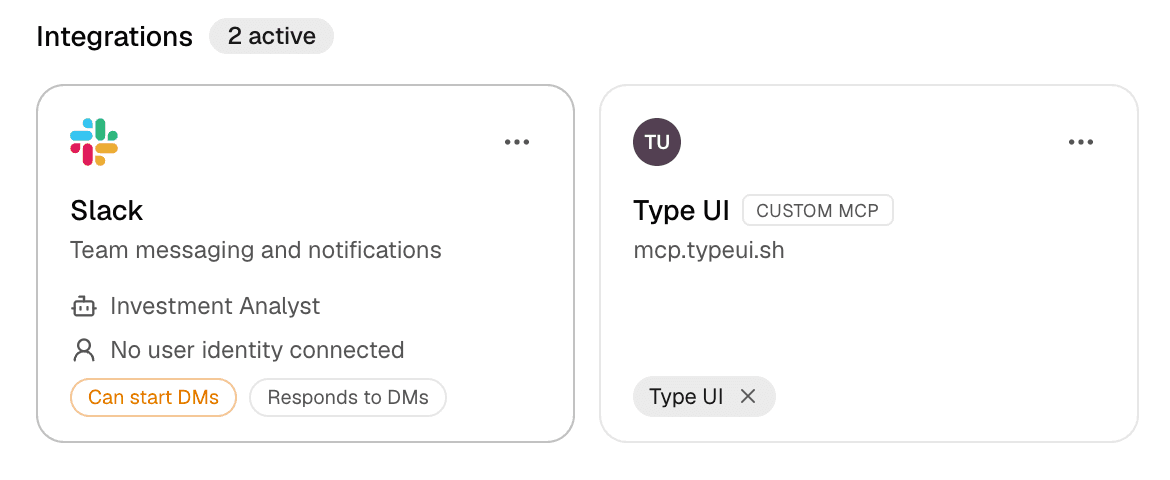
Connecting adds the server to your account; it doesn't make it available to any agent by itself. Open the agent's Integrations settings (the agent's page, #tools) and enable the server so that agent can call its tools. A connected server that isn't attached to the agent won't be available during that agent's runs.
Test one tool in a thread
Start with an interactive request that clearly calls for one of the server's tools. Confirm the agent can find the tool, authenticate, and return the expected result before you rely on it in a schedule or Live Mode run.
What's supported
- Remote servers over streamable HTTP transport. Hyperagent connects to the server's HTTPS endpoint and reads its tool definitions.
- Full tool catalog pagination. For servers that expose dozens or hundreds of tools, Hyperagent pages the tool listing until the complete catalog is loaded, ensuring every tool is discoverable.
- Execution timeouts and automatic retries. Tool execution enforces bounded timeouts and automatically retries transient failures.
- OAuth authentication. Authorization happens in the server's own OAuth flow, including loopback OAuth flows handled through hosted browsers.
- Three OAuth setup paths, chosen automatically or by you:
- Automatic registration (Dynamic Client Registration). The MCP server creates an OAuth connection for Hyperagent during setup. You do not need a Client ID or Client Secret.
- Automatic setup from published details (Client ID Metadata Document). Hyperagent uses the OAuth details published by the server. No setup is required from you.
- Bring your own OAuth app. For vendors that don't support either of the above, supply a pre-registered Client ID and optional Client Secret, plus manual endpoints when the server publishes no discovery metadata.
- Per-agent access. Connect once at the account level, then attach the server to each agent that should have its tools.
- Public clients (PKCE-only). Leave Client Secret blank when you bring your own public app.
What an agent receives
Attaching a server expands the tools the agent can call. It doesn't replace the agent's instructions, skills, knowledge access, or other integration settings.
Tool discovery
The agent can inspect the server's tool names, descriptions, and input schemas as the request calls for them.
Server connection
Hyperagent sends tool calls to the configured remote endpoint and returns the server's response to the run.
Authenticated access
Calls use the authentication configured for that connection. The server still decides what those credentials may read or change.
Tool discovery and context
MCP servers can expose many tools, and their schemas can be large. The agent discovers relevant tools as needed instead of carrying every tool definition in the opening context.
A tool may need to be rediscovered
After a long run is compacted, the agent may need to inspect the server's tools again. If it loses the exact input shape, ask it to rediscover the tool before assuming the connection has failed.
Clear tool names, descriptions, and schemas make the server easier for an agent to use correctly. Treat those definitions as part of the interface, not only implementation detail.
What's not supported
- Local and stdio servers. Servers that run as a command on your machine aren't reachable from Hyperagent. Only remote HTTPS endpoints work.
- Non-OAuth authentication. There's no field for a static bearer token or custom request headers. The server must authenticate with OAuth.
- Private, loopback, or IP-literal hosts. The URL must be a public, DNS-resolvable hostname over
https://. URLs with embedded usernames or passwords are rejected. - Unverified servers. Custom MCP servers aren't reviewed by Hyperagent. Connecting one is a trust decision, and the server's credentials still govern what its tools may read or change.