Spend less on recurring work
Build a reliable workflow, save it in skills, and use a lower-cost model to run it again.
Build with a powerful model. Run with a cheaper one.
A daily brief does not always need the same model as a difficult planning session. Use a powerful model to develop the process, save what works in skills, then test a lower-cost model for the work your agent repeats.
Your agent's model, system prompt, skill instructions, and scripts each have a different role. You can keep a tested method and change the model that carries it out. Start with one familiar workflow so you can judge both the result and the savings.
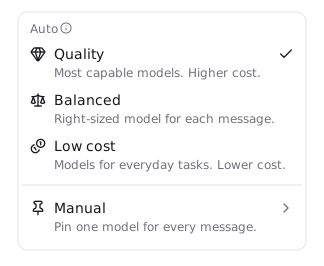
Let Hyperagent choose the model for you
Open your agent's Model settings and choose Auto to let Hyperagent select a model for each message. You can ask for a quick summary, then work through a difficult decision without choosing a model before each request.
This sets the agent's default for new work. Existing conversations keep their own model selection.
Your Auto profile guides the choice:
Low cost
Prioritize lower-cost models for routine work with clear requirements.
Balanced
Match the model to everyday research, drafting, and tool use.
Quality
Favor the most capable models, with higher cost as the tradeoff.
Start with Low cost for routine work with clear requirements. Review the result and use a more capable option when the task needs it. See Models and compute for the controls.
Use your free allowance for included work
Choose Auto → Low cost to use your free allowance for included work. Selecting a specific model does not use that allowance. If you already pay for ChatGPT, you can also connect ChatGPT to cover supported GPT model usage when subscription sharing is available for your account.
Give your agent a process it can repeat
Use a powerful model to work through a job until you have a result you trust. Then ask Hyperagent to save the method as a skill and attach it to your agent. The next run can follow that method instead of working out the process again.
Keep the agent's ongoing responsibility and standards in its system prompt. Use the skill's instructions for the specific job: where to get information, what steps to follow, and what a finished result should contain. This gives a lower-cost model a clearer path to a useful result.
Make the method concrete
- Say when to use the skill and what inputs it needs.
- Name the sources, comparison period, and steps in order.
- Define the result: sections, format, source links, and checks.
- Explain what to do when data is missing or a check fails.
- Tell the agent which script to run, what to pass in, and how to check its result.
Leave the process to guesswork
- Rely on vague requests such as “make a great report.”
- Copy the entire conversation into the instructions.
- Hard-code today's figures or a one-off date into a reusable method.
- Duplicate the agent's system prompt or add conflicting rules.
- Ask the model to rewrite code or HTML that a saved script can generate.
Example: instructions for a daily brief
Use the latest sales export and the previous day's export. Include revenue, order count, and the biggest changes, with links to the sources. Check for missing dates and duplicate order IDs before comparing results. If either export is missing, report the gap instead of estimating the figures. Deliver the brief as a webpage.
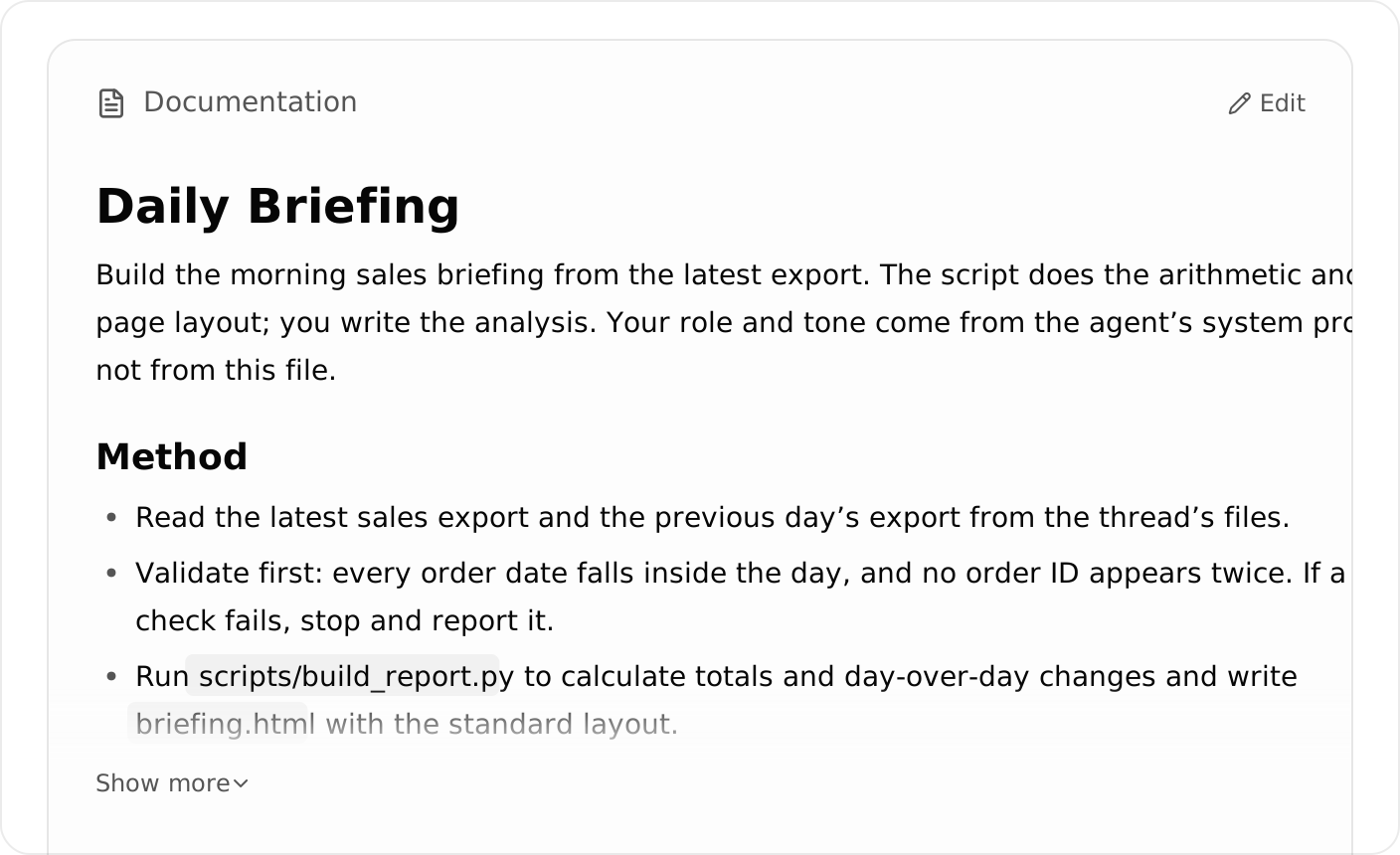
Save the method and checks in the skill’s instructions.
Let scripts do the computer work
Once the method works, look for parts the agent can execute as code. A skill can include saved scripts alongside its instructions. Those scripts run in the thread's sandboxed execution environment, giving the agent a computer where it can process files, calculate figures, and build the finished output.
For the daily brief, save a script that validates the exports, calculates the totals, and generates the HTML webpage. The model supplies the analysis and recommendations; the script handles the data processing and layout. Each morning, the agent runs the saved code with fresh inputs instead of generating that code and HTML again.
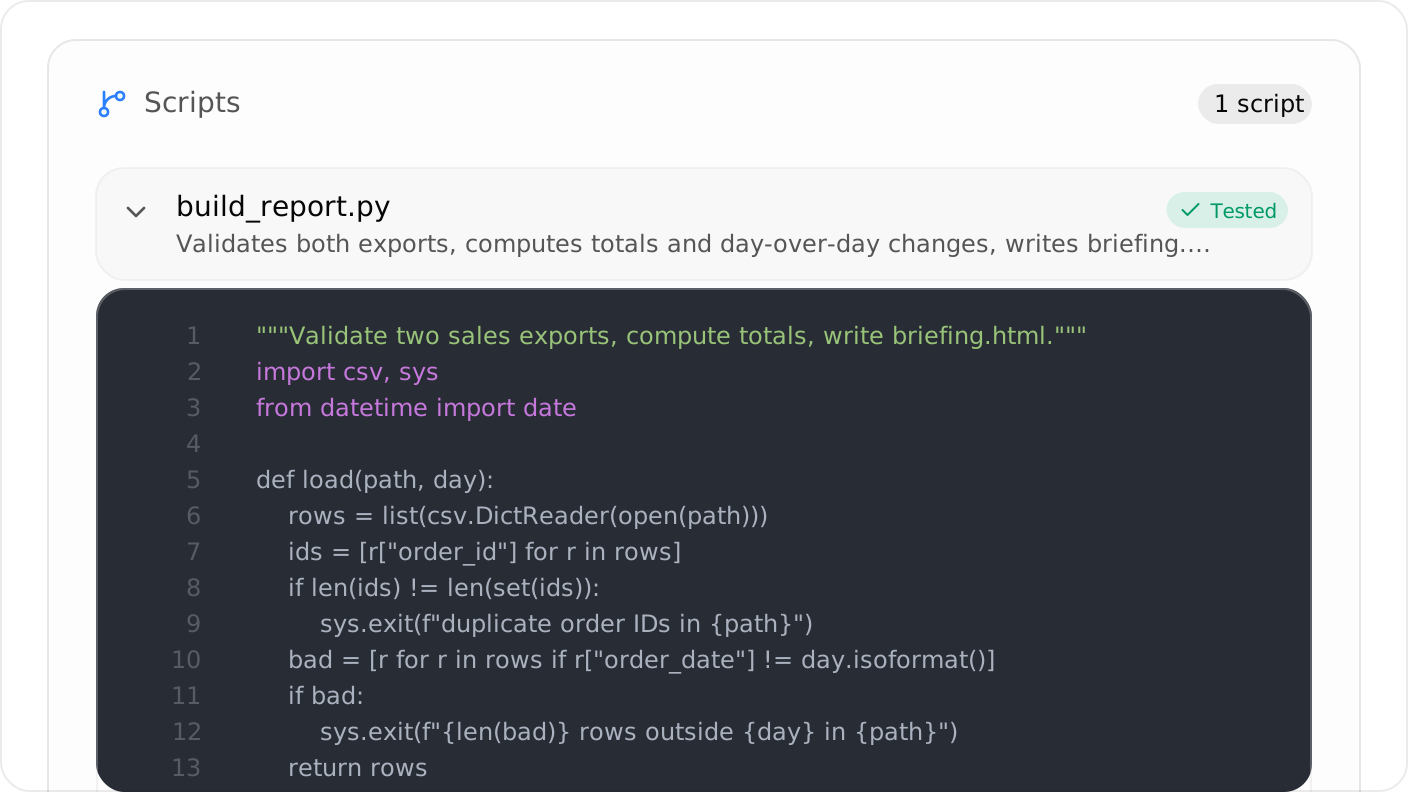
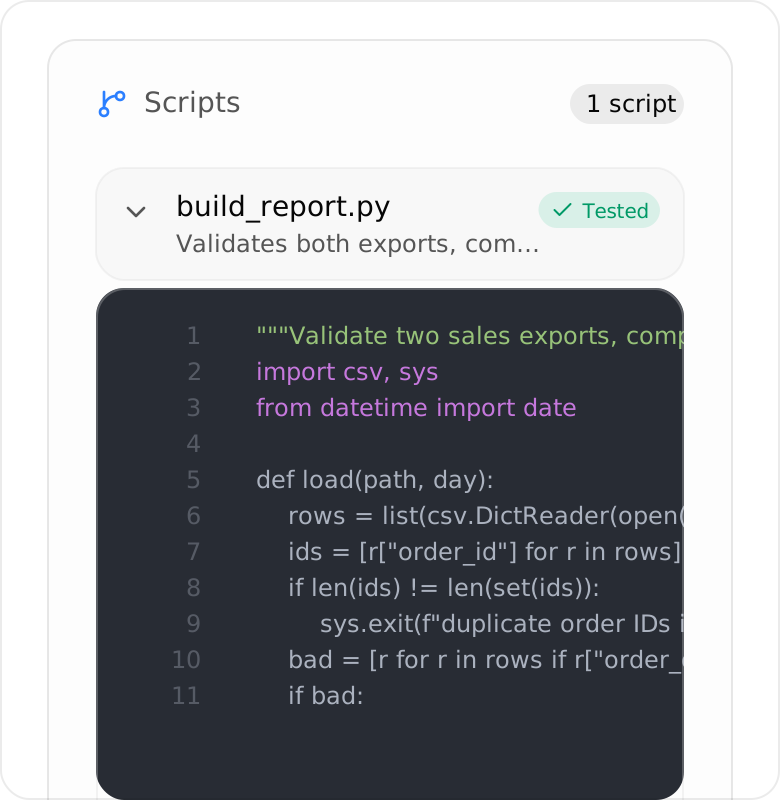
Keep reusable calculations and page-building code alongside the instructions.
The skill instructions tell the agent when to run the script, which inputs to supply, and how to check the result.
Have the script save the webpage as a file and return a short summary. The model still uses tokens to call the script and read its results, but it does not need the full HTML returned to its context.
Turn a good result into a reusable skillPrompt
Paste it into the same conversation to continue working with your agent.
Review the proposed changes and test them with both complete and missing inputs. Once the skill produces a reliable result, try a lower-cost model for the recurring run. Keep a more capable model available for improving the process or handling difficult exceptions.
Give scheduled work its own model
You can keep a powerful model for developing the workflow and use a cheaper model for its scheduled runs. A schedule's model choice does not change the agent's model everywhere.
Edit the schedule and review its model setting. Choose a lower-cost model to test, keeping the timing and instructions unchanged. Use the comparison below to check that it meets your requirements. See Choose a model for scheduled runs.
Open the schedule's advanced settings and choose its Model. Keep the message, timing, and delivery destination the same while you compare models.
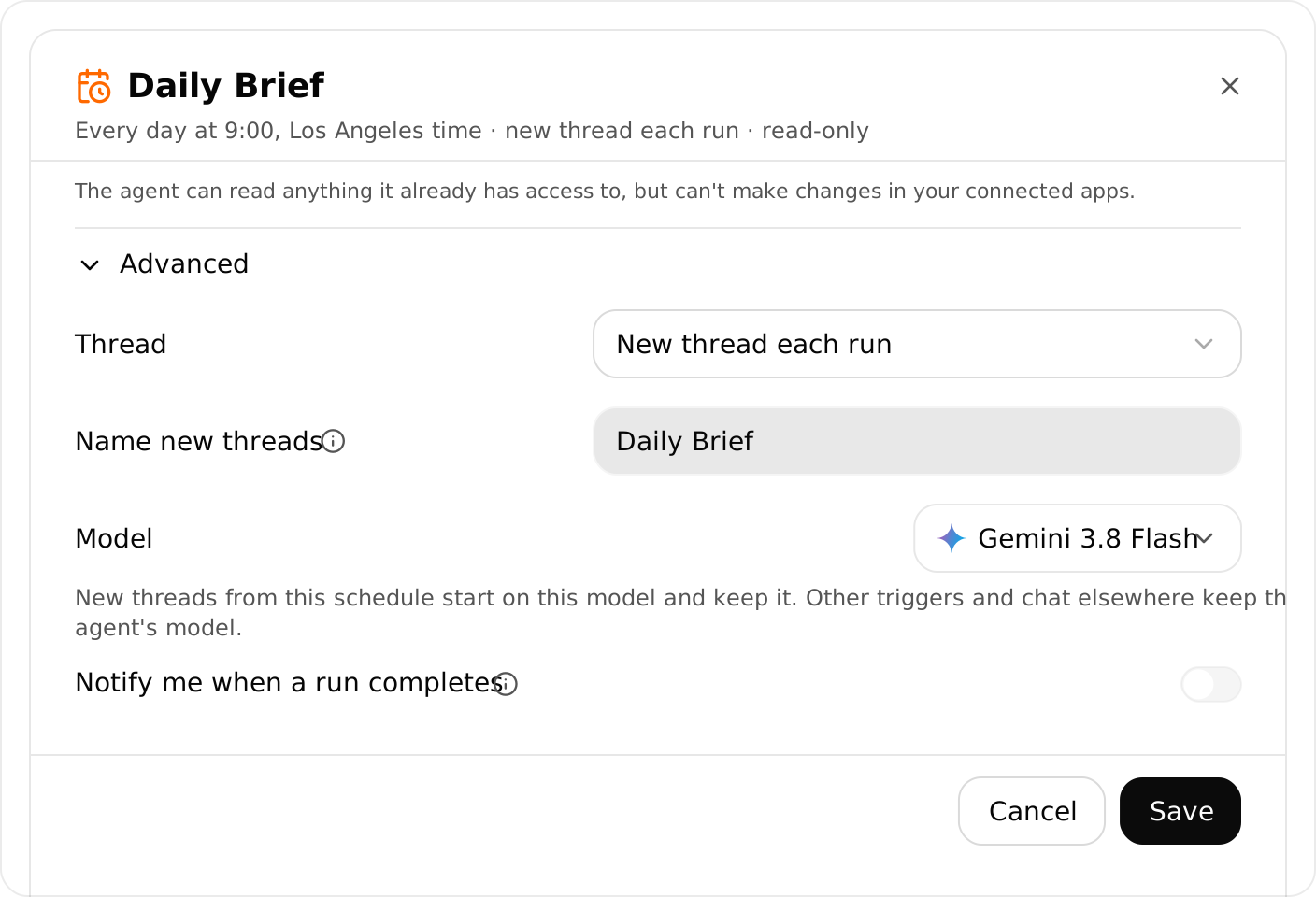
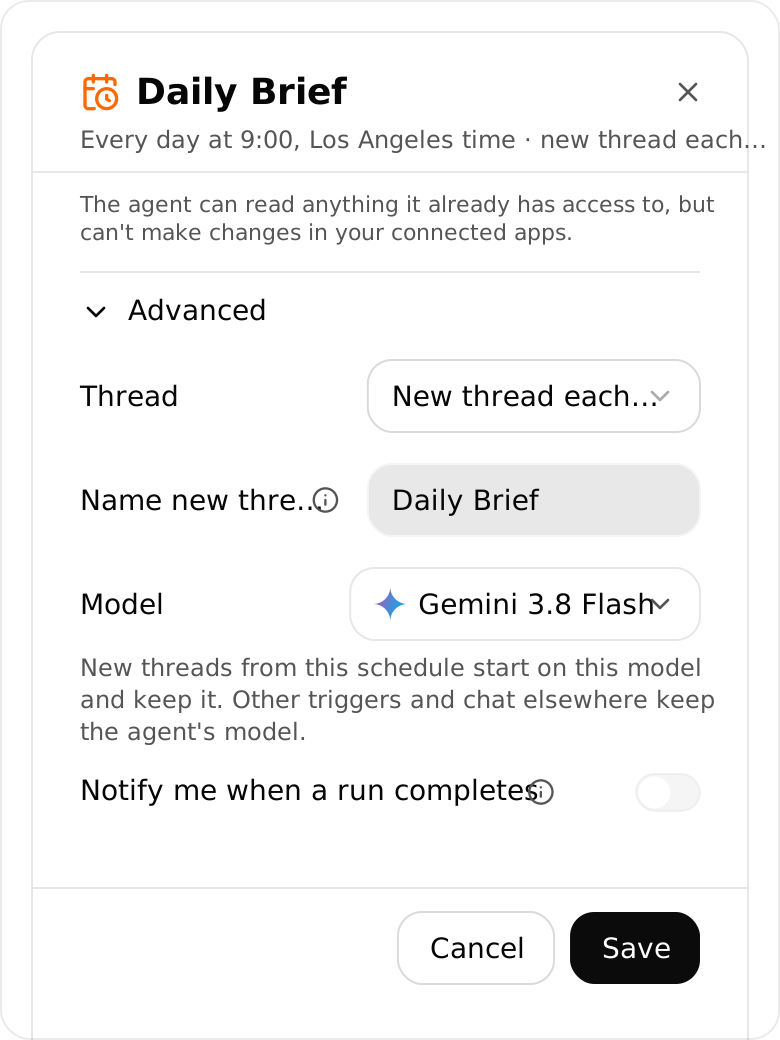
Choose a model for this schedule under Advanced.
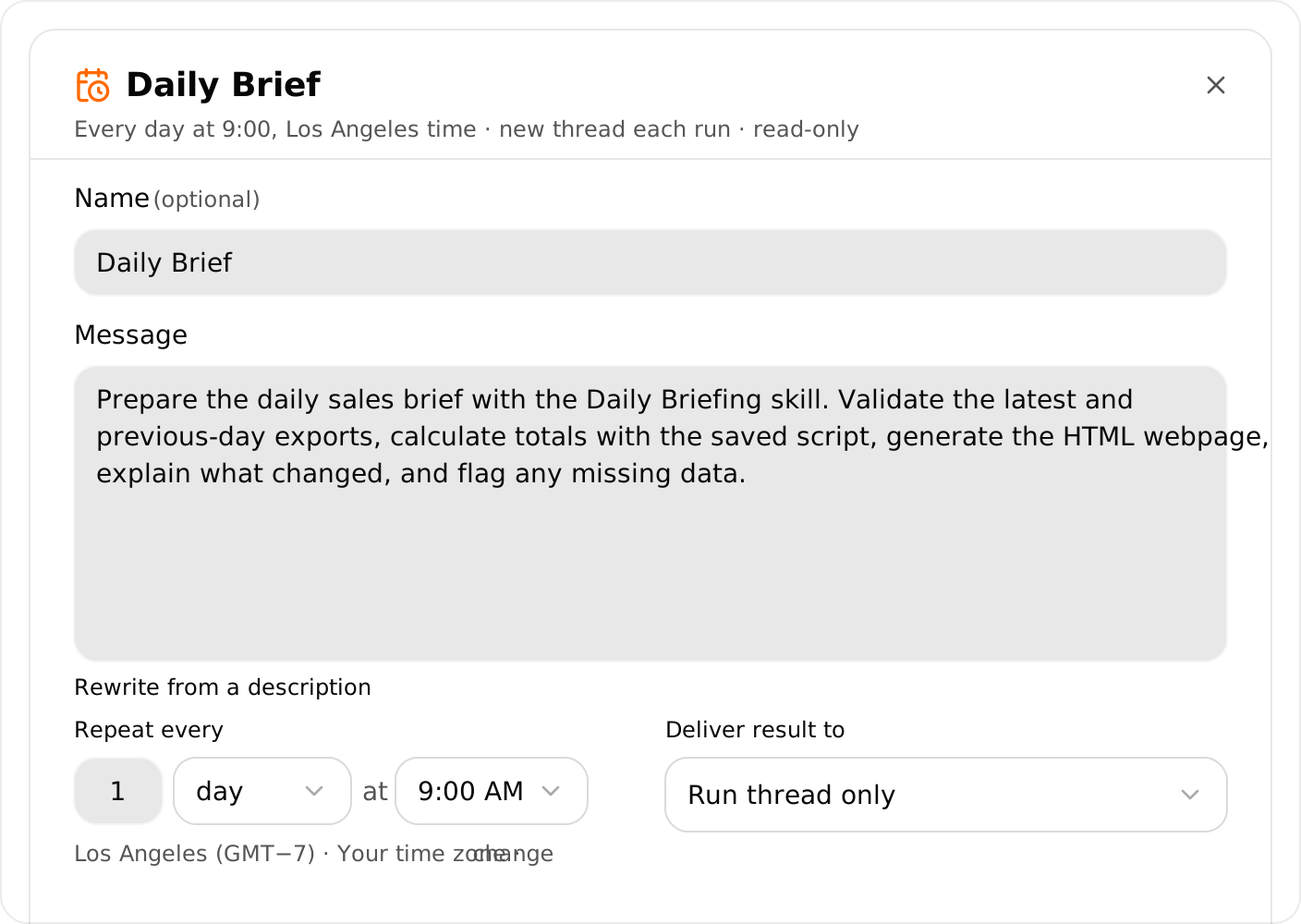
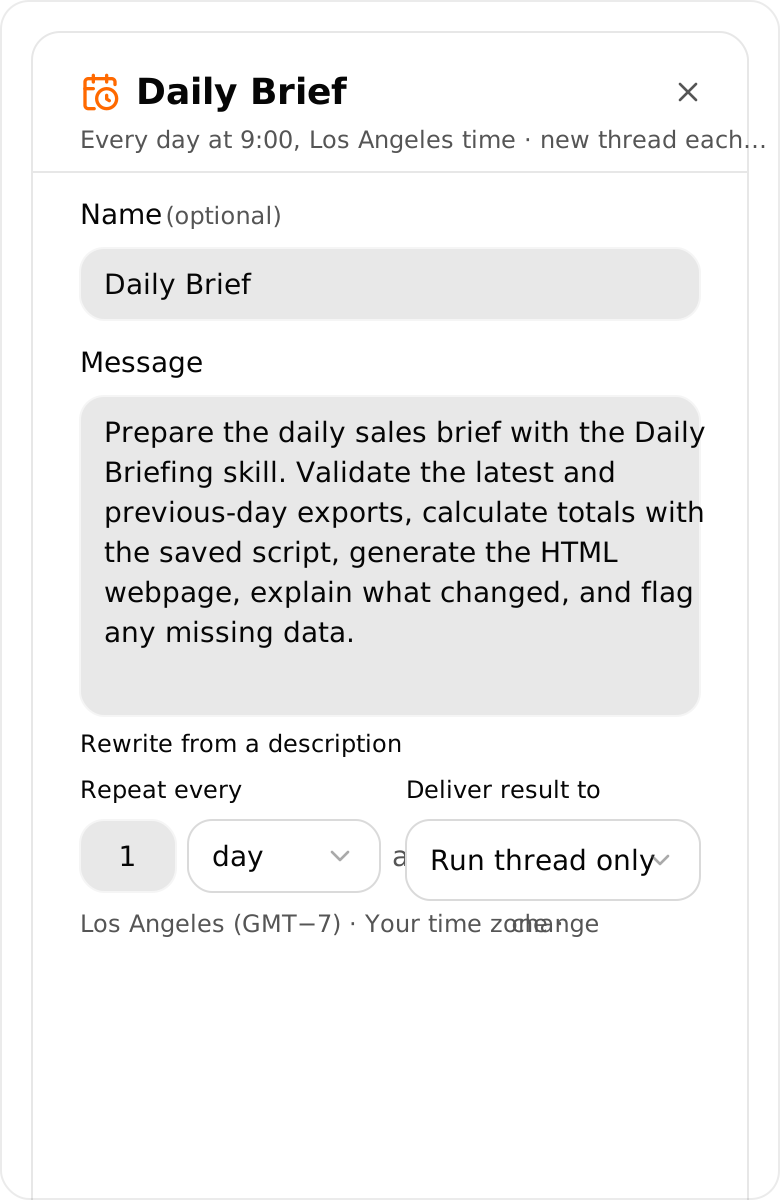
Keep the message and timing consistent while comparing models.
Example: Daily Brief
Use a powerful model to improve the briefing instructions and report-building script. Once the process works, use a lower-cost model for the morning schedule. The scheduled run follows the saved method, runs the scripts, and prepares the brief with fresh information.
The thread strategy affects what happens afterward. When a schedule starts a new thread, that thread keeps the selected model. When it continues an existing thread, the schedule's model applies to that run; the thread keeps its own model for other work.
Before testing, check the delivery destination and actions the workflow can take. Use a draft destination if the normal run sends messages or updates connected data.
Put it into practice
With the method saved, choose Manual in the model picker and try a lower-cost option from the supported model catalog. Grok, Gemini Flash, and Muse Spark are alternatives to consider when available on your plan. Compare the specific model's cost, rather than assuming every model in a family costs the same.
Compare model token rates
Estimate a run
Start with the example below, or enter token counts from your thread’s usage. Input excludes cached tokens. Compare one model request at a time for long-context pricing.
* Illustrative estimate in USD for model tokens only. Actual token use, rates, tools, cache writes, and retries can change the total.
* Prices are illustrative, in USD per million tokens. Actual rates and total task costs may vary.
· Check thread usage for what your work cost.
Intelligence source: Artificial Analysis comparisons for Opus and Grok and Gemini and Muse.
Test the result
Keep the inputs, instructions, skills, and output requirements the same during the comparison.
Save a result you trust
Keep a good example and record the completed run's usage. This gives you something concrete to compare against.
Run the same task with the alternative
Check facts, sources, calculations, required sections, and formatting. Include a case with missing information or an unusual result.
Compare the work you can actually use
Review several runs. Include corrections and retries when comparing cost. Keep the cheaper option if it consistently meets your requirements.
Check usage rather than relying only on the model's token price. A cheaper model can cost more overall if it takes repeated attempts to finish the job.