Usage and invoices
Choose the right view for account-level usage, costs across agents, detailed agent and thread spend, and billing history.
Hyperagent reports spend at different levels, from the whole account down to a single run, and keeps billing history separately. Pick the view that matches what you need to understand.
Your account
Total usage for the current billing period, broken down by model and service.
Across your agents
Which agents drive the most spend, compared side by side in Command Center.
A single agent
One agent's spend by day, model, service, thread, or run.
A single thread
What one conversation cost, including any usage routed through a connected ChatGPT subscription.
Past invoices
Billing history, with the option to open an invoice or download a PDF.
Your account this period
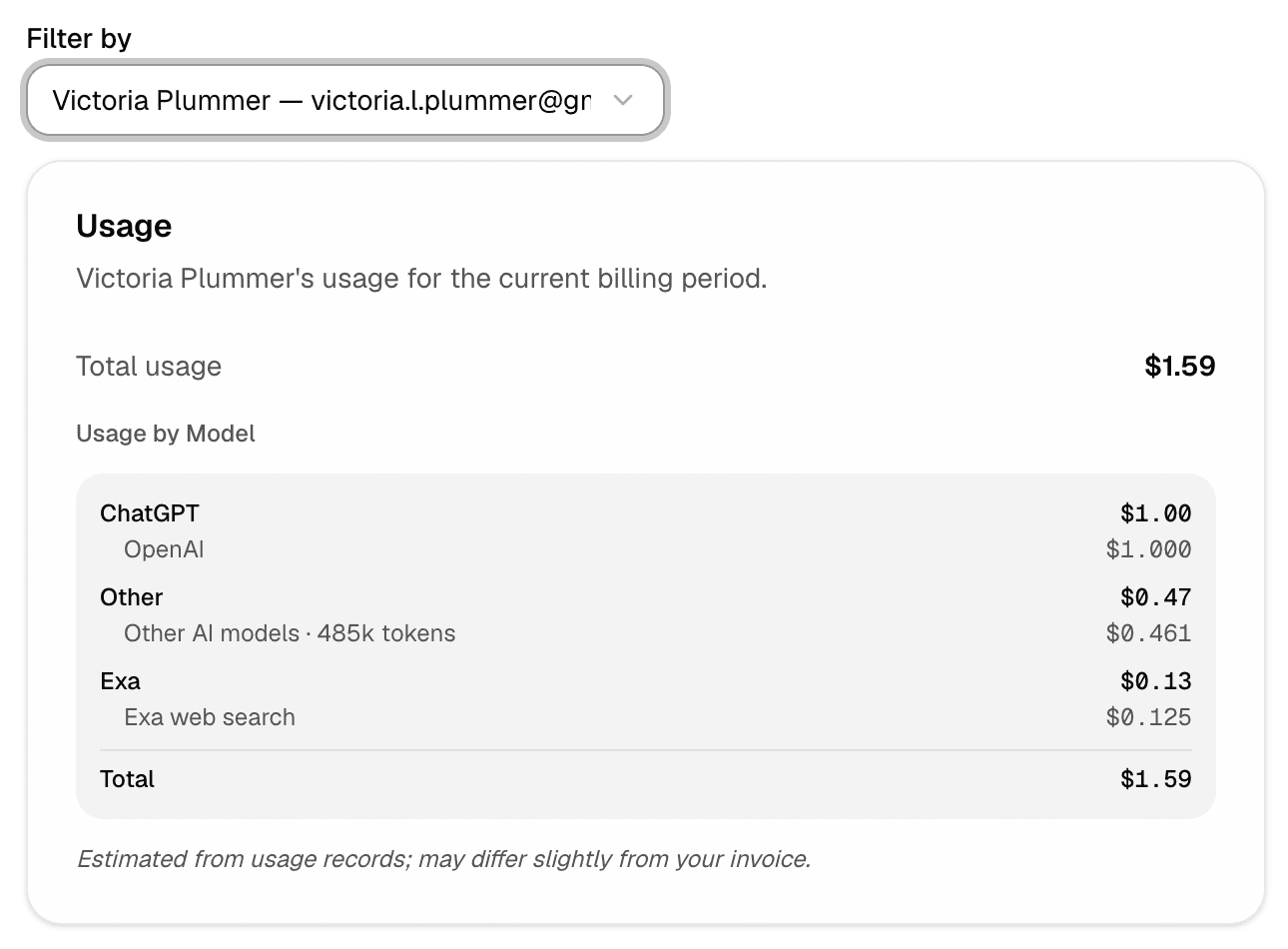
Open Settings → Billing to review usage for the current billing period. The Usage report shows the selected account member's total usage and breaks it down by model or service. Use Filter by to switch between members when more than one is available.
Usage figures are estimated from usage records, so they may differ slightly from the final invoice. The report covers your current billing period, the same window that governs when plan changes take effect; see Manage your plan for when that window starts and ends.
Cap a single run
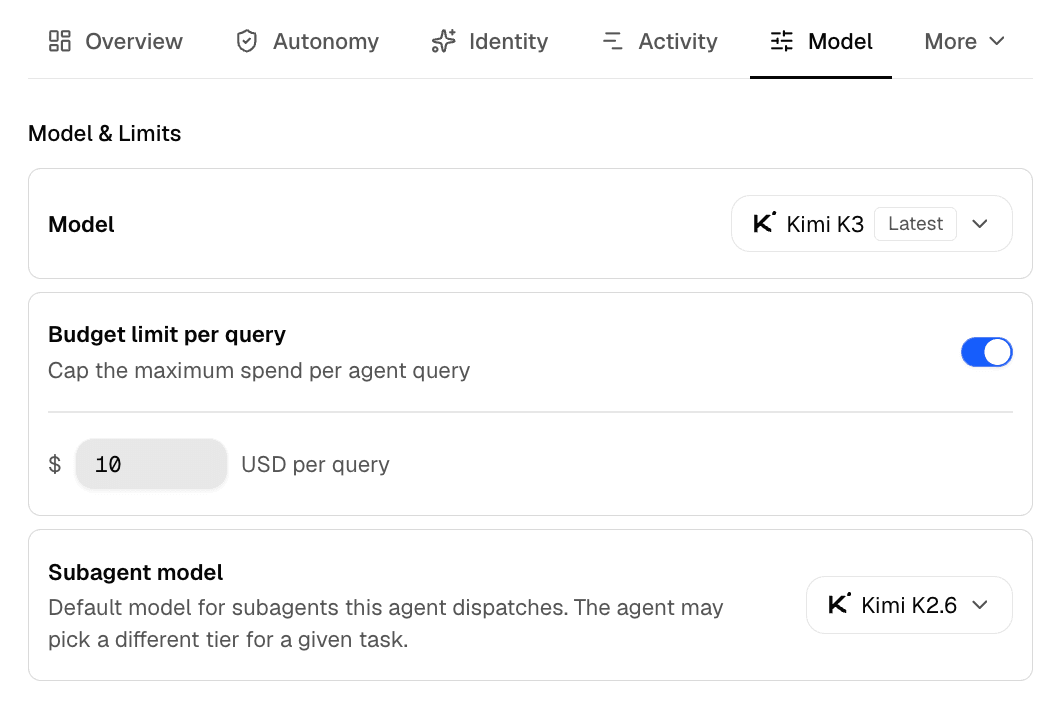
Reading spend tells you where it went; a per-run budget decides in advance how much any one task can cost. Open an agent's editor and set Budget limit per query under model settings to the most one run can spend. Use it on agents that can trigger expensive work so a single task cannot run away. To lower what work normally costs rather than cap it, see Control your costs.
Which agents drive your spend
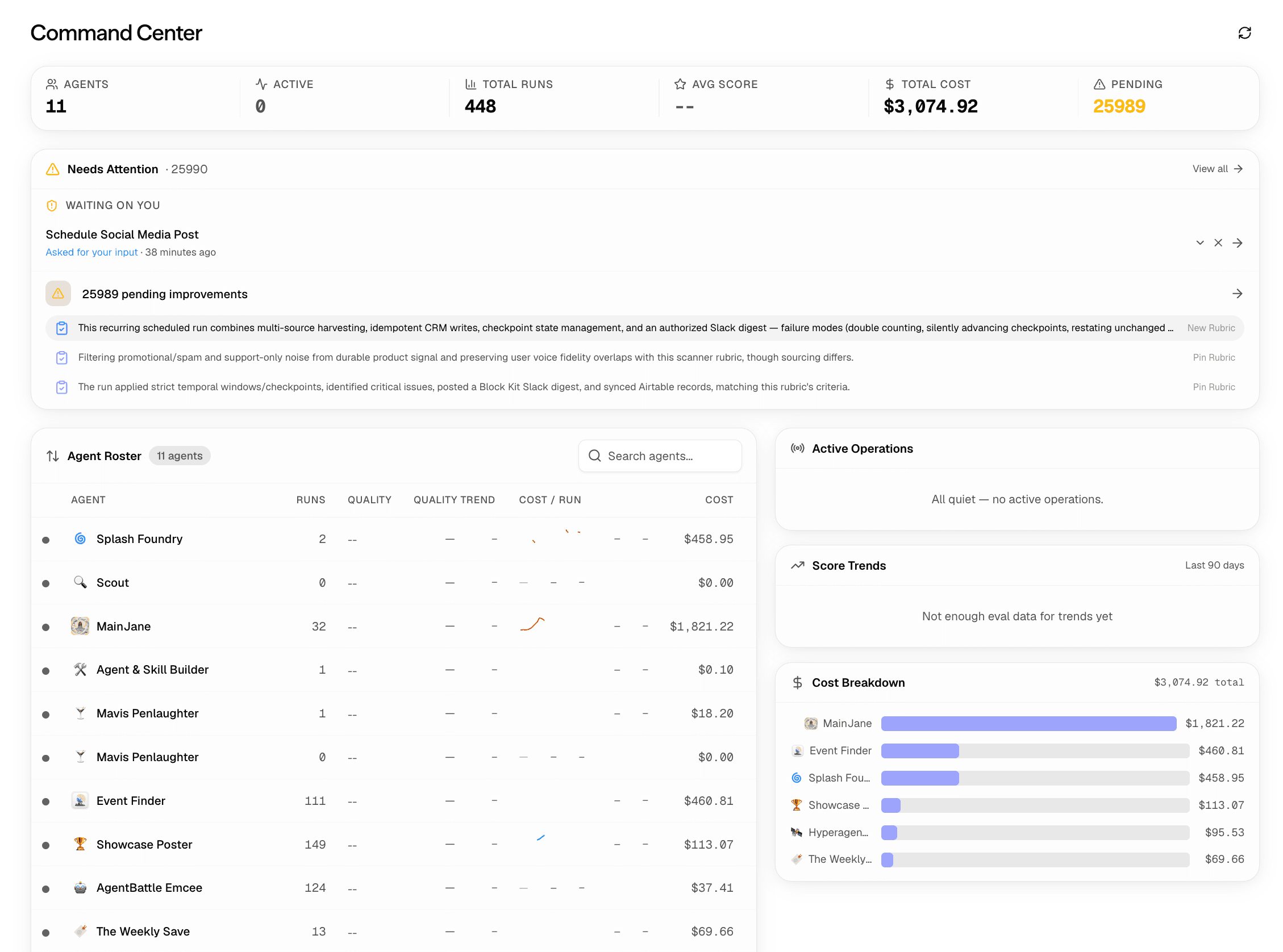
Open Command Center to see total cost across your agents. The Agent Roster lists the total cost for each agent, while Cost Breakdown makes it easier to compare the agents driving the most spend.
Use Command Center for an operational view of agent costs. It is not an invoice record.
What one agent spent
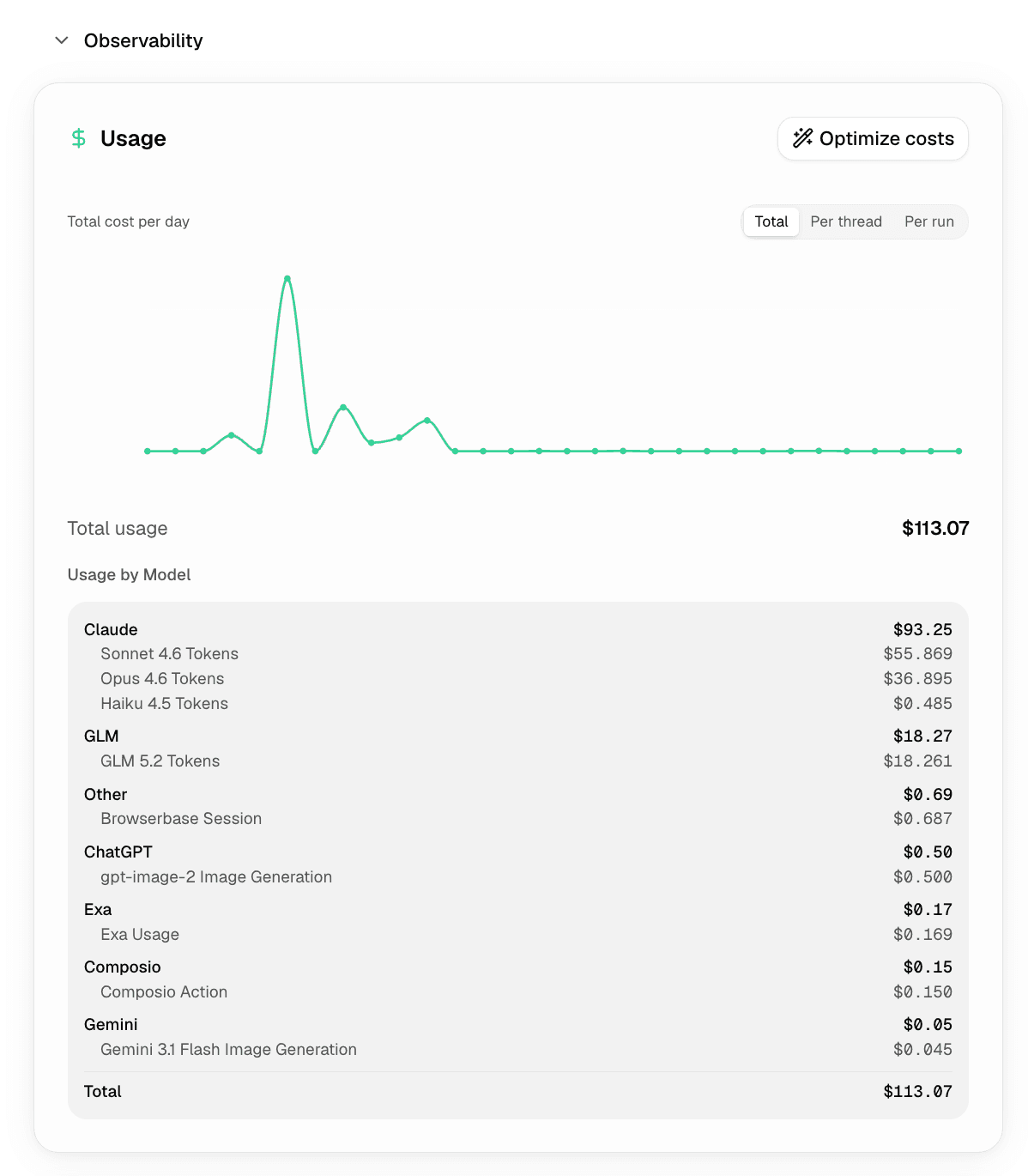
To understand one agent's costs for the billing period, open that agent's configuration page, expand Observability, and select Usage.
The Usage view covers that billing period. It shows total cost per day, total usage, and a breakdown by model or service. Switch between Total, Per thread, and Per run to investigate where the cost came from.
What one thread cost
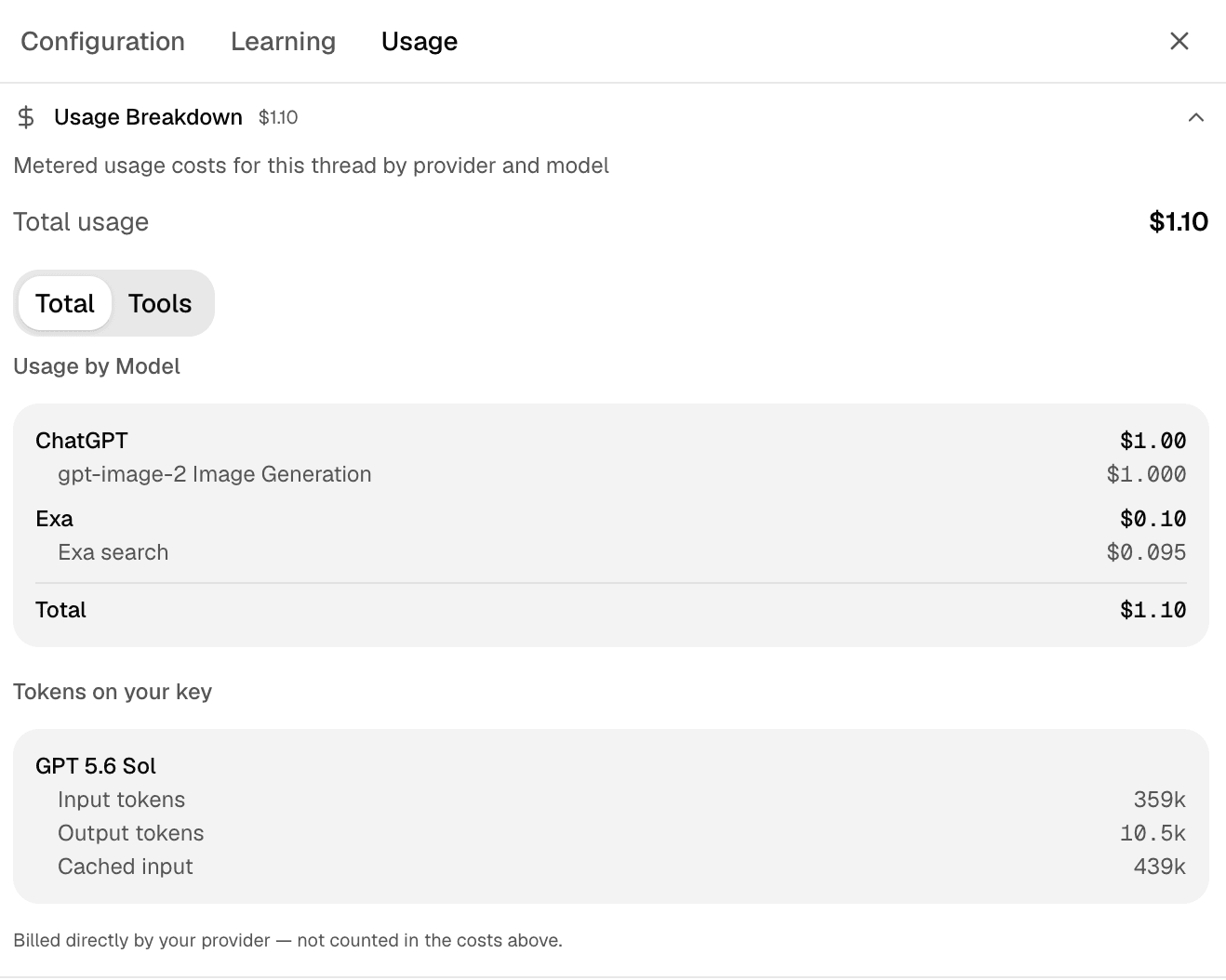
To see what one thread cost, open the thread and select Usage. Usage Breakdown shows the thread's metered costs by provider and model. Switch from Total to Tools when you want to isolate tool usage.
If the thread used a connected ChatGPT subscription, Tokens on your key shows its input, output, and cached token counts. Despite the label, the connection uses OAuth and does not involve a pasted API key. These tokens are not included in the Hyperagent cost above.
Invoices and billing history
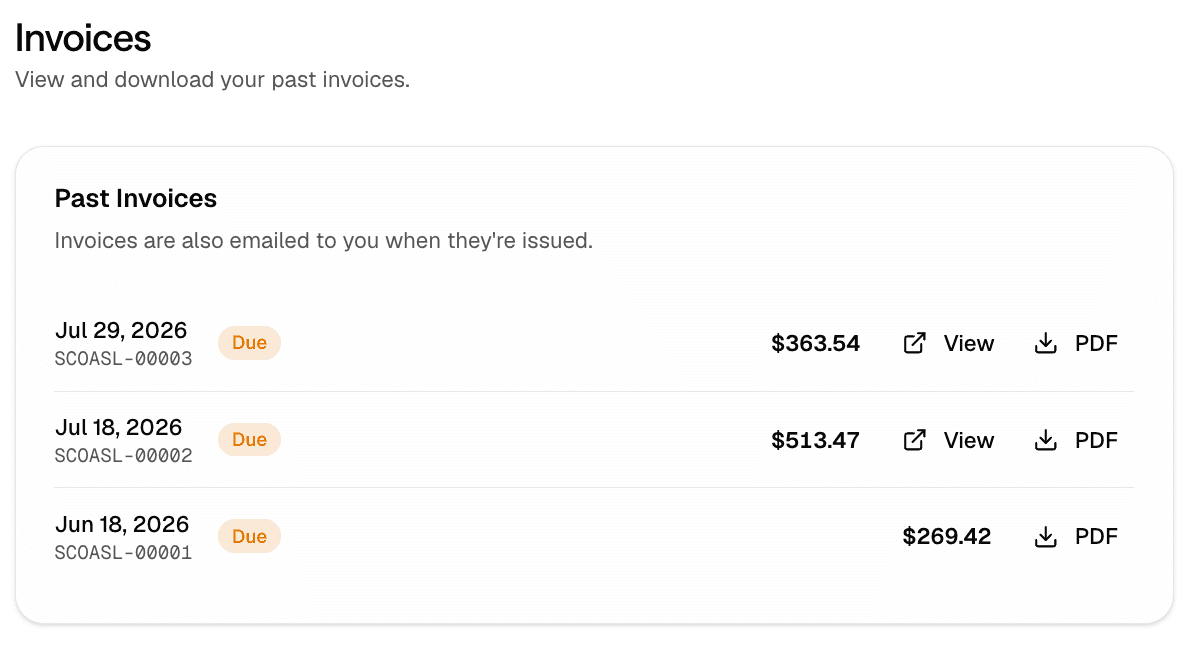
Open Settings → Billing → Invoices to see your past invoices. Each entry shows the issue date, invoice number, status, and total amount.
Select View when it is available to open an invoice, or select PDF to download a copy. Invoices are also emailed to you when they are issued.
If you are billed through Apple, your receipts and subscription history live in your Apple account. Open your App Store subscription history to download them.