Connect your ChatGPT subscription
Use your ChatGPT subscription to run supported GPT models in Hyperagent. Connect your account and choose what happens when you reach a usage limit.
Run GPT models on your ChatGPT subscription
Once connected, supported GPT model usage draws from your ChatGPT allowance instead of your Hyperagent credits.
Connect your ChatGPT account from Settings → AI providers. You approve access in ChatGPT, then return to Hyperagent to check that the connection is active.
Connect ChatGPT
Start the connection
Start from your Hyperagent settings or the sign-in screen.
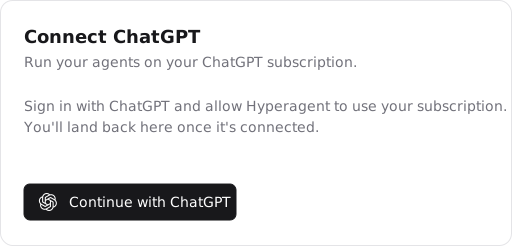
Open Hyperagent in your browser and go to Settings → AI providers. In the Connect ChatGPT card, select Continue with ChatGPT.
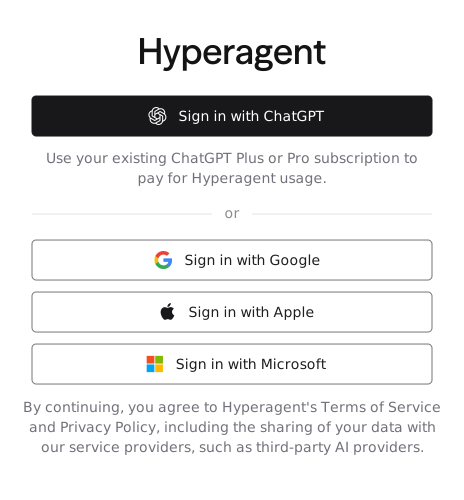
Select Sign in with ChatGPT on Hyperagent's sign-in screen. Continue with the ChatGPT account you want to use.
Approve subscription sharing
Sign in to the ChatGPT account you want to use. If you are connecting to an existing Hyperagent account, use the same verified email address. Approve the request to let Hyperagent use your ChatGPT subscription. You must approve this permission to connect your plan; signing in alone does not connect it.
If you see That email doesn't match this account, retry with the ChatGPT account whose email matches your Hyperagent account. If you sign in with Apple, follow the email-mismatch steps.
Return to Hyperagent
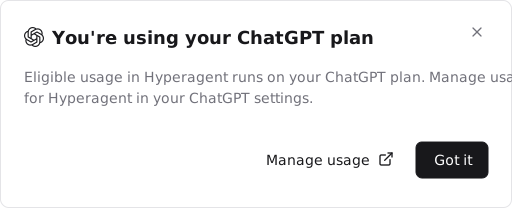
After approving access, return to Hyperagent. If the You're using your ChatGPT plan dialog appears, select Got it to continue. Manage usage opens the usage settings in ChatGPT.
Confirm the connection is active
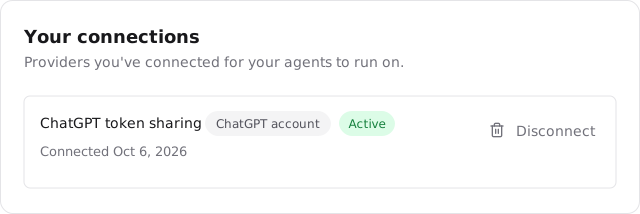
Open Settings → AI providers and find your ChatGPT account under Your connections. The Active status confirms that your subscription is connected.
What the connection covers
When your connection is active, your ChatGPT subscription covers supported GPT model usage instead of your Hyperagent credits.
Other models, image generation, search, browser sessions, and actions in connected services are still billed through Hyperagent.
Sign-in and subscription-sharing permissions
If you signed in but do not see an Active ChatGPT connection in Settings → AI providers, your subscription is not connected yet. If you skipped the request to share your subscription, sign in again and approve it. If you see an error, find it in Connection notices below.
If you use ChatGPT Business or a workspace managed by your organization, your workspace settings may affect the permissions you see.
Connection states in AI providers
| Label or action | Meaning |
|---|---|
| ChatGPT account | You connected through Sign in with ChatGPT and approved subscription sharing. |
| Active | Your subscription is connected. |
| Disconnected | Your connection is no longer active. Select Reconnect to connect it again. |
| Connect ChatGPT | Starts the connection process when you do not have an active subscription-sharing connection. |
Sign in with Apple and Hide My Email
If you use Apple to sign in to Hyperagent, connect ChatGPT separately from Settings → AI providers. Your verified ChatGPT email must match the email on your existing Hyperagent account.
Hide My Email can cause an email mismatch
With Hide My Email, Hyperagent may use an address ending in
@privaterelay.appleid.com instead of your ChatGPT email. Those are different
account addresses, even when Apple forwards messages to the same inbox.
If you see That email doesn't match this account:
- Check the email Apple shared with Hyperagent. Apple's Hide My Email guide explains how to find it.
- Compare that address with the email on the ChatGPT account you are connecting. If you selected the wrong ChatGPT account, retry with the account whose email matches Hyperagent.
- If Hyperagent uses an Apple private relay address and ChatGPT uses your personal email, contact support@hyperagent.com for help with your existing account. Include the error message and explain that you sign in with Apple.
Changing Apple's forwarding destination does not change your Hyperagent account email. Share My Email also requires an exact match with your ChatGPT email. Do not create a separate Hyperagent account to work around the mismatch.
If signing in with Apple opens an empty account instead, follow Recover your Hyperagent account.
Connection notices
| Notice | Meaning and next check |
|---|---|
| That email doesn't match this account | Use a ChatGPT account with the same verified email as your Hyperagent account. If you sign in with Apple, check whether Hyperagent uses a private relay address. |
| Your ChatGPT plan doesn't currently support token sharing | Contact support@hyperagent.com and include the message you received. |
| Your ChatGPT connection has expired. Reconnect to continue. | Select Reconnect in AI providers to connect your subscription again. |
When you reach a ChatGPT usage limit
ChatGPT subscriptions can have hourly or weekly usage limits. With an active ChatGPT connection and a paid Hyperagent plan, Use Hyperagent subscription when usage is limited controls what happens when you reach one:
- When the setting is off, work using your ChatGPT subscription may be interrupted when you reach a limit.
- When the setting is on, work can continue, with additional usage billed to your Hyperagent subscription.
How charges appear in a thread
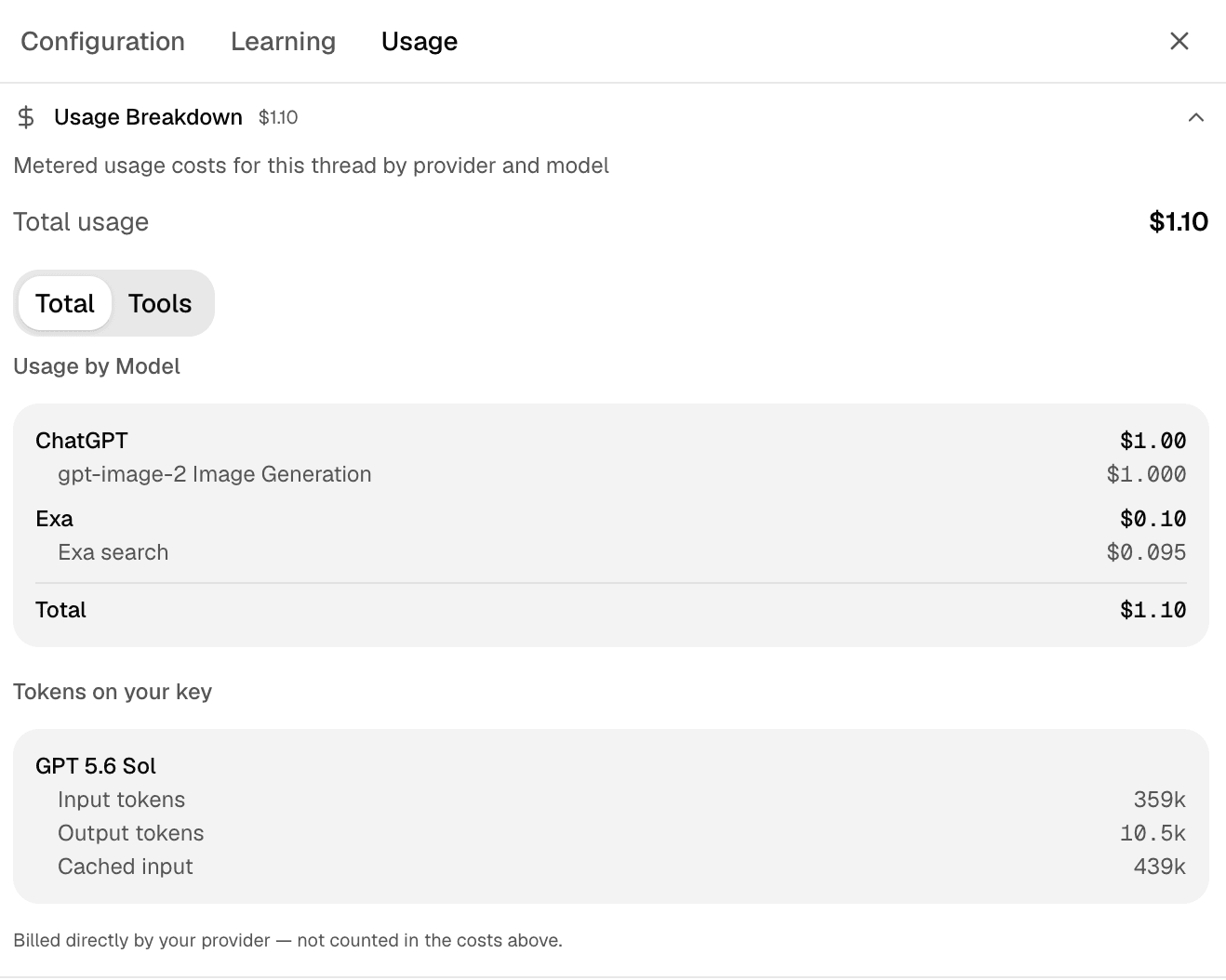
Open a thread's Usage tab to see its usage and costs. Usage Breakdown shows charges billed through Hyperagent, grouped by provider and model. Select Tools to see tool charges.
Usage covered by your ChatGPT subscription appears as Tokens on your key. Despite the label, this is usage from your connected subscription, not an API key. It is not included in the Hyperagent cost shown above it.