Threads and layout updates
Better thread navigation, editable queued messages, richer references, and a cleaner thread canvas.
8 July 2026
These updates make threads easier to find, easier to reference, and easier to keep organized.
Queued message editing and steering
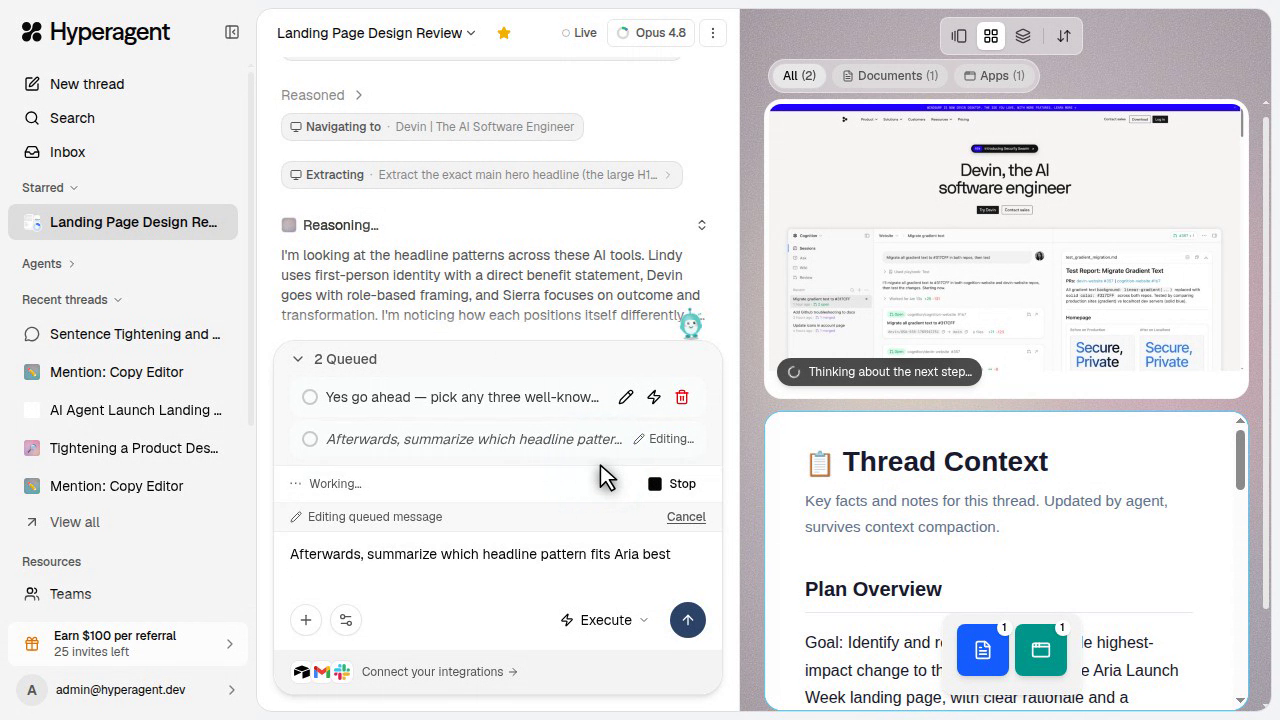
When you send while an agent is mid-run, your message waits in a queue and stays editable. You can revise it before it sends, or use steering to push it into the current turn.
Click the pencil icon to edit a queued message, including its attachments, while the agent keeps working. Your queue is saved to your account, so it'll still be there after a refresh or on another device.
Fork thread
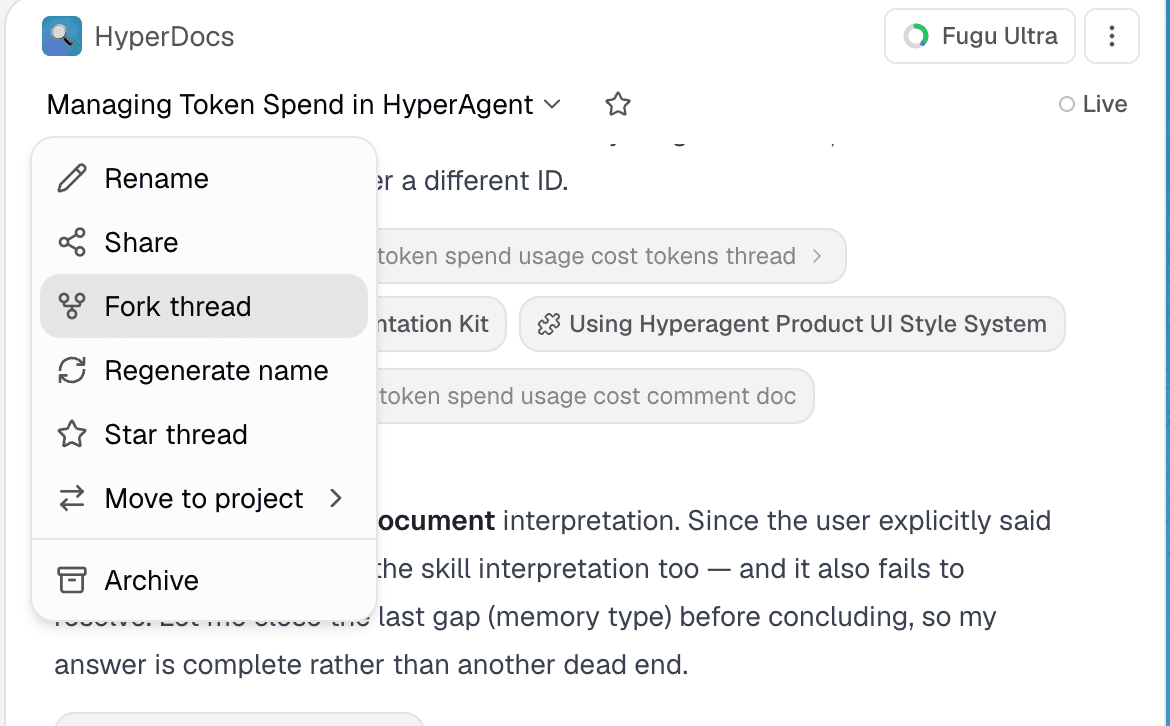
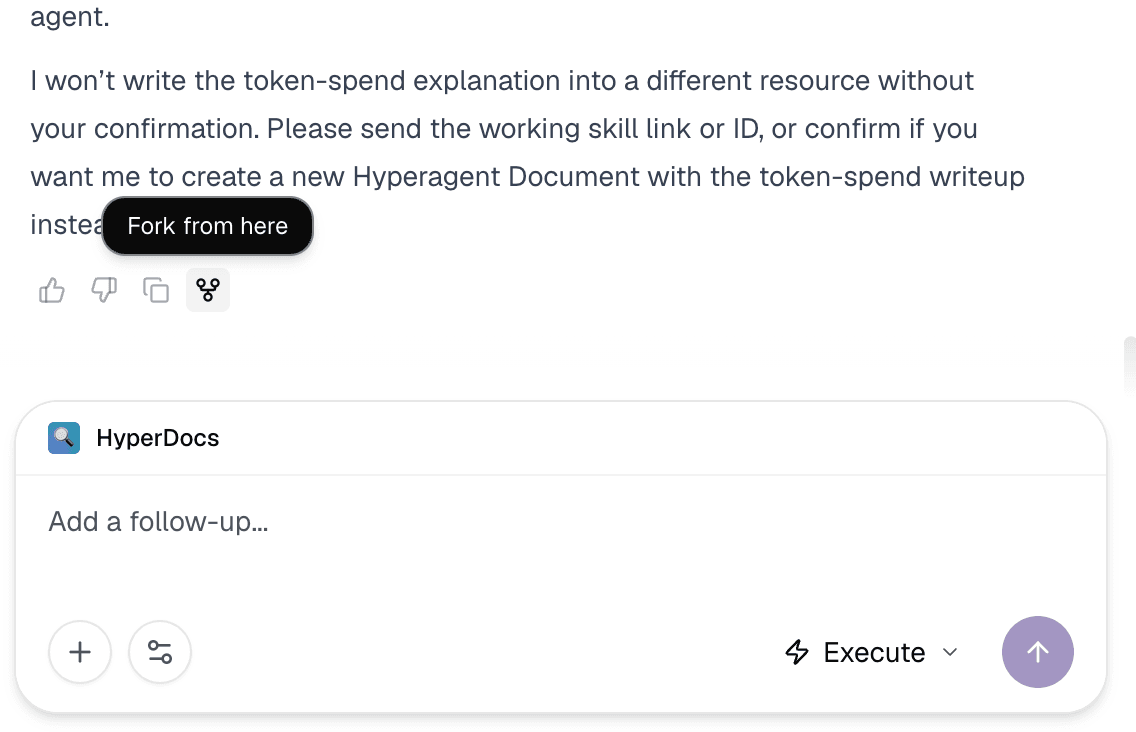
Fork thread clones the current context into a fresh thread, so you can explore a second path without losing the original.
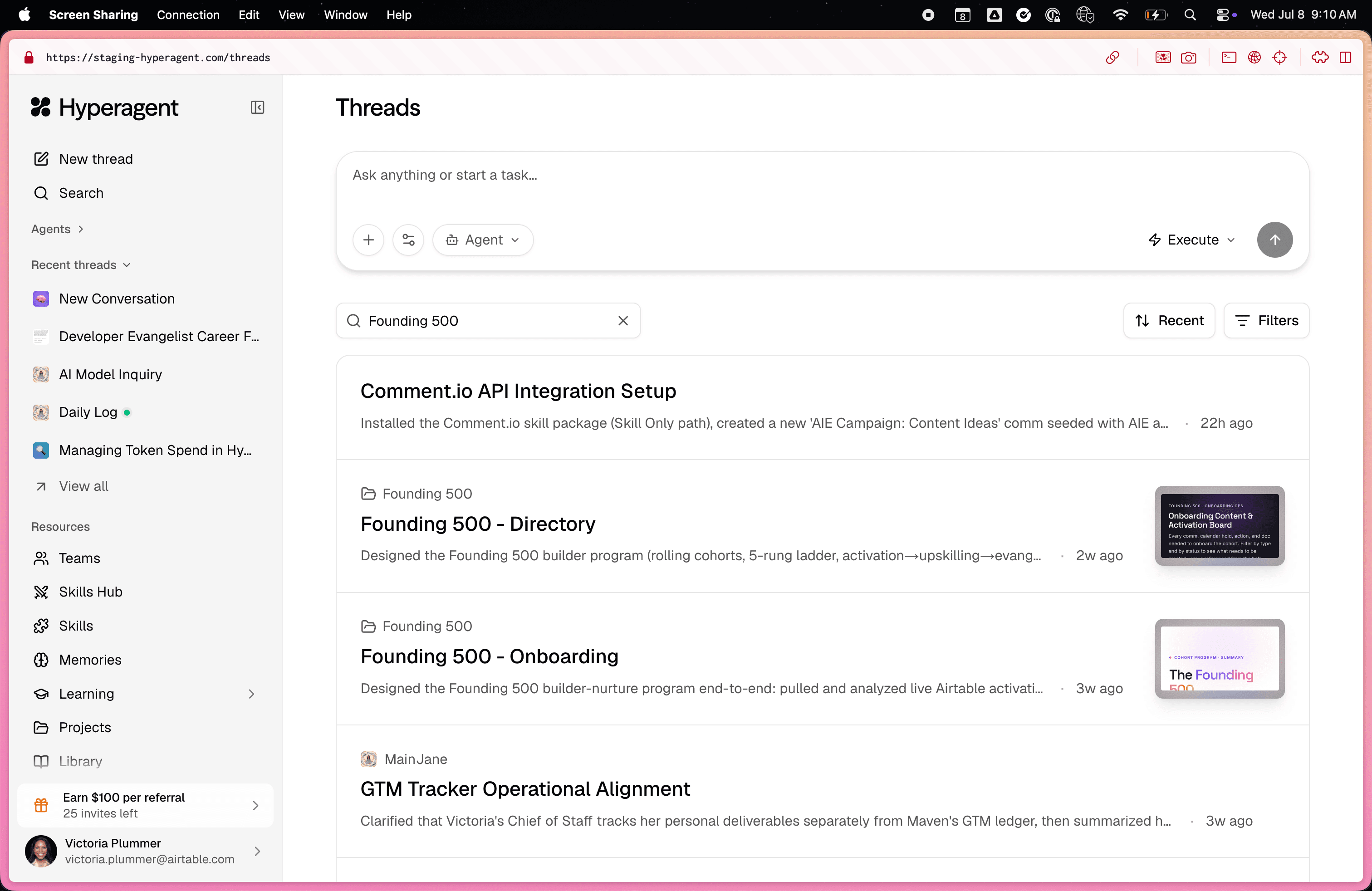
Search inside threads
You can now search message content from the Threads page, not just thread names and summaries.
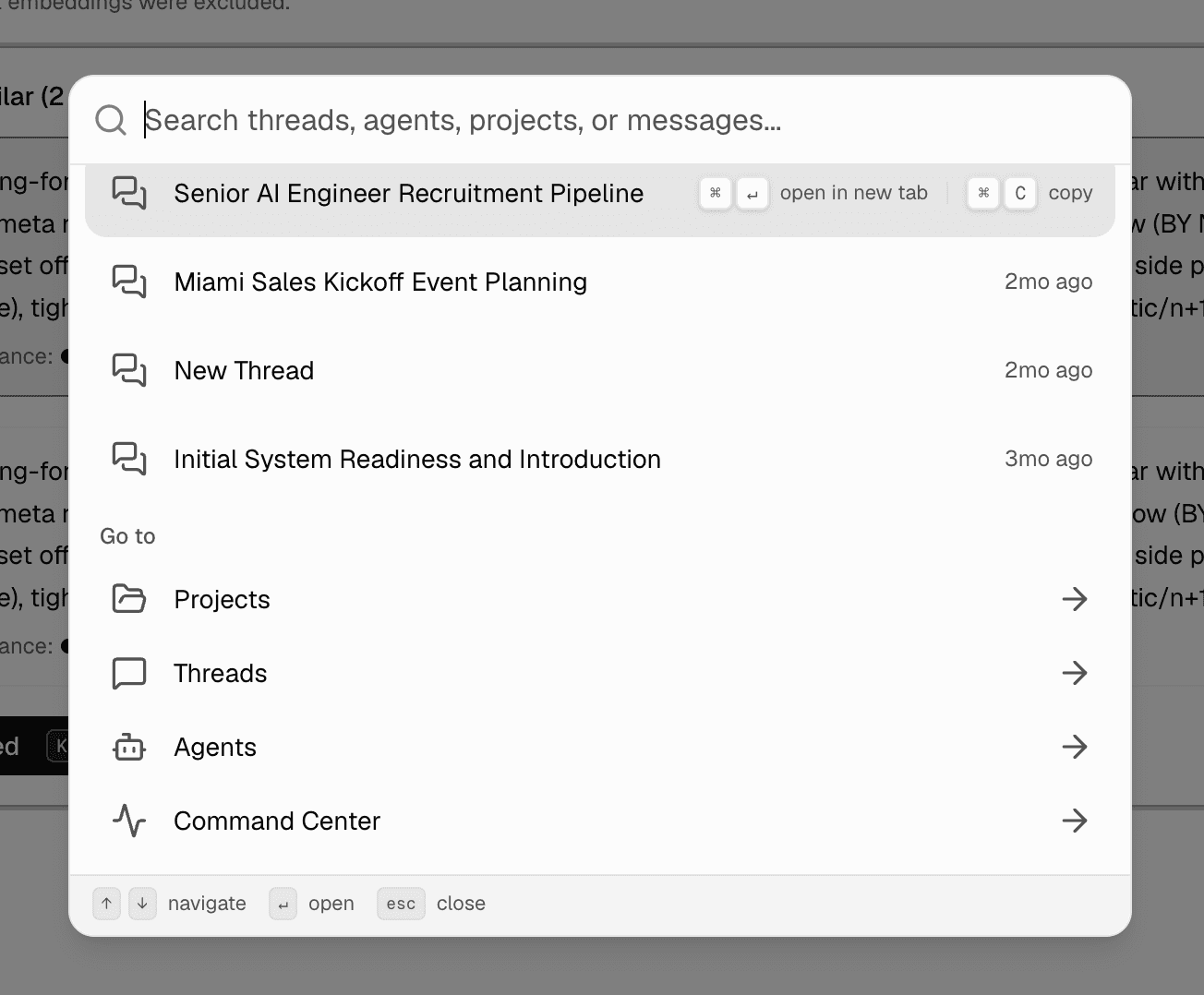
A more powerful Command-K
Command-K now reaches deeper into your history, with results for messages, projects, and agents in one launcher.
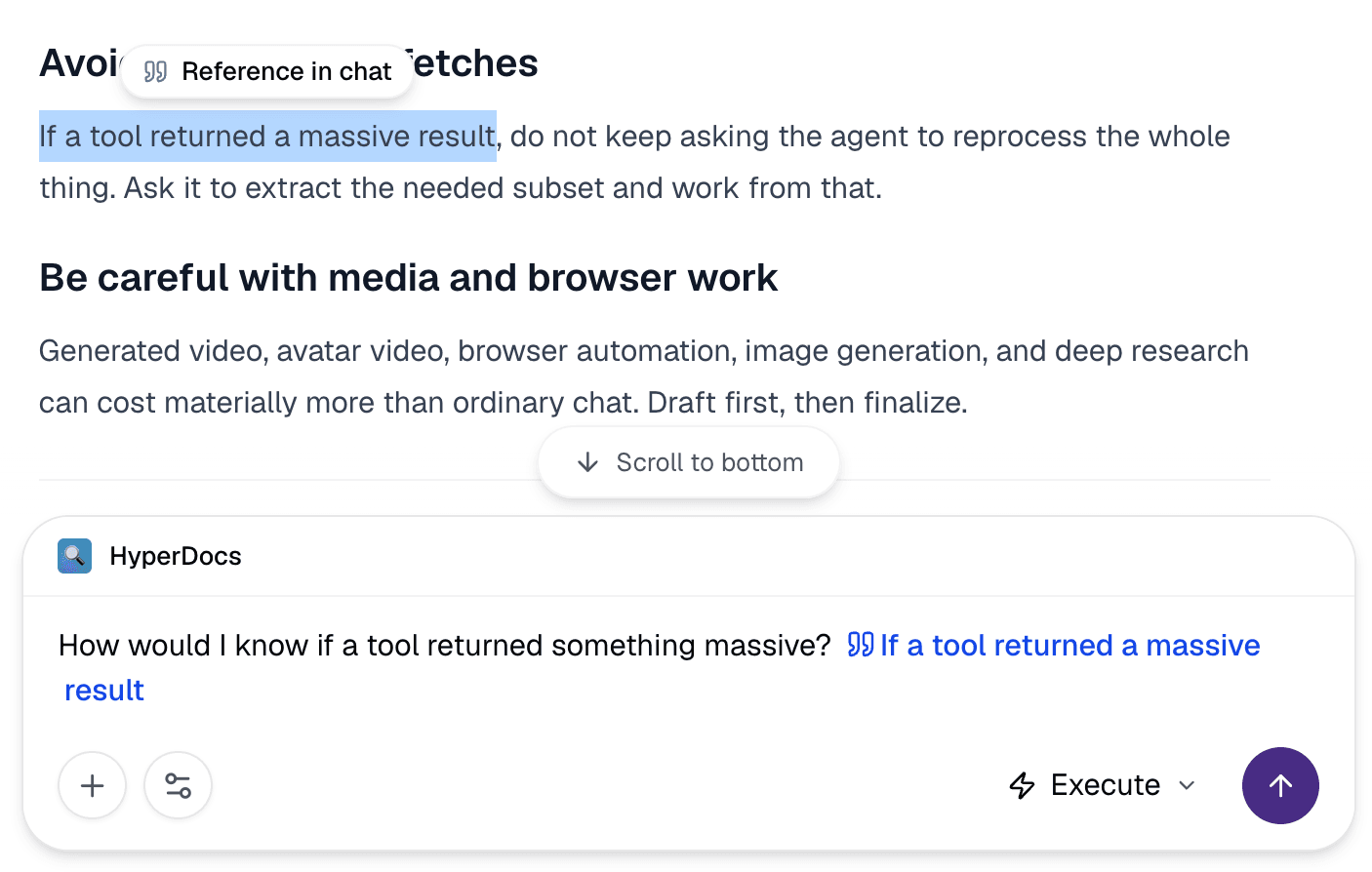
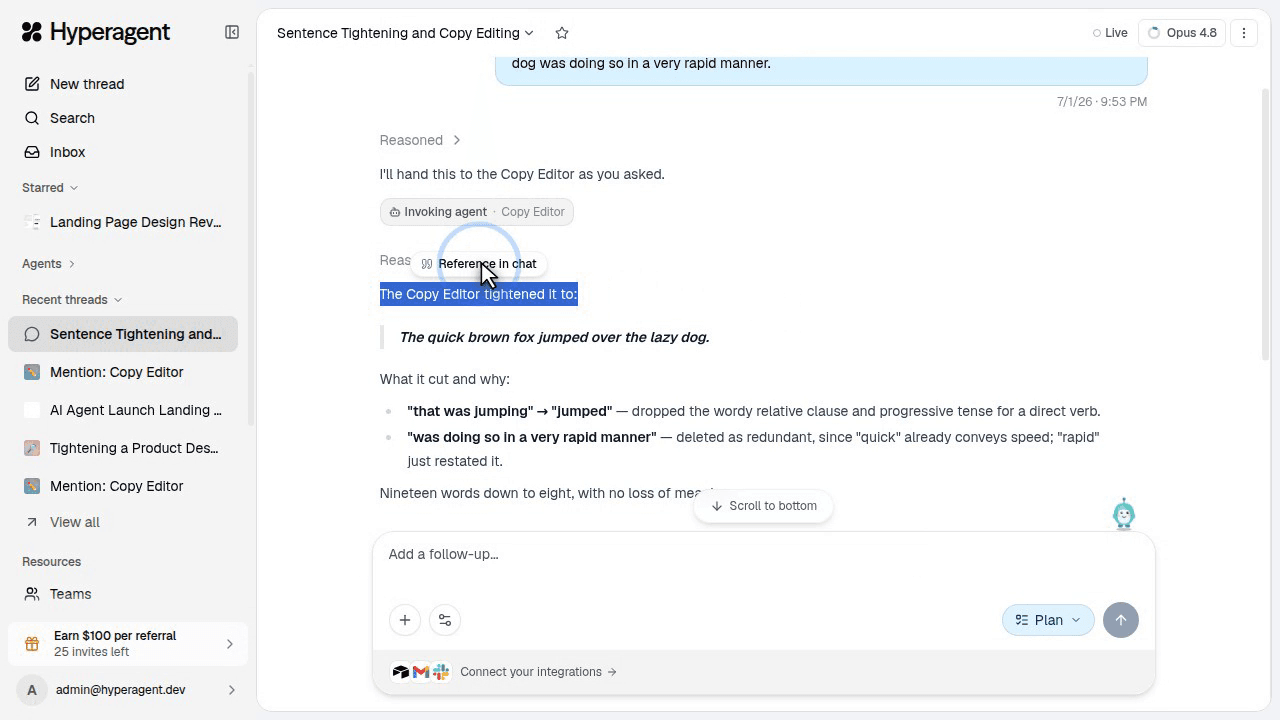
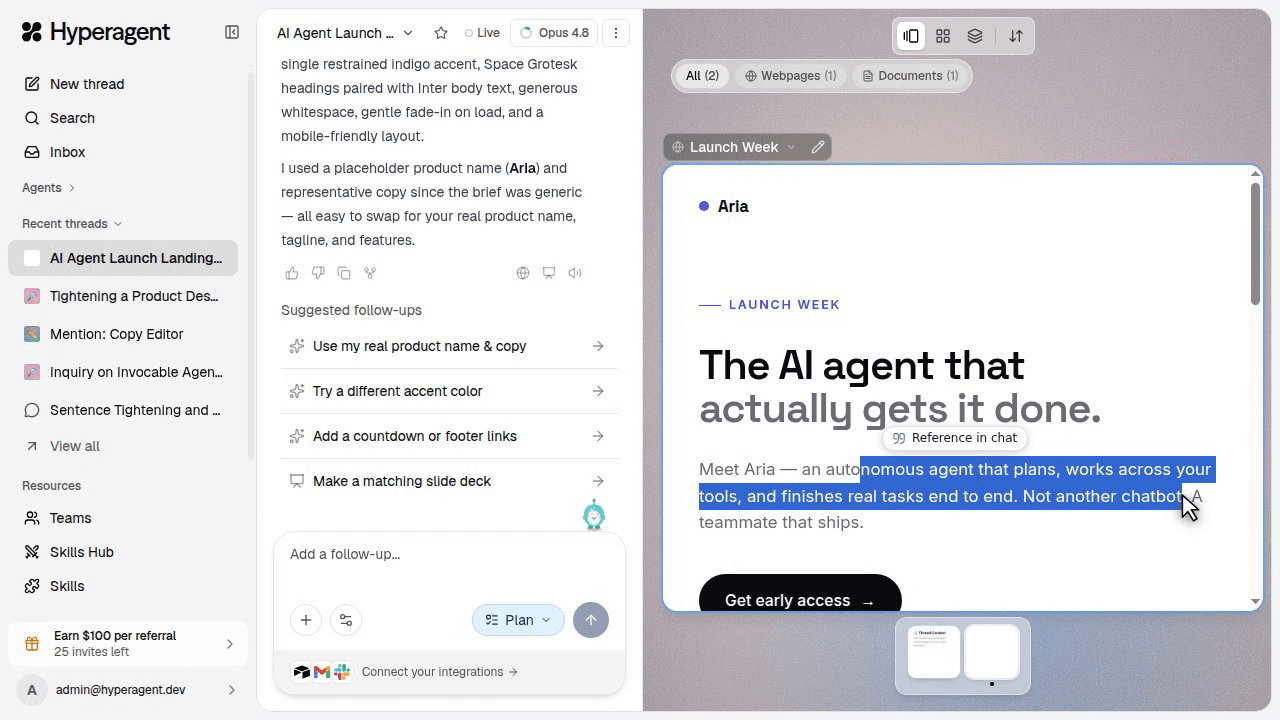
Reference the exact text from a reply or artifact
Highlight text in a reply or artifact and send that passage back into chat, so your follow-up carries the precise context.
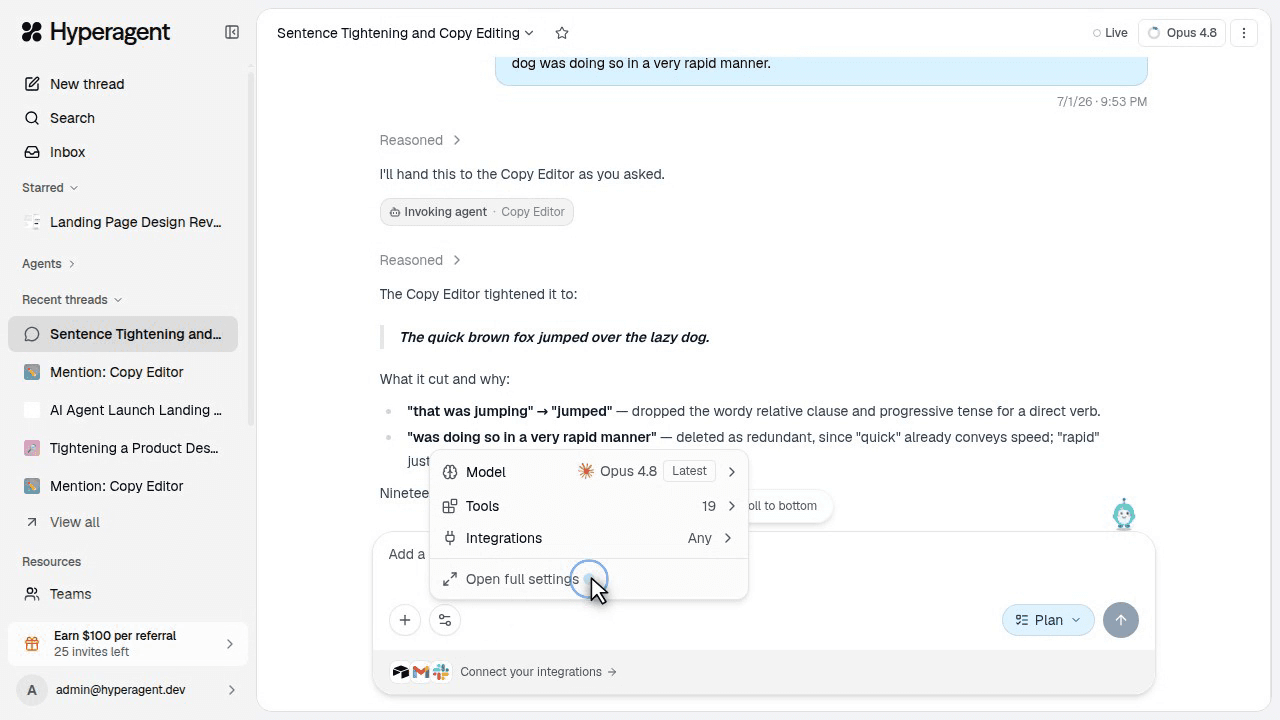
Manage thread settings from the prompt box
Thread controls moved into the prompt box: model, tools, and integrations are available in a compact popover, with the full drawer one click deeper.
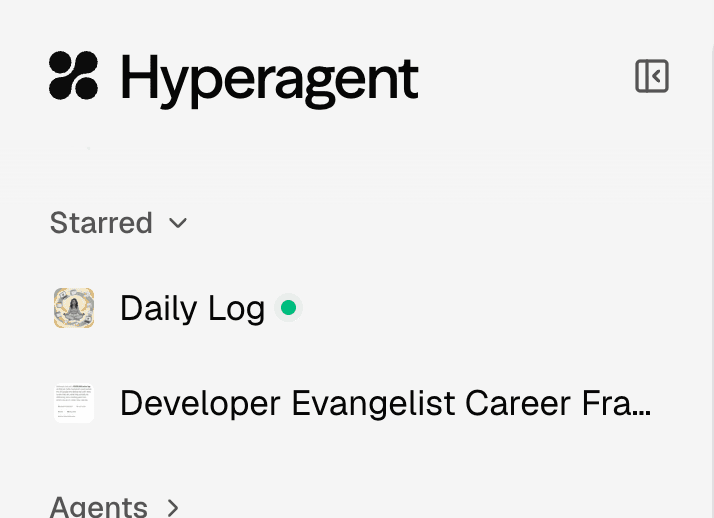
Star threads
Add the conversations you live in to a Starred section at the top of the sidebar for easy access.
Thread tab status
Browser tabs now show when a thread finishes or needs you.
The favicon and title update, so you can kick off multiple runs and scan the tab strip to see which one is waiting.
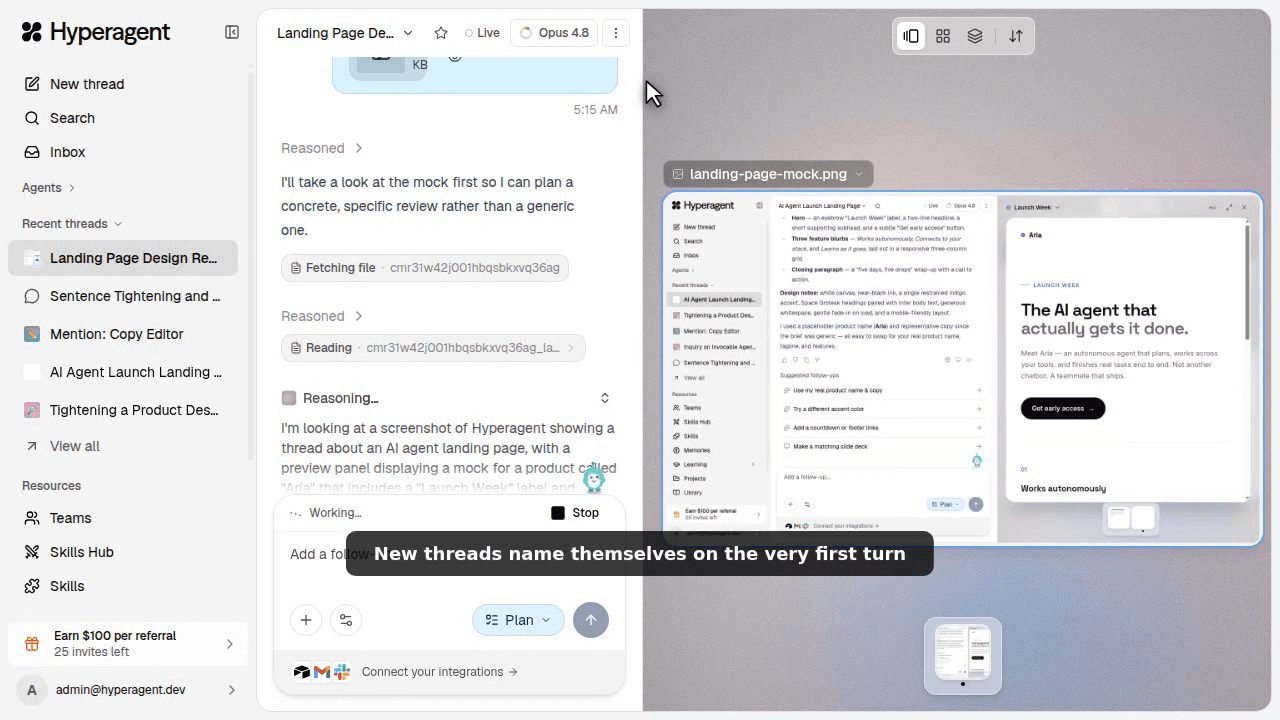
Instant thread names
New threads name themselves shortly after your first message, so the sidebar stays readable.
Threads stay findable by name instead of showing up as a generic "New thread" label.
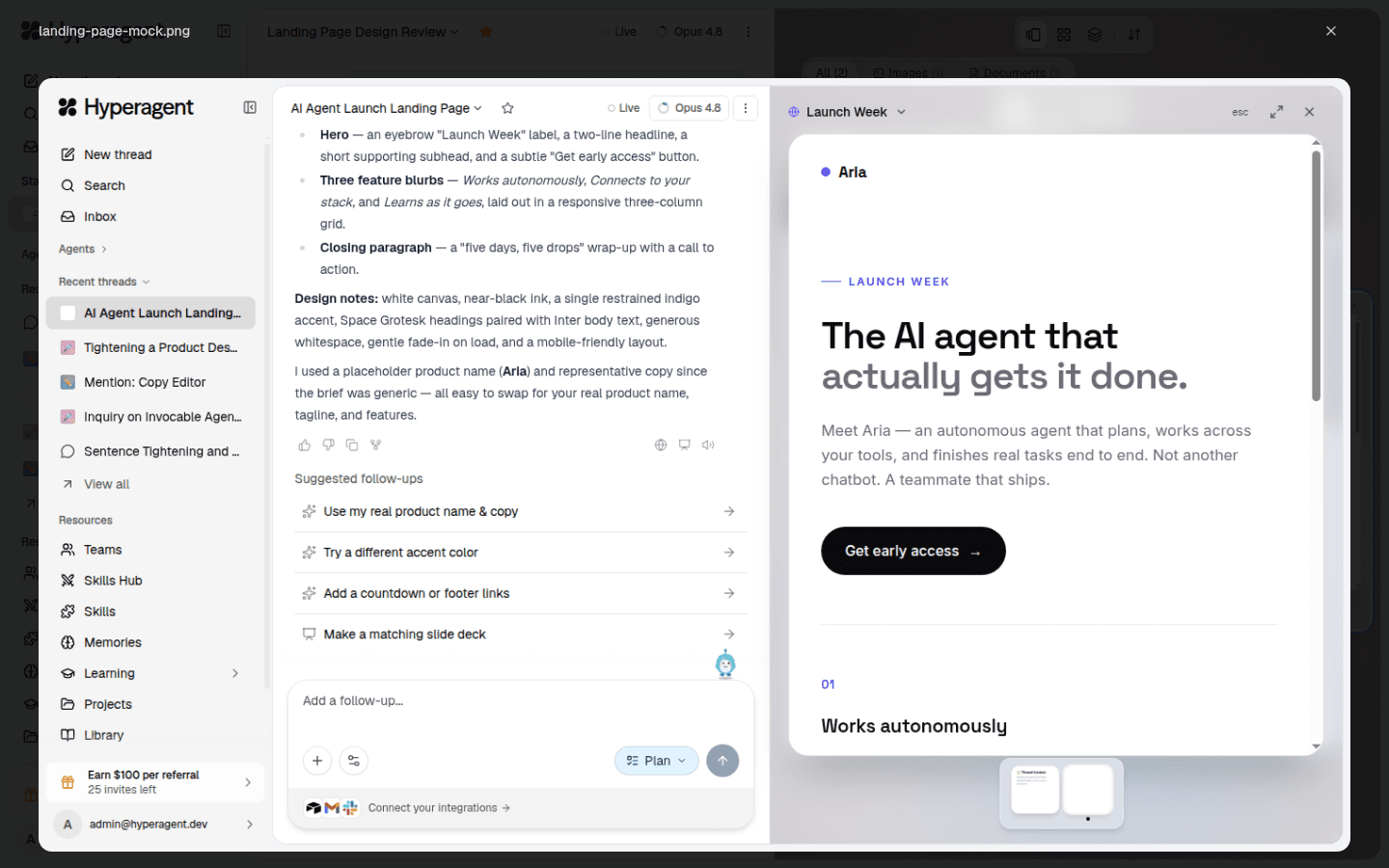
Click-to-zoom attachments
Open screenshots and design mocks full-screen from chat.
Dock and arrange
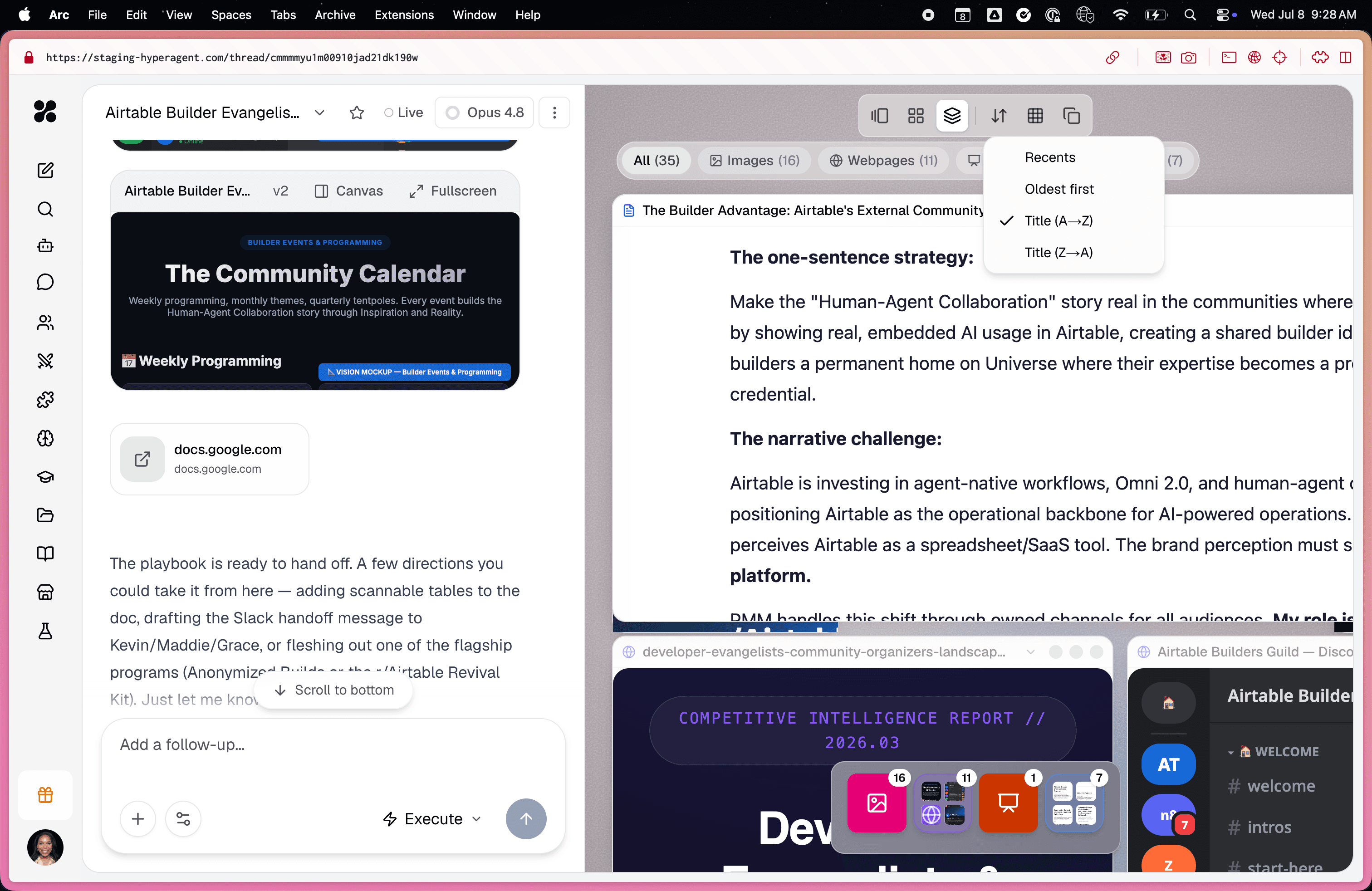
The canvas now has layout modes, window sorting, and folder docks for artifacts produced in a thread.
Switch between side-by-side, grid, and stacked layouts from the toolbar band, sort windows by recency or title, and collapse related artifacts into a folder-style dock (a collapsible group).
Copy documents as Markdown
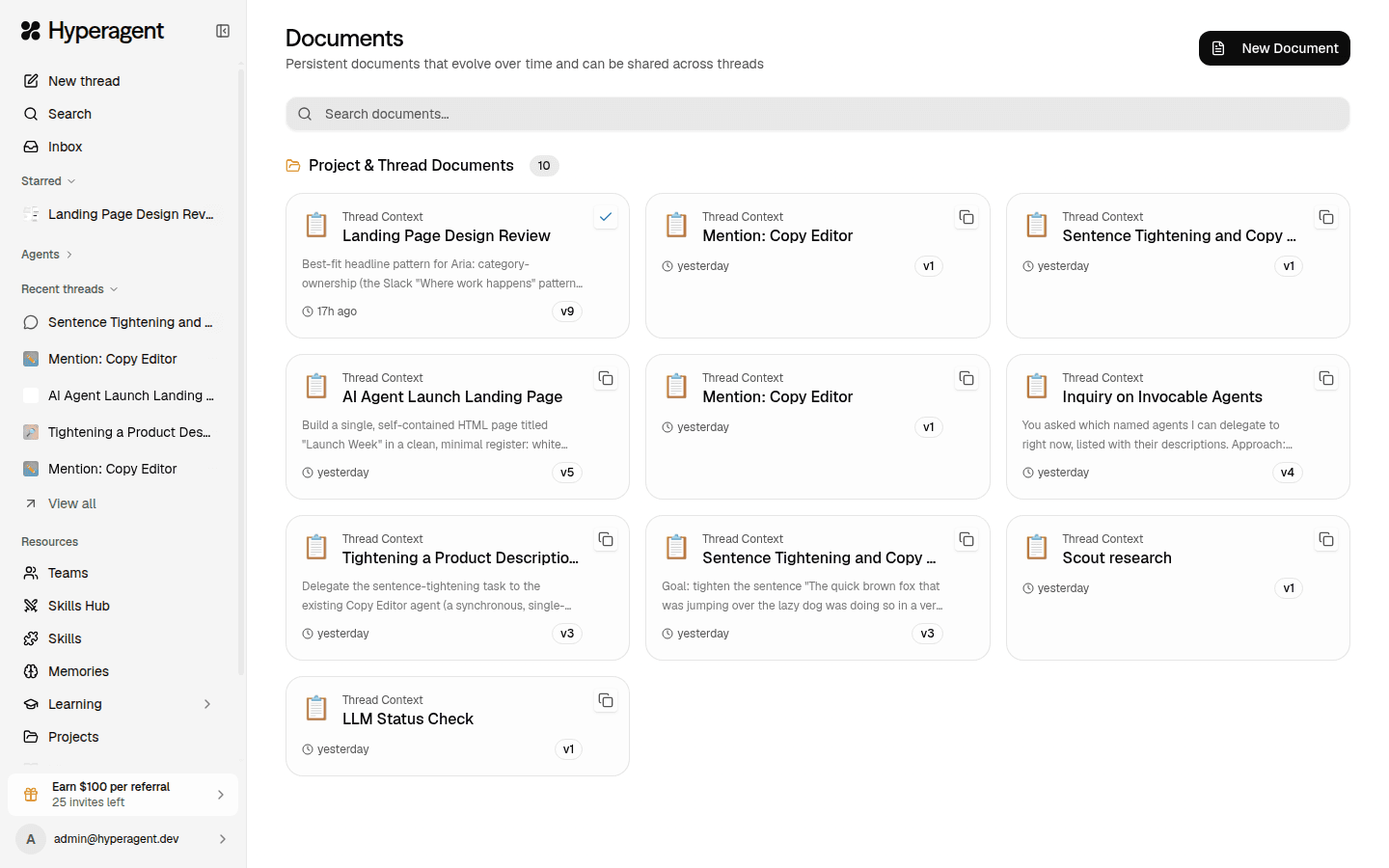
Agent-written documents now copy as Markdown, preserving structure when you move them into a wiki, handoff note, or review document.
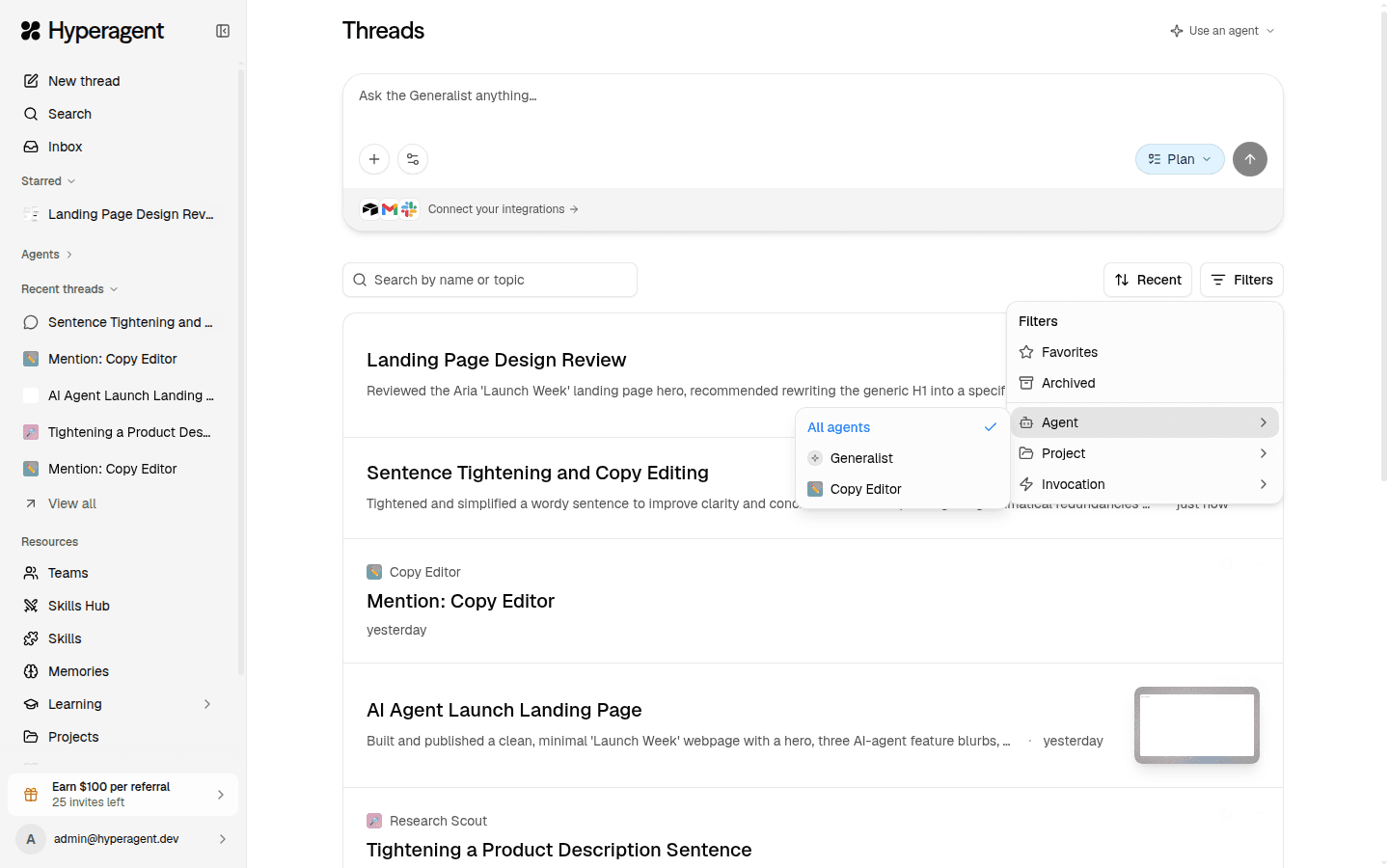
Filter out generalist threads
Filter the thread list to named agents, so quick generalist threads don't drown out organized work.