Workspace agents
Choose the best way to share your agents with your team.
A workspace makes an agent available two ways: the workspace owns it, or a person shares their personal agent to the workspace. Both let every member run it. However, the way the agent is shared determines who may change it.
Availability is easy; maintenance is the real choice
Either model gets the agent in front of your workspace today. Only one of them decides who fixes it next month.
The workspace's Agents page keeps the two apart, so you can always tell which model an agent is on.
Two ownership models
The agent belongs to the workspace. Owners and Editors edit its configuration; every member runs it.
- Who maintains it: Owners and Editors, together
- What they can change: instructions, skills, tools, connected integrations, and its execution mode
- Choose it when the agent's job belongs to the workspace's workflow rather than one person's
Configure multi-agent workflows once
Workspace-owned agents can work as a system. Scout, the triage agent, can triage a case, delegate the documentation to Scribe the documentation agent, and pass the approved result to Press the publisher. Owners and Editors maintain that shared workflow once, and Members can run it without rebuilding the handoffs each time.
Agents can start on a schedule, from Slack, or through another agent. See Invocations for each option.
Move an agent between personal and shared workspace
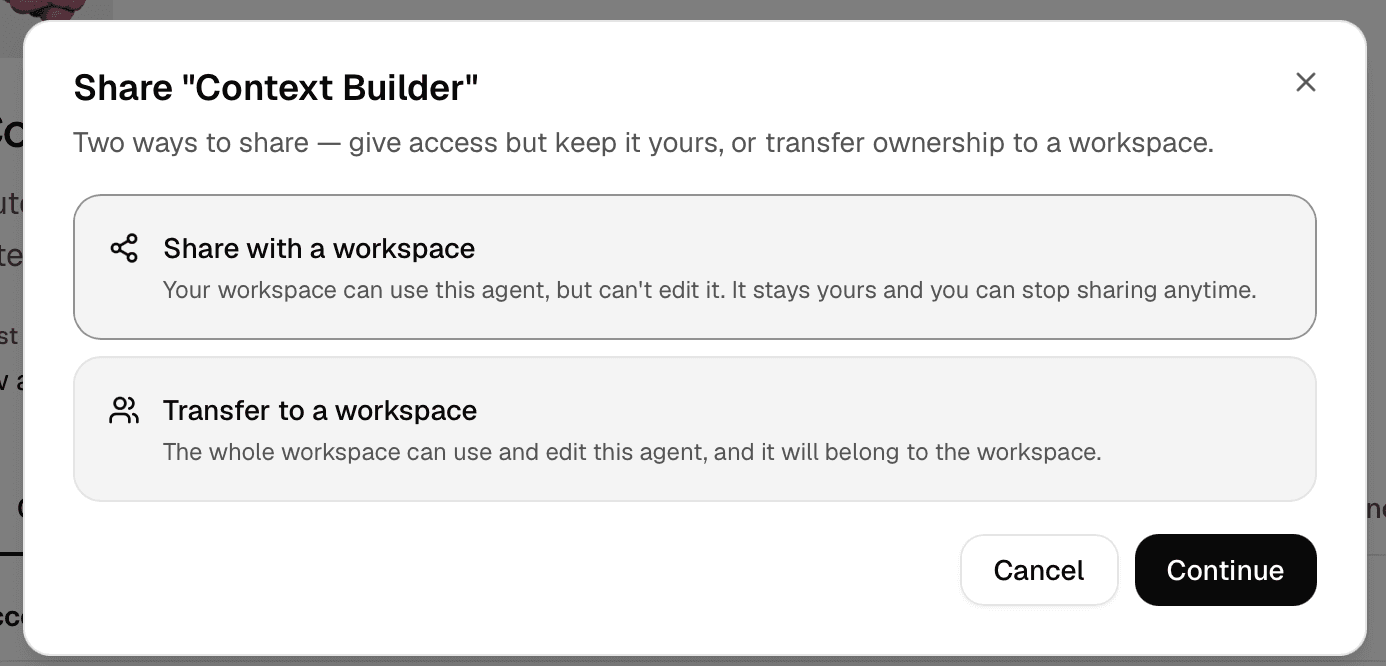
Sharing grants access; a move changes who owns the agent. Reach for it when maintenance should change hands: a personal agent whose job has become the workspace's, or a workspace agent that should go back to one person.
Start the transfer
Open Share… on the personal agent and choose Transfer to a workspace. Select the destination. You need Owner or Editor access there; Import creates an agent from an export file instead of transferring this one.
Review what moves
The confirmation lists what changes hands: the agent's configuration, its own memories, and its threads, which move into the shared workspace. It tells you how many threads that is before you commit. Linked documents get a per-document choice: copy into the workspace, or leave behind.
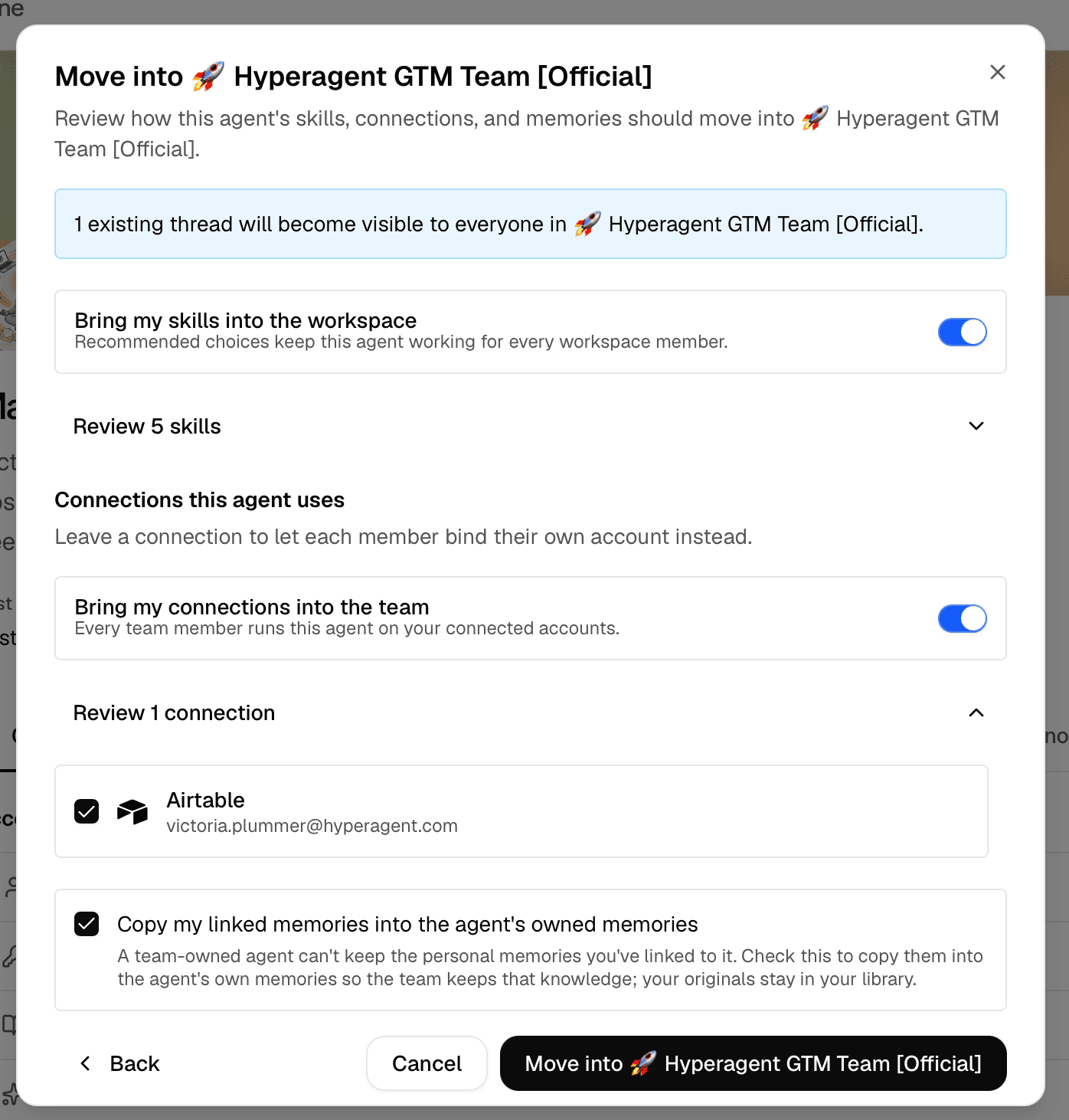
Confirm
From then on Owners and Editors maintain the agent and every member can run it. The reverse move, demoting a workspace agent to one person, works the same way, and pauses the agent's automations so a schedule doesn't keep firing under changed ownership.