New models, native-audio video, and quieter Slack updates
DeepSeek V4.1 Flash and Fugu Ultra v2 add new model choices, FLUX 3 and Omni extend video work, and Slack updates now stay in one message.
September 18, 2026
This release adds choices for analysis, video, and shared-channel updates. Choose a fitting model, create video with native audio or continue refining a scene, and follow agent progress in Slack without interim-message clutter. Supporting updates add control to schedules, webhooks, agent setup, knowledge, and shared files.
DeepSeek V4.1 Flash and Fugu Ultra v2
DeepSeek V4.1 Flash is now available for threads, agents, and account defaults with text, image, and long-context support. In a thread, open the header model picker and select DeepSeek V4.1 Flash under Open weights. Agent owners can select it from the Model configuration pane.
Fugu Ultra v2 is also available in the thread header model picker, agent Model configuration pane, and account default settings. It supports multimodal inputs and is designed for complex technical analysis, visual reasoning, and multi-layered data synthesis. In the model picker, select Fugu Ultra v2 under Other providers.
Learn more in Models.
FLUX 3 and Gemini Omni 1.1 video controls
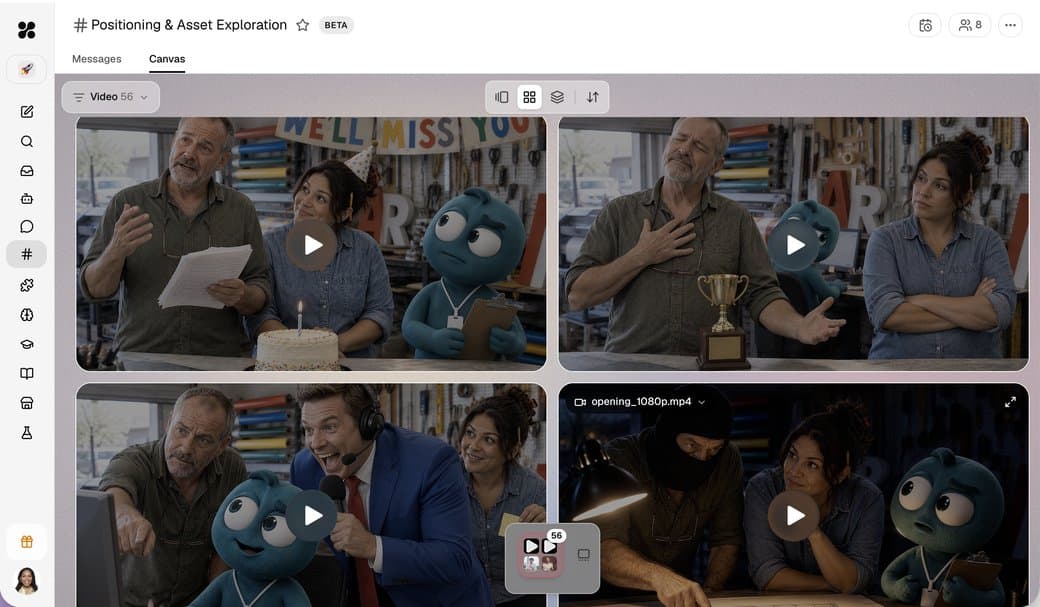
FLUX 3 is now available through video generation. Ask your agent for a six- or eight-second 720p FLUX clip in widescreen or vertical format, with native audio and optional frame guidance.
Gemini Omni 1.1 is now enabled for all accounts. In any thread, ask your agent to generate, edit, continue, or extend a clip. Omni supports three- to ten-second clips, multiple formats and resolutions, frame guidance, and extensions up to 40 seconds.
Learn more in Media generation.
Slack Reply style keeps progress in one message
New Slack channel connections now default to Reply style → Show progress, then the reply. One status message updates in place while an agent works, followed by the final answer. Existing channels can switch to this setting from Reply style options.
You can also remove a dedicated Slack bot from its Bot identity card. In the agent's Invocations tab, select Slack and choose Remove from Slack.
Learn more in Slack.

Dedicated model settings for schedules and webhooks
Standard schedules can now use a model other than the agent's default. In Invocations, add or edit a schedule, expand Advanced, and choose a model.
Webhook Detail and Edit dialogs now include per-endpoint model selection and signature verification. In Invocations, select Webhooks and open a webhook to configure both.
Additional improvements
- In-place library updates. Edit promoted Team files directly without breaking their shared link or resetting version history.
- Google Drive permissions. Upgrade older Drive connections to full search and index Shared Drives with one click.
- Learned memory audit. Review what an agent learned in conversation from a dedicated Learned view in Memories.
- Context tables. Pin structured tables into an agent's context files alongside documents.
- Automation indicators. Check active schedules and Live monitoring at a glance from the agent card.
- Background run limits. Schedulers, webhooks, and inbound emails queue predictably under account concurrency limits.
- Thread overrides. Switch models or toggle tools for a single thread without editing the agent's permanent setup.
- Large parameter reviews. Inspect full file diffs and large payloads directly inside approval cards.
- Full MCP catalogs. Browse paginated tool listings for servers with dozens or hundreds of actions.
- Team skill auto-save. Update shared skill documentation without review cards when standing workspace consent is enabled.
- Document targeting. Update working document sections by name or persistent identifier.
- Sign in with Apple recovery. Recover access smoothly after a private relay email change.
- In-thread search navigation. Jump between search matches using Cmd/Ctrl+G and Shift+Cmd/Ctrl+G.
- Saved browser logins. Detect login fields automatically and prompt to save credentials on supported sites.