Evaluate and improve your agent's work
Save a rubric, score a completed result, review the reasons and test a change.
Turn a quality concern into a change you can check
Write down what you expect, score a result you already understand and inspect the reasons. Use that evidence to choose one improvement, then check another result.
Before you start
Choose a thread with a completed result and the sources needed to review it. You should understand the work well enough to disagree with a score. You do not need to rerun the task to evaluate its existing output.
For the concepts behind criteria, weights and model judgment, read Rubrics and evaluations.
Create and use a rubric
Describe what you check
In the thread with the completed work, explain what a useful result must get right. Ask Hyperagent to draft criteria, relative weights and scoring guides before it evaluates anything.
Draft a rubric from completed workPrompt
Propose a rubric for this kind of work. Ask me which checks matter most if the standard is unclear. Give each criterion a distinct, observable check, a relative weight and a guide describing low, middle and high scores. Show me the draft for review before evaluating the result.
Paste it into the same conversation to continue working with your agent.
Reviewing a customer brief
Check that findings link to sources, the brief separates evidence from assumptions, the recommendation names useful next steps and the writing is easy to scan. Give evidence quality more weight if unsupported claims would make the brief unusable.
Review and save the rubric
Read the proposed rubric card. Check that each criterion measures something you can inspect, the scoring guides explain the difference between weak and strong work, and the weights reflect the consequences of a failure. Ask for revisions if two criteria count the same problem twice.
Save the version you want to use. Check that the rubric is saved before starting an evaluation. A proposal is not yet your saved standard.
You can also open Rubrics → Suggest a rubric and select the agent whose work you want to assess. Review the generated criteria before saving. The empty state offers Create in a thread. If you use Save & Pin to Agent, check that the rubric was both created and pinned: these are separate operations. Saving a rubric does not, by itself, score the completed work.
Evaluate the existing output
Open the completed thread. In the composer's agent menu, choose Actions → Run evaluation. You can also select Eval beneath the agent's response. If the rubric is already pinned, open the Learning side panel, expand Rubrics, and use its Eval button.
Select the saved rubric and Evaluate existing output to assess the response already there. This mode does not run the task again.
Review Judge Model and choose from the available options. Same as thread uses the thread's model as the judge. This setting does not change the model that produced the original result.
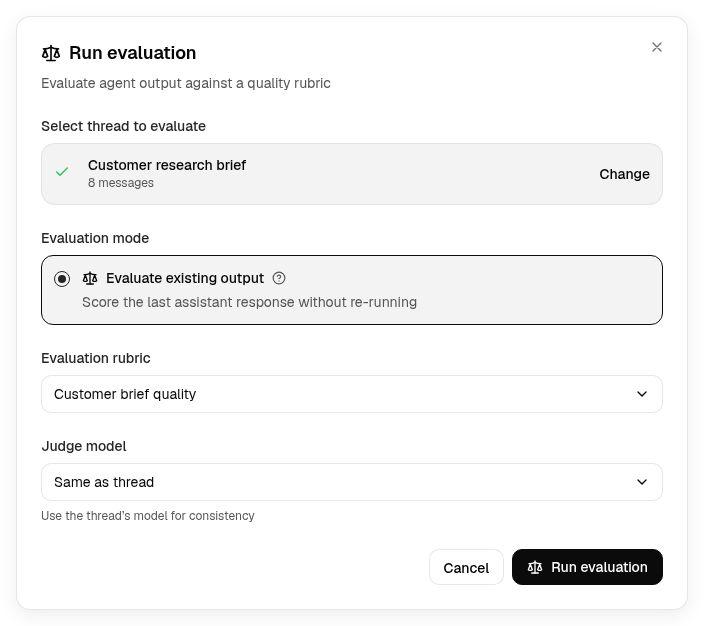
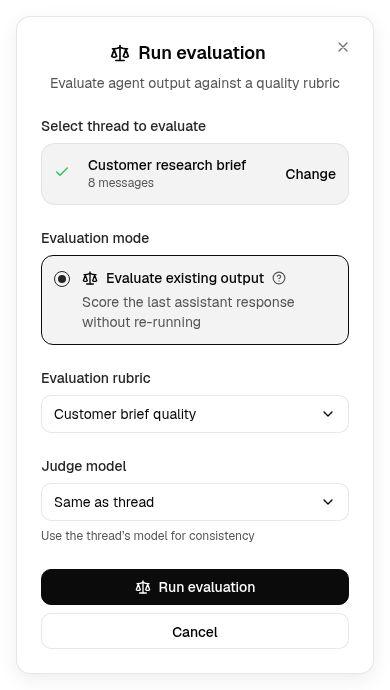
Start the evaluation and wait for its result. If it fails, read the explanation, correct the reported issue and use Retry when offered. Check the selected mode before retrying.
Review the reasons and mark unfair scores
Read Criteria Breakdown before relying on Overall Score. Compare the judge's reasons with the actual output and its sources. Check Judge Assessment for the overall interpretation.
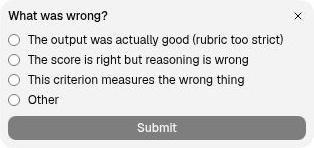
Use the thumbs-up or thumbs-down controls labeled Fair? on each criterion to record whether you agree. For a thumbs down, choose the reason. If a criterion is vague or the judge missed evidence, fix that problem before changing the agent's method.
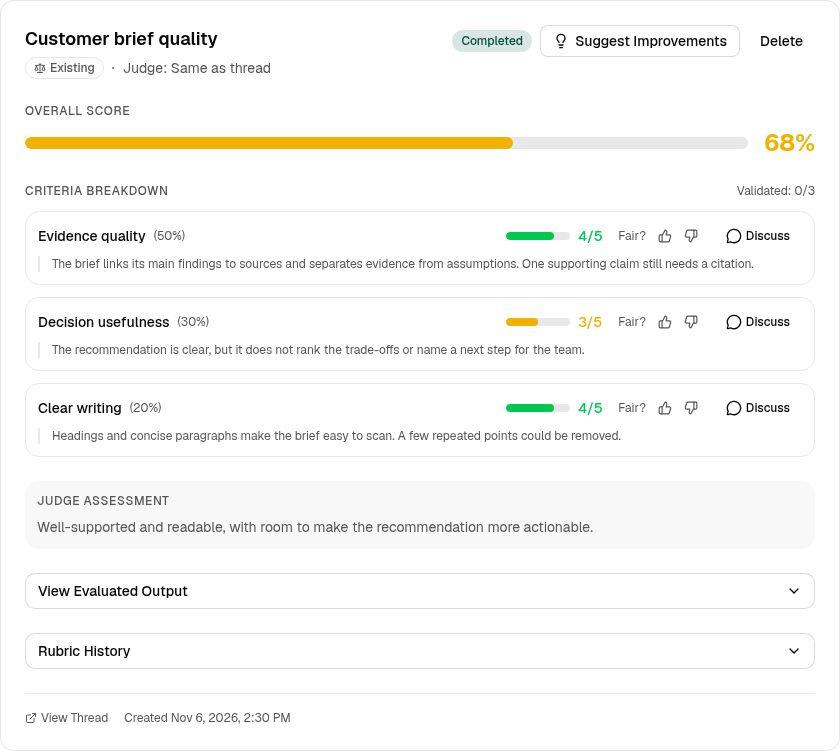
After revising a rubric, use Evaluate existing output on the same response to check how the revised standard applies. Keep that check separate from testing a new result.
Choose one improvement
Open the rubric from Rubrics to inspect its evaluation history. Look for repeated failures you agree with, rather than treating one low score as a complete diagnosis.
Select Suggest Improvements when you want help identifying a change. Review the rubric's suggestions panel to see whether it proposes clearer criteria, a reusable skill, a memory or revised instructions. Check the proposed destination and save the change you want to test.
With only a few evaluations, inspect the individual results closely. Discuss Patterns becomes available after two evaluations and opens a thread with per-criterion averages and your agreement rates.
Test the change on another attempt
After the change is saved, return to the original task thread and open Eval. When Replay & evaluate is offered with that prompt as the source, use it to run the prompt again in a hidden thread and score the new result. Keep the rubric and judge choice consistent when comparing the agent's work.
Opening Run evaluation from the Rubrics page without a prompt source only evaluates existing output. If replay is not offered, start a fresh thread with the agent, repeat the same kind of job and evaluate its completed output.
Read both outputs and their criterion-level reasons. Check that the specific failure was addressed and the change did not introduce a different problem. A higher total alone is not enough to establish success.
Use Test Rubric when you want a fresh thread with the rubric pinned and a starting prompt for new work. Repeat the same kind of job with different facts to check whether the method holds beyond the original example.
Check the outcome
You should have a saved rubric, an evaluation whose reasons you have reviewed and a specific change checked against another result. If the judge keeps misunderstanding the standard, revise the rubric. If the standard is clear and the work still falls short, keep developing the agent's method.