Manage an agent's learning
Choose which changes wait for review, check where memories save and inspect what the agent keeps.
Keep useful learning with the right review
Choose what your agent may keep from its work, where new memories belong and which changes should wait for you. Then inspect one real change before widening automatic saving.
Before you start
Use an existing agent you can configure. For a Workspace-owned agent, check that your role permits editing it. Decide which responsibilities the agent handles and who will use it, since saved guidance can affect later jobs for other people.
This guide configures the agent's learning. For daily wiki updates, use Set up team knowledge. For a reusable procedure, use Teach your agent how you work.
Configure and check learning
Open the agent's knowledge settings
Open your agent and its Knowledge settings. Review the current knowledge profile and individual settings before changing them.
Check what the agent may read and where new memories will be saved. Choose the agent's own memories for lessons specific to that role, or the Workspace's memories when other agents should be able to use the facts. Changing this destination affects future memories; it does not move existing ones.
Read Knowledge access if you need to distinguish the Workspace's memory library, the agent's own knowledge and Autowiki pages.
Choose which changes need review
In Self-learning, review Learns automatically and the levels offered for each kind of change.
- Suggested: propose the change and wait for review.
- Auto-saved: save eligible changes within the agent's permissions without another approval.
- Off: leave that type out of automatic learning.
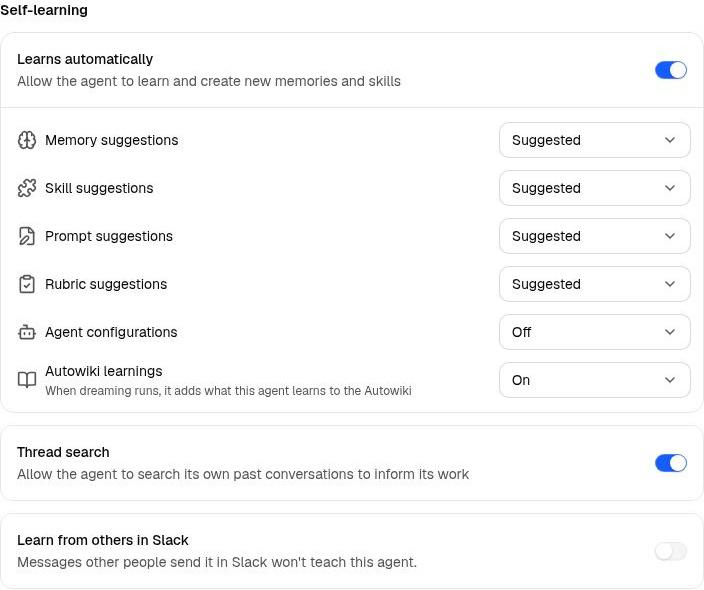
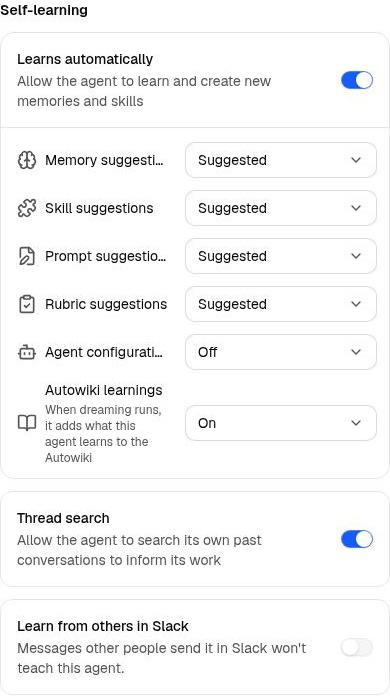
Start with review for changes you have not yet seen the agent handle reliably. You can allow a small memory preference to save automatically while keeping changes to methods or instructions under review. Rubrics offer Off or Suggested; agent configuration offers Off or Auto-saved.
Check the resulting controls after selecting a profile. A profile combines choices, so inspect the settings rather than relying on its name alone. Saved-agent settings save automatically; wait for Saved after Saving… before checking the result.
Decide whether other people may teach it
Review Learn from others in Slack. Enable it only when the agent should learn memories from other people's messages in its Slack channels and DMs, with memory automatic saving enabled.
For a shared agent, agree who will inspect the memories it saves. Leave this off when channel participation should not contribute lasting facts or preferences.
Thread search is a separate control for retrieving previous work. Enabling it does not itself authorize learning from other people.
Inspect a change from real work
Work through a bounded task and give feedback about something that should apply again. Check whether the agent produced a proposal or saved a change under the levels you chose.
A report-opening preference
After reviewing a report, explain that future reports should open with risks and next actions. Inspect whether the saved guidance captures that general preference without keeping temporary dates or facts from this report.
For a proposal, review its content and destination before saving it. For an automatically saved memory, open the saved record and check its owner, content and version history. Use Manage Learnings to find pending proposals.
New shared Workspace skills, shared-skill script or credential changes and rubric proposals still have review requirements. A learning setting does not grant new edit permissions.
Verify the saved guidance in a fresh request
Start a fresh thread with the same agent and repeat the same kind of job using different inputs. Avoid repeating the preference or procedure you just saved.
Check whether the result uses the saved guidance and avoids carrying over one-off details. If it does not, inspect whether the change was saved, whether the agent can reach it and whether it was retrieved. Change one part of the setup, then check again.
If a memory or skill is wrong, inspect its Version History and restore a supported earlier version when appropriate. Review configuration changes separately rather than assuming every setting has the same restore action.
Check the outcome
You should know what the agent can learn, which changes need review, where new memories belong and who checks them. Keep reviewing saved changes as the agent takes on more responsibilities.