Shared Agents & Context
Share agents and methods with your team, keep the right context available, and choose who can use and maintain it.
Give your team a setup they can use and improve
Share agents for recurring responsibilities, skills for the methods they follow, and context they need across jobs. Decide who maintains each resource and who should be able to use it.
Share agents your team can use
Choose whether you will maintain the agent yourself or your team will maintain it together.
| Share a personal agent | Workspace-owned agent | |
|---|---|---|
| Who maintains it | Its personal owner | Workspace Owners and Editors |
| Who can run it | Every workspace member | Every workspace member |
| When it fits | You maintain a capability the team uses | The team owns the responsibility and setup |
Keep ownership, give your team access
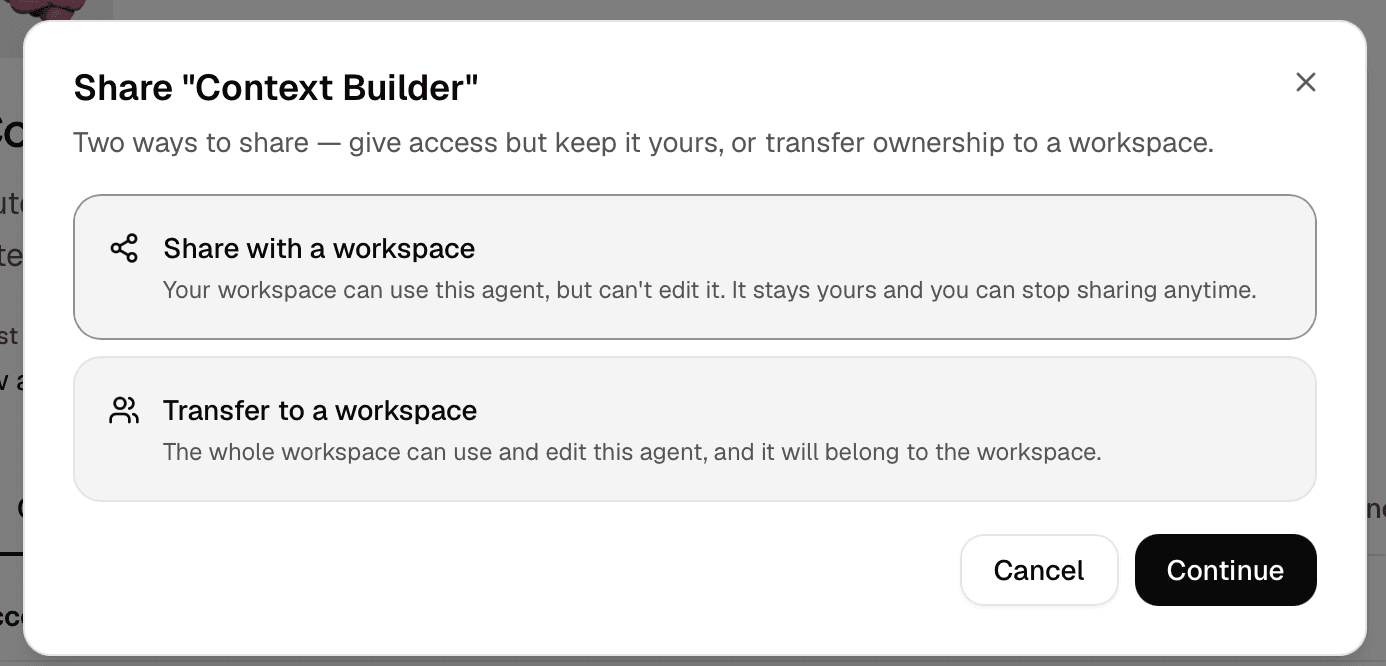
Open Share… on your personal agent, choose Share with a workspace, and select the workspace. You continue maintaining its configuration. Workspace Owners and Editors do not gain edit access to your personal agent.
Review the context your agent can use
A shared personal agent keeps its existing knowledge access. Personal memories it can read may appear in replies to teammates. Sharing does not give it access to workspace memories automatically or copy your personal library into the workspace.
Let your team maintain the agent
You need Owner or Editor access in the destination workspace.
Start in your personal workspace
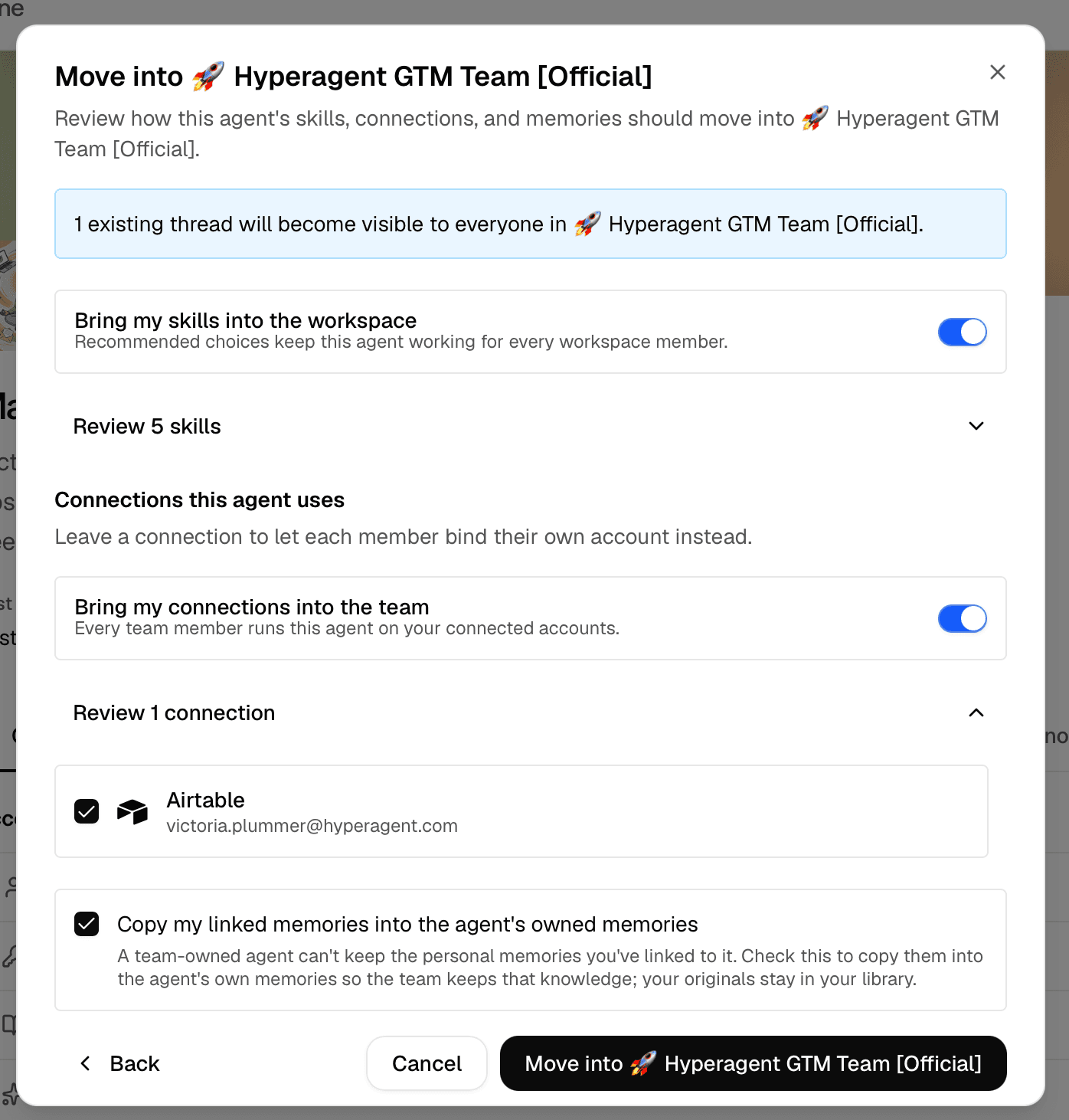
Open the agent’s Share… menu, choose Transfer to a workspace, and select the destination.
Review what moves
| Resource | What to check |
|---|---|
| Configuration and agent-owned memories | Move with the agent. |
| Threads | Move into the workspace. Review the count and the new audience. |
| Linked documents | Choose whether to copy each into the workspace or leave it behind. |
| Linked skills | Review ownership and the options offered. Another workspace’s skill does not change ownership. |
| Connections and other resources | Review the choices in the confirmation before relying on them. |
Confirm and check the setup
Workspace Owners and Editors can maintain the agent, and members can run it. Check its knowledge and connections with a new task.
Moving a workspace agent back to a person also changes ownership and pauses its automations. Review those automations before relying on them again.
Give agents a shared way of working
Maintain one method together
Use a shared skill for a process several agents should follow, such as preparing a customer brief or reviewing a report. Workspace Owners and Editors maintain workspace-owned skills; a personal skill shared into the workspace stays under its owner’s control.
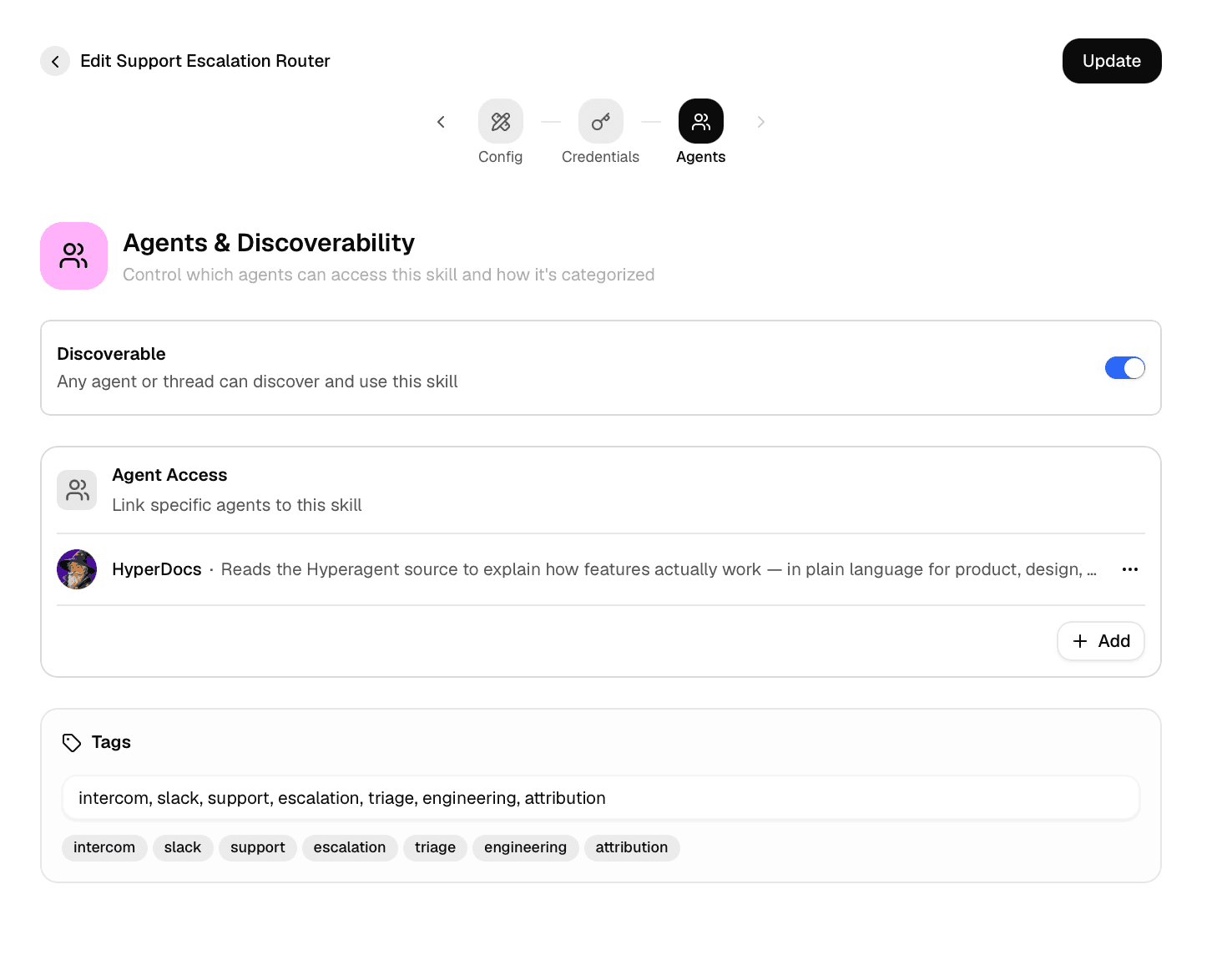
In Agents & Discoverability, choose whether the skill is discoverable in the workspace or available to selected agents. Check the agent’s knowledge settings as well: sharing a skill and having the agent read it are separate steps.
- Update the shared source when the improvement should apply to everyone using that method. Check a new run after changing it rather than assuming active work has refreshed.
- Fork the skill when you need an independent variation. Later source updates do not flow into the fork.
- Review saving behavior under learning settings. Eligible content updates can save automatically; script and credential changes can require review.
A shared personal skill is used by reference. If its owner deletes it or removes access, the workspace does not retain an independent copy. See Edit and import skills.
Share facts that help future work
Keep a lesson with one agent when it is specific to that role. Use workspace memories for reviewed facts and preferences that other agents should be able to use, subject to their knowledge settings.
Check the agent’s save destination: This agent’s memories or the workspace’s memories. Learning can be off, suggested for review, or auto-saved where permitted. Choose suggestions when someone should review a lesson before it becomes shared guidance.
An Owner or Editor can use Promote to Workspace memories to move an agent-owned memory into the shared library. This moves the same memory rather than creating a copy; the originating agent keeps access. Move to an agent narrows it to one agent and clears earlier agent links. Both actions stay within the workspace.
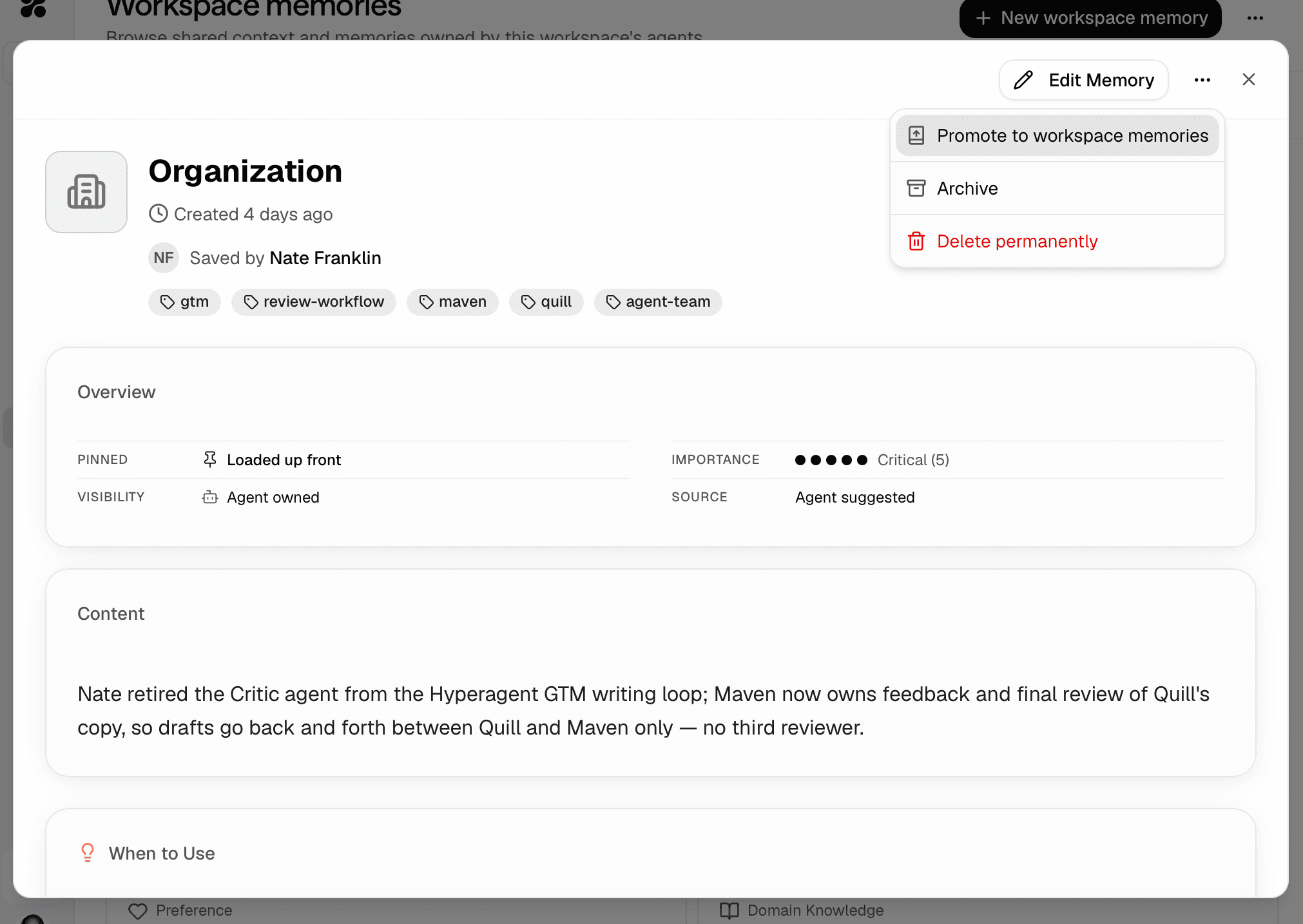
Add an established policy directly with + New workspace memory. For retrieval and maintenance, see Memories. Memory version history tracks content edits, not ownership moves; check its current location to understand its audience.
Keep useful references available
Use workspace-library documents for material the team should read and maintain, such as a service description or approved reference guide. Every workspace member can read these documents; Owners and Editors can contribute and curate them.
Make the relevant material available through the agent’s knowledge settings. Supply customer-specific files with the job when they do not belong in shared context.
An output appearing in Library does not automatically make it a workspace-library document. Thread files and outputs can retain their own access rules. Check the item’s sharing controls before sending a teammate its link.
Know what stays private
| Where the work or context lives | Who gets access |
|---|---|
| Personal workspace | Workspace membership does not let Owners browse your personal library or move it into the team’s workspace. Material you deliberately share has the audience you chose. |
| Individual workspace thread | The person who starts it keeps access while required permissions remain valid. Workspace Owners can review it read-only, including threads without an agent. Editors and Members do not gain access to other people’s threads merely through their role. |
| Workspace room | Workspace members can see and join it. Use a room for work the team should follow together. |
| Workspace-library memories and documents | Members can read them. Agent use also depends on knowledge settings. |
| Thread outputs | Access follows the work and any explicit sharing. A workspace list alone does not grant everyone access. |
A workspace agent does not inherit your personal memories
A workspace-owned agent uses workspace context and its own resources according to its configuration. A personal agent shared with the workspace keeps its existing knowledge access. Neither setup grants access to another person’s private context just because they start a run.
Owner oversight is a human review permission. It does not automatically let an agent retrieve every thread the Owner can inspect. Explicit thread shares and shared-personal-agent oversight are separate access relationships.
Leaving a workspace ends membership-based access. It does not delete past work or move workspace resources into Personal. Before handing off responsibility, review automations that depend on your connections and make sure another Owner can manage the workspace.
Choose whose account a shared skill uses
Sharing instructions does not decide which account performs an external action. For skills with credentials, review the sharing mode:
| Mode | What teammates should expect |
|---|---|
| Use my credentials | Actions use the sharer’s connected account and its permissions. A runner can choose their own credentials where offered. |
| Each member adds their own | Each runner connects their own account before the credentialed work can run. |
If the skill shows Needs your credentials to run, use Add credentials in the skill. After connecting, check for Using your credentials and retry the task. Do not paste secrets into the thread. See Call APIs from a skill.
Choose who can use and edit
Give teammates a role based on the work they need to do: Members use the shared setup, Editors maintain it, and Owners administer the workspace.
| Responsibility | Owner | Editor | Member |
|---|---|---|---|
| Run workspace agents and use available skills | Yes | Yes | Yes |
| Read workspace-library memories and documents | Yes | Yes | Yes |
| Edit workspace-owned agents, skills, memories, and documents | Yes | Yes | No |
| Review other members’ workspace threads read-only | Yes | No | No |
| Manage members, invitations, roles, and workspace settings | Yes | No | No |
| Permanently delete workspace-library memories and documents | Yes | No | No |
Workspace roles do not grant edit access to a personal agent or skill someone shared. Its owner maintains it. A denied workspace-memory change is not saved into someone’s personal library instead.
Follow Create a workspace and add people to manage membership. Keep at least one Owner; the last Owner cannot be removed or demoted.